

 FSX Scenery
Hotel Transamerica Airport
Hotel Transamerica Airport (SBTC), Una, Bahia, Brazil, and Pocoes Airport (SN…
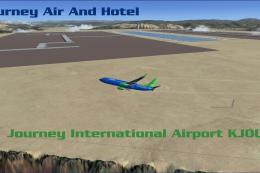
Journey Air and Hotel Airport overhauls Westcliffe’s default C08 in Colorado with a larger fictional hub built in Airport Design Editor for FSX, adding ILS guidance, functioning night lighting, working jetways, ground vehicles, and optional fireworks. The layout refreshes ramps, gates, and taxi flow for smoother regional operations.
 Rate
Rate
 United States of America
It replaces the default C08 airport in WestCliffe, Colorado (CO). The fictional airline Journey will use this airport as its hub. By Brenden Gieselhardt.
Thank you for downloading the journey airport! This file replaces the default c08 airport in westcliffe, CO with A new, and bigger journey airport. Created in Airport Design Editor, this airport comes with many features. Functioning night lighting, ILS approaches, fireworks(just for fun), working jetways, and ground vehicles.
WARNING: I suggest dialing down the autogen setting on the FSX main menu. Some trees may get in the way of taxiways,aprons,and gates.
Install: Put the C08_ADEX_ADE.BGL file in /Addon Scenery/Scenery, then add the scenery in scenery library in FSX.
Happy Flying!
Free for all simmers · 4.45 KB · Scanned clean Oct 2026
Download speed: Free tier is capped at 0.5 Mbps. PRO members download at full line speed.
FSX\Addon Scenery\ containing scenery and texture sub-folders.readme.txt or README file. It tells you exactly where files go, what dependencies are needed, and any quirks specific to this add-on.Use these coordinates to fly directly to this location once the mod is installed.
38.10640000,-105.35700000
Launch FSX or Prepar3D and use Flights → Load to open the downloaded .pln file. Your aircraft will be positioned at this location.
The archive journey_air_hotel.zip has 4 files and directories contained within it.
This list displays the first 500 files in the package. If the package has more, you will need to download it to view them.
| Filename/Directory | File Date | File Size |
|---|---|---|
| C08_ADEX_ADE.BGL | 06.22.12 | 7.69 kB |
| ReadMe.txt | 06.26.12 | 859 B |
| flyawaysimulation.txt | 10.29.13 | 959 B |
| Go to Fly Away Simulation.url | 01.22.16 | 52 B |
Only PRO members can place votes.
More FSX & P3D add-ons hand-picked based on this download.
FSX Scenery
Hotel Transamerica Airport (SBTC), Una, Bahia, Brazil, and Pocoes Airport (SN…
 FSX Scenery
This is the Journey Ar And Hotel airport. This airport is operated by the VA …
 FSX Scenery
Works with the Caribbean meshs in LOD 10 (MESHANTILLES.ZIP). Features redesig…
 FSX Scenery
Friday Harbor Airport And Lopez Island. This package was made using Airport D…
 FSX Scenery
FSX De Kooy And Den Helder Airport, The Netherlands (EHKD).
 FSX Scenery
Port Stewart Area And Airport, AK. Remodels the area of Stewart and Hyder, Al…
 FSX Scenery
Experience the rugged beauty of Songlo, Alaska, with this freeware scenery up…
 FSX Scenery
FSadventureSky scenery and flights. Sainte-Anne-des-Monts is a city in the Ga…
Read what other simmers think, or add your own.

The addon works to a point. When you start at Westcliffe (C08), you start in the middle of a grassy area - not the active runway. You have to taxi through trees to get to a taxiway which takes you through more trees to get to the end of the runway. Overall though, a much nicer scenery layout than the default.