


 France
  FSX Scenery
Millau Viaduct
Millau Viaduct. The Millau Viaduct is large road bridge near Millau in France…
Millau Viaduct Patch scenery refines the iconic Tarn Valley bridge near Millau, France, resolving duplicated default bridge placement and aligning terrain across common scenery-library setups in FSX. It includes three tailored correction options for different mesh and landclass combinations, and requires the MillauViaduct_FSX base scenery.
Millau Viaduct Patch, for use with MILVIADT.ZIP. The Millau Viaduct is large road bridge near Millau in France. It spans the valley of the River Tarn and is the tallest vehicle bridge in the world. By Jean-Claude Irle. (See also MILVIAPT.ZIP).
PATCH for scenery Millau_Viaduct_FSX MARS 2008.
Warning !!!!!!! The scenery "MillauViaduct_FSX.zip" must be installed.
This patch contains three corrective measures according to addons installed in your scenery library.
Your choise:
Option 1 : the mesh France of France VFR is installed but NOT UTX Europe.
Option 2 : UTX Europe is installed but NOT the Mesh France of France VFR.
Option 3 : UTX Europe and France Mesh of France VFR are NOT installed.
It fixes the problem encountered by some, of double posting : my viaduct and that of default MS.
INSTALLATION:
Extract the zipped folders of your choise -1- 2 or 3.
in the installation directory of the "Millau...." scenery, in theory "Addon Scenery" and accept the replacement of existing files.
In your FSX display settings, set Mesh resolution at 10m for get a good result.
That's all,
Enjoy.
JCI
Free for all simmers · 11.75 KB · Scanned clean
Download speed: Free tier is capped at 0.5 Mbps. PRO members download at full line speed.
This add-on may require the following files to function properly. If this is a repaint, the dependency below is likely the base aircraft package.
FSX\Addon Scenery\ containing scenery and texture sub-folders.readme.txt or README file. It tells you exactly where files go, what dependencies are needed, and any quirks specific to this add-on.Use these coordinates to fly directly to this location once the mod is installed.
44.07945000,3.02203000
Launch FSX or Prepar3D and use Flights → Load to open the downloaded .pln file. Your aircraft will be positioned at this location.
The archive milviapt.zip has 7 files and directories contained within it.
This list displays the first 500 files in the package. If the package has more, you will need to download it to view them.
| Filename/Directory | File Date | File Size |
|---|---|---|
| Lisez_moi_InstallationPatch.txt | 03.31.08 | 1.15 kB |
| Option_01_SANS_UTX_AVEC_MeshFranceVFR.zip | 03.29.08 | 4.17 kB |
| Option_02_AVEC_UTX_SANS_MeshFranceVFR.zip | 03.31.08 | 4.08 kB |
| Option_03_SANS_UTX_SANS_MeshFranceVFR.zip | 03.31.08 | 4.21 kB |
| Readme_Patch Installation.txt | 03.31.08 | 969 B |
| flyawaysimulation.txt | 10.29.13 | 959 B |
| Go to Fly Away Simulation.url | 01.22.16 | 52 B |
More FSX & P3D add-ons hand-picked based on this download.
FSX Scenery
Millau Viaduct. The Millau Viaduct is large road bridge near Millau in France…
 FSX Scenery
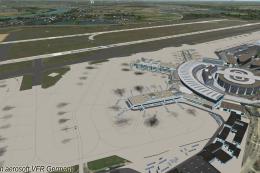
Duesseldorf EDDL Patch, Germany, v1.0. With this patch following things were …
 FSX Scenery
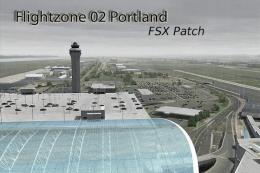
FlightZone02 Portland Patch. This is a patch file with complete, detailed ins…
 FSX Scenery
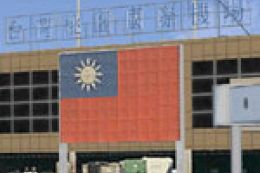
Formosa X RCTP Airport 1.1 Patch. This patch updates the Formosa X RCTP Airpo…
 FSX Scenery
FSX Midway Carrier Patch. A patch for Yanco San's WWII Midway Carrier Battle …
FSX Scenery
Liverpool Scenery Patch UK. This patch is for LIVERPOOLUK.ZIP and fixes some …
 FSX Scenery
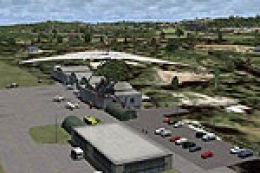
Patch for PR_AIRPORTS_V2.ZIP. Some machines may have problems displaying some…
 FSX Scenery
Ants Aussie Airports Vol 8. Patch 1.1, Bundaberg (YBUD) and Lady Elliot Islan…
Be the first to leave a comment on this download.
Be the first to share your thoughts on this download.