

 FSX Scenery
Puerto Rico Airports
Puerto Rico Airports v2. This work updates the previous version of two of Pue…
Puerto Rico Airports Scenery Patch for Microsoft Flight Simulator X refines PR Airports V2 by replacing problematic apron and ground textures, eliminating black bituminous or dirt areas, and improving surface visuals. It also corrects runway grass at ABO Arecibo and restores proper takeoff and landing flow at X64 Patillas; requires PR_AIRPORTS_V2.
 Rate
Rate
 Puerto Rico
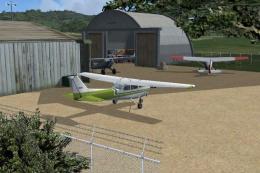
Patch for PR_AIRPORTS_V2.ZIP. Some machines may have problems displaying some apron and ground textures. If this is your case, replace the scenery files with the ones here to see if it solves the problem. Also, this patch fixes the grass on the runway at ABO, Arecibo, and take off and landing problem at X64, Patillas. By Fred Guerra.
Screenshot of Puerto Rico Airports scenery.
Symptom:
Probable Solution:
Other fixes included:
Installation:
Free for all simmers · 32.15 KB · Scanned clean Oct 2026
Download speed: Free tier is capped at 0.5 Mbps. PRO members download at full line speed.
This add-on may require the following files to function properly. If this is a repaint, the dependency below is likely the base aircraft package.
FSX\Addon Scenery\ containing scenery and texture sub-folders.readme.txt or README file. It tells you exactly where files go, what dependencies are needed, and any quirks specific to this add-on.Use these coordinates to fly directly to this location once the mod is installed.
18.43940000,-66.00180000
Launch FSX or Prepar3D and use Flights → Load to open the downloaded .pln file. Your aircraft will be positioned at this location.
The archive pr_airports_v2_fix.zip has 11 files and directories contained within it.
This list displays the first 500 files in the package. If the package has more, you will need to download it to view them.
| Filename/Directory | File Date | File Size |
|---|---|---|
| Please readme.txt | 09.05.12 | 1.21 kB |
| scenery | 09.03.12 | 0 B |
| ABO_ADEX_FG.BGL | 09.03.12 | 8.15 kB |
| ABO_ADEX_FG_CVX.bgl | 09.03.12 | 228 B |
| CPX_ADEX_FG.BGL | 09.03.12 | 11.89 kB |
| TJFA_ADEX_FG.BGL | 09.03.12 | 11.84 kB |
| TJIG_ADEX_FG.BGL | 09.03.12 | 31.86 kB |
| TJVQ_ADEX_FG.BGL | 09.03.12 | 9.72 kB |
| X64_ADEX_FG.BGL | 09.03.12 | 5.45 kB |
| flyawaysimulation.txt | 10.29.13 | 959 B |
| Go to Fly Away Simulation.url | 01.22.16 | 52 B |
Only PRO members can place votes.
More FSX & P3D add-ons hand-picked based on this download.
FSX Scenery
Puerto Rico Airports v2. This work updates the previous version of two of Pue…
 FSX Scenery
Includes Ramey Air Base (TJQB), Rossvelt Roads Air Base (NRR), Mercedita Airp…
 FSX Scenery
Puerto Rico Airports Package Includes Ramey Air Base (TJQB), Rossvelt Roads A…
 FSX Scenery
Puerto Rico. Includes the islands of Puerto Rico, Vieques and Culebra. Includ…
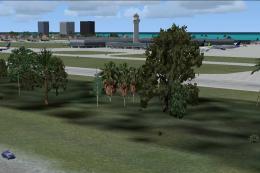 FSX Scenery
Puerto Rico X v1.2. Puerto Rico X is an upgrade to the default scenery of Pue…
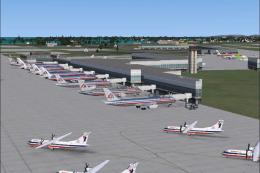 FSX Scenery
This is a modified AFCAD2 file that will add FSX Moving Jetways, Airport vehi…
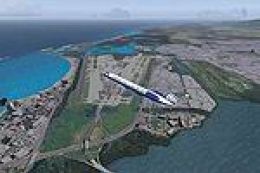 FSX Scenery
This package contains photo-scenery for the eastern part of Puerto Rico. The …
 FSX Scenery
Ants Aussie Airports Vol 8. Patch 1.1, Bundaberg (YBUD) and Lady Elliot Islan…
Be the first to leave a comment on this download.
Be the first to share your thoughts on this download.