


 Australia
  FSX Scenery
Ants Aussie Airports Vol 9
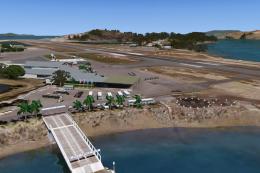
Ants Aussie Airports Vol 9. Hamilton Is, QLD, Australia is a resort island in…
Ants Aussie Airports Vol 8 Patch 1.1 refines Bundaberg (YBUD) and Lady Elliot Island (YLTT) in Queensland with reliable custom runway lighting and corrected terrain so the island stays fully landable for all setups. Built for FSX, it requires AAA8YBD2.ZIP and targets the key fixes pilots notice immediately.
Ants Aussie Airports Vol 8. Patch 1.1, Bundaberg (YBUD) and Lady Elliot Island (YLTT), QLD, Australia. Fixes a couple of problems with Vol 8. These are the runway lights at Bundy and some users sinking at Lady Elliot Island. Requires AAA8YBD2.ZIP. By Anthony Lynch.
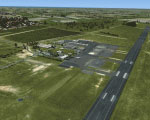
Ants Aussie Airports Vol 8 Patch Scenery.
This download will fix a couple of issues with Ants Aussie Airports Vol 8 (aaa8YBD2.zip).
- Bundaberg runway lights:
Bundaberg uses custom runway lights. Due to a bug in FSX the effects I used would not show up if you started your flight at Bundaberg. I have fixed this.
- Lady Elliot Island landable:
Some people would sink at Lady Elliot Island. This will occur if you don't have the applicable FTX region installed. I have fixed this so it doesn't matter whether you have the applicable FTX region or not and the island should now be landable by everyone.
INSTALLATION:
The are two options for installation:
OPTION 1. Run the "aaa8Patch11.EXE" installer and the necessary files will be installed to their correct locations. This is all you need to do.
Or if you like to do things manually.
OPTION 2. Manually install the files to your FSX folder. This is recommended only for those who dislike installers and would prefer to have control over were things go. This is option is recommended only for experienced users. Copy the two effects files in the Effects folder into your FSX\Effects folder and overwrite the existing files. Then, copy the files aaa8_Bundaberg_RWYLights.bgl and aaa8_LadyElliotIs_LC_8840.bgl from Ants Aussie Airports\Scenery into your FSX\Addon Scenery\Ants Aussie Airports\Scenery folder. The LC file is a landclass file which fixes the sinking problem at Lady Elliot Island. I know FS9 had a problem with memory leaks with landclass files which meant all landclass files needed to be in a separate scenery folder with no associated texture folder. As far as I can tell this problem has been fixed in FSX and I have had no memory leak problems with the LC file in the location recommended. However, if you are the paranoid type who would rather be safe than sorry feel free to create a new scenery folder just for this landclass file.
My apologies for these mistakes and I hope this patch corrects all problems.
Anthony Lynch
Free for all simmers · 146.63 KB · Scanned clean Oct 2026
Download speed: Free tier is capped at 0.5 Mbps. PRO members download at full line speed.
FSX\Addon Scenery\ containing scenery and texture sub-folders.readme.txt or README file. It tells you exactly where files go, what dependencies are needed, and any quirks specific to this add-on.Use these coordinates to fly directly to this location once the mod is installed.
-24.90388900,152.31972200
Launch FSX or Prepar3D and use Flights → Load to open the downloaded .pln file. Your aircraft will be positioned at this location.
The archive aaa8ybd3.zip has 11 files and directories contained within it.
This list displays the first 500 files in the package. If the package has more, you will need to download it to view them.
| Filename/Directory | File Date | File Size |
|---|---|---|
| AAA8YBD3.gif | 05.26.09 | 12.08 kB |
| FILE_ID.DIZ | 05.31.09 | 283 B |
| Readme.txt | 05.31.09 | 2.03 kB |
| Scenery | 05.31.09 | 0 B |
| aaa8_Bundaberg_RWYLights.BGL | 05.30.09 | 26.50 kB |
| aaa8_LadyElliotIs_LC_8840.bgl | 05.31.09 | 300 B |
| AntsAussieAirports_RWYGreenCntrl.fx | 05.30.09 | 326 B |
| AntsAussieAirports_RWYWhiteCntrl.fx | 05.30.09 | 326 B |
| aaa8Patch11.exe | 05.31.09 | 135.98 kB |
| flyawaysimulation.txt | 10.29.13 | 959 B |
| Go to Fly Away Simulation.url | 01.22.16 | 52 B |
Only PRO members can place votes.
More FSX & P3D add-ons hand-picked based on this download.
FSX Scenery
Ants Aussie Airports Vol 9. Hamilton Is, QLD, Australia is a resort island in…
 FSX Scenery
Ants Aussie Airports Vol. 4: Darwin International, Australia. Contains scener…
 FSX Scenery
Ants Aussie Airports Vol. 1: Snowy Mountains scenery, Australia. Contains sce…
 FSX Scenery
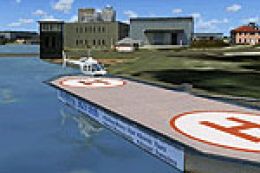
Ants Aussie Airports Vol. 3: Melbourne Helipads. Includes two helipads on the…
 FSX Scenery
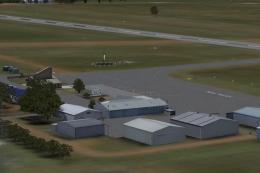
Ants Aussie Airports 13 - YHML Hamilton, Vic, Australia. Hamilton airport is …
 FSX Scenery
Patch for PR_AIRPORTS_V2.ZIP. Some machines may have problems displaying some…
 FSX Scenery
Scenery Greek Islands Vol. 2. This pack contains LGKR Kerkyra, LGKF Kefalloni…
 FSX Scenery
North England Landmark Scenery Vol 1.a Geoff Smith To install If you have alr…
Be the first to leave a comment on this download.
Be the first to share your thoughts on this download.