


 United States of America
  FSX Scenery
Naval Air Station Meridian
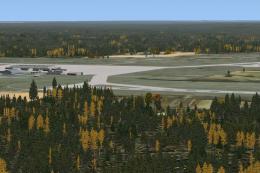
Naval Air Station Meridian (KNMM), Mississippi (MS). Naval Air Station Meridi…
Fort Worth Naval Air Station (KNFW) receives a convincing military facelift with expanded cargo and combat ramp parking, improved ground facilities, and busy static support assets. A detailed fire station with vehicles and added helipads enrich fixed-wing and rotary operations, blending cleanly into Microsoft Flight Simulator X using default library objects.
This freeware scenery upgrade for Fort Worth Naval Air Station (KNFW) in Texas introduces a detailed military environment complete with expanded aircraft parking, new ground facilities, and additional static vehicles. Created by Jim Cook, it integrates seamlessly with Microsoft Flight Simulator X while presenting a more authentic representation of the base’s operational layout.
This add-on natively uses default FSX library objects; thus, no additional downloads are required. For those seeking an even richer experience, Just Flight’s Military Plus Packs complement this base effectively. Although Ultimate Terrain and FSGenesis landclass are mentioned by the author, they are not mandatory for proper functionality.
AFX_KNFW_JC.bgl and KNFW_JC.bgl files.Jim Cook designed these updates leveraging AirNav charts and satellite imagery to achieve a high level of accuracy. His ongoing work involves refining other military bases as scheduling permits, ensuring improved authenticity for users who frequent various armed forces airfields.
Free for all simmers · 16.8 KB · Scanned clean
Download speed: Free tier is capped at 0.5 Mbps. PRO members download at full line speed.
FSX\Addon Scenery\ containing scenery and texture sub-folders.readme.txt or README file. It tells you exactly where files go, what dependencies are needed, and any quirks specific to this add-on.Use these coordinates to fly directly to this location once the mod is installed.
32.76880000,-97.44150000
Launch FSX or Prepar3D and use Flights → Load to open the downloaded .pln file. Your aircraft will be positioned at this location.
The archive knfw2.zip has 5 files and directories contained within it.
This list displays the first 500 files in the package. If the package has more, you will need to download it to view them.
| Filename/Directory | File Date | File Size |
|---|---|---|
| AFX_KNFW_JC.bgl | 04.30.08 | 31.83 kB |
| KNFW_JC.bgl | 04.30.08 | 2.11 kB |
| knfw_read_me.txt | 05.01.08 | 899 B |
| flyawaysimulation.txt | 10.29.13 | 959 B |
| Go to Fly Away Simulation.url | 01.22.16 | 52 B |
More FSX & P3D add-ons hand-picked based on this download.
FSX Scenery
Naval Air Station Meridian (KNMM), Mississippi (MS). Naval Air Station Meridi…
 FSX Scenery
Jacksonville Naval Air Station, Florida (FL). This is an enhanced version of …
 FSX Scenery
Cengiz Topel Naval Air Station (LTBQ), Izmit, Turkey (TR). Topel is for FSX w…
 FSX Scenery
Presented here is NAS Argentia, a former base of the United States Navy that …
 FSX Scenery
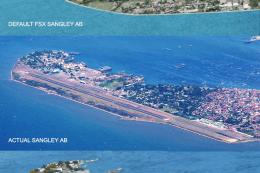
Sangley Airbase And Naval Station. A very accurate depiction of Sangley Air B…
 FSX Scenery
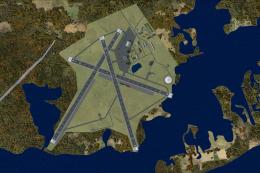
Charlestown Naval Auxiliary Air Station (KALF), RI. The Charlestown Naval Aux…
 FSX Scenery
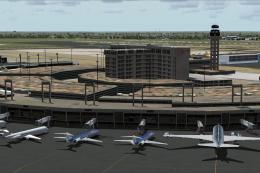
Dallas-Fort Worth International Airport (KDFW), Texas (TX), with Terminal D. …
 FSX Scenery
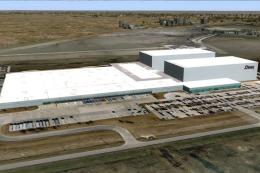
Texas, USA. Fort Worth Alliance Airport was constructed as the world's first …
Be the first to leave a comment on this download.
Be the first to share your thoughts on this download.