


 United States of America
  FSX Scenery
FSX Skara Bonaire X
Skara Scenery Bonaire X. Flamingo International Airport or Bonaire Internatio…
Canyonlands and Arches National Parks scenery refresh sharpens the Moab-area desert in FSX by correcting airport placement and terrain fit for KCNY, U43, and UT53. It updates AFCAD data, runway headings, and elevations, and bundles AI traffic BGLs to blend cleanly with Gottfried Razek photoreal coverage while keeping smooth performance.
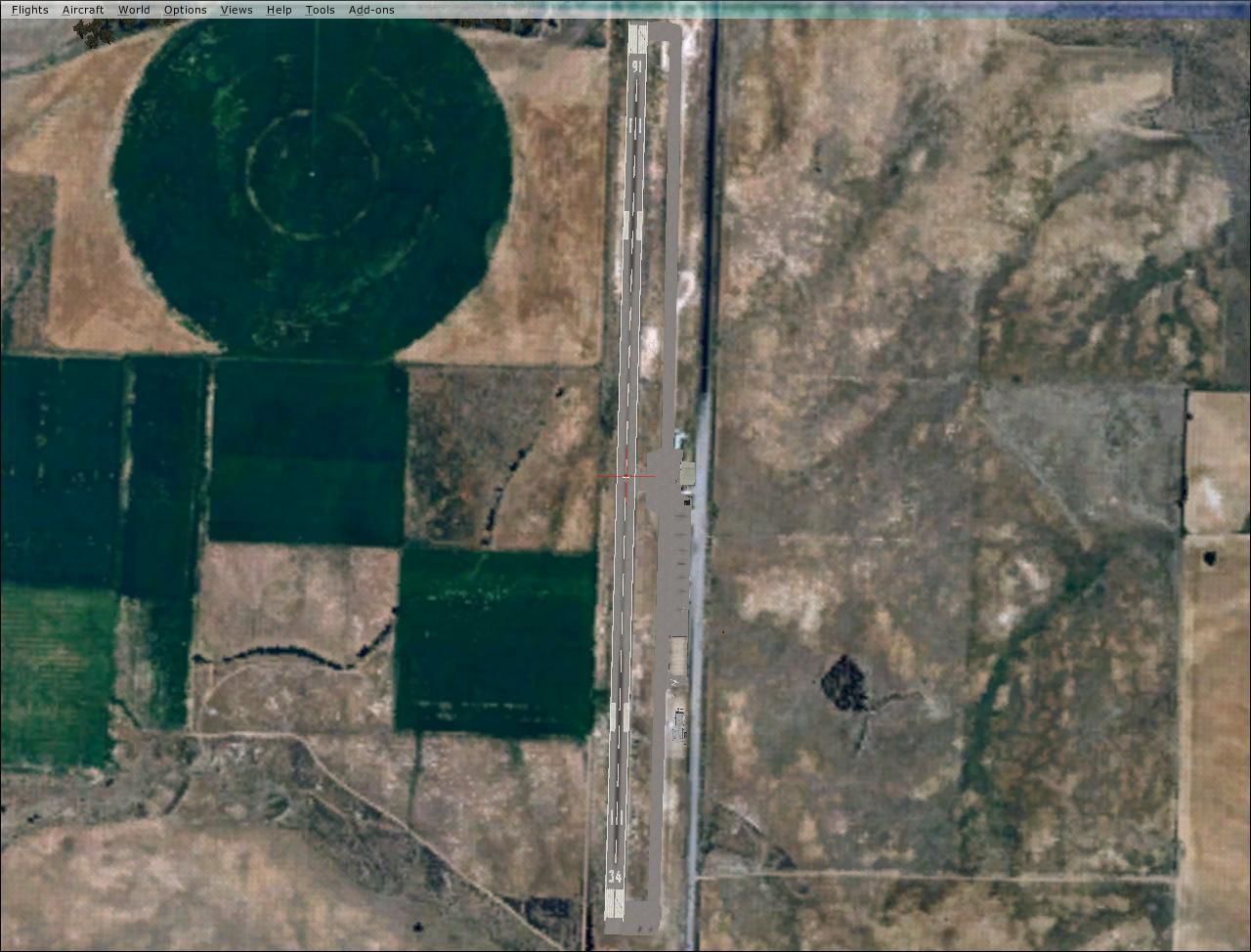
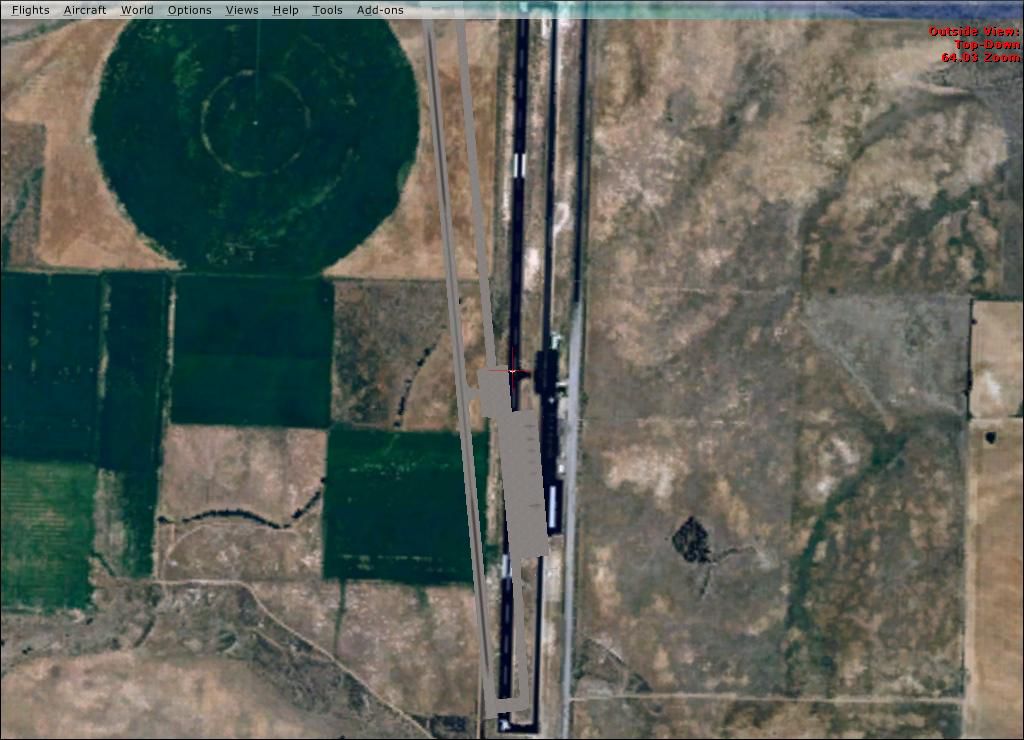
This freeware scenery enhancement focuses on the dramatic region surrounding Canyonlands and Arches National Parks within Utah. It delivers corrected stock airports, updated AFCAD files, and integrated AI traffic BGLs that align seamlessly with the photoreal groundwork laid by Gottfried Razek. Created by T. Marson for Microsoft Flight Simulator X, it offers a more authentic depiction of Moab (KCNY), Monticello (U43), and Sky Ranch (UT53) without compromising performance or stability.
These upgrades center on locations in the heart of the Canyonlands and Arches National Parks vicinity. The steep canyon walls, the winding Colorado River passages, and the iconic natural arches all receive reinforced visual fidelity thanks to carefully adjusted airport layouts. Since this desert landscape is recognized for its rugged red rock formations, the modifications aim to preserve the park’s striking geological features while improving how the airports integrate into the photoreal layers.
The stock airports in this region were previously misaligned against the custom terrain. These inconsistencies have been remedied to ensure runways, taxiways, and surrounding areas match the precise coordinates of Gottfried Razek’s images. With this update, Monticello (U43), Moab (KCNY), and Sky Ranch (UT53) now feature:
Gottfried Razek’s photoreal scenery introduced advanced satellite imagery and high-resolution ground textures, but the default airfields stood out due to noticeable discrepancies in placement. By meticulously refining each airport, this package allows real-world navigational procedures to blend more accurately into the photoreal environment. Pilots will appreciate the lifelike approaches to Moab, just southwest of Arches National Park, and the precise alignment of Monticello near Canyonlands National Park’s southern territory.
(After) Canyonlands Scenery.
To install, extract the files to a temporary folder on your desktop. Next, place the “Canyonlands,Arches National Parks.KCNY,U43,UT53 Airports” folder into your main Addon Scenery directory in Microsoft Flight Simulator X. Navigate to “Settings > Scenery Library” within the simulator, then click “Add Area” and select this newly added folder. Confirm by clicking OK, and the enhancements will be available upon your next flight.
This update seamlessly integrates with the in-game map feature, preserving compatibility with the existing VOR, NDB, and ILS information. Everything is mapped so that you can freely use standard radio navigation while enjoying the enriched topography. If an ILS approach is made available for any airport here, it should function just as it would with official default data.
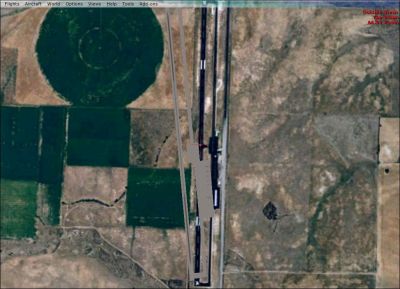
(Before) Canyonlands Scenery.
All contents are provided as freeware, distributed without any warranty. Users accept all risk related to these files. This release is the work of T. Marson, with no direct partnership to the developer of the original photoreal scenery, Gottfried Razek. However, the adjustments have been designed to layer perfectly with his existing packages. Any identified issues may be reported to the author to ensure further refinements can be made for the flight simulation community.
Free for all simmers · 11.89 MB · Scanned clean
Download speed: Free tier is capped at 0.5 Mbps (this file takes approximately 3 mins at the cap). PRO members download at full line speed.
FSX\Addon Scenery\ containing scenery and texture sub-folders.readme.txt or README file. It tells you exactly where files go, what dependencies are needed, and any quirks specific to this add-on.Use these coordinates to fly directly to this location once the mod is installed.
38.76050000,-109.75500000
Launch FSX or Prepar3D and use Flights → Load to open the downloaded .pln file. Your aircraft will be positioned at this location.
The archive canyonlands_arches_kcny_u43_ut53airports.zip has 34 files and directories contained within it.
This list displays the first 500 files in the package. If the package has more, you will need to download it to view them.
| Filename/Directory | File Date | File Size |
|---|---|---|
| after.jpg | 08.09.09 | 143.64 kB |
| before.jpg | 08.09.09 | 98.62 kB |
| READ traffic.txt | 08.09.09 | 14.62 kB |
| READ.txt | 08.09.09 | 1.52 kB |
| scenery | 08.09.09 | 0 B |
| KCNY_ADE_ARC.BGL | 04.02.09 | 6.06 MB |
| Traffic__FSX.bgl | 04.02.09 | 3.43 kB |
| Traffic_2__FSX.bgl | 04.02.09 | 3.43 kB |
| Traffic_3__FSX.bgl | 04.02.09 | 3.82 kB |
| Traffic_4__FSX.bgl | 04.03.09 | 3.91 kB |
| Traffic_5__FSX.bgl | 04.02.09 | 2.69 kB |
| U43_ADE_ARC.BGL | 04.02.09 | 6.06 MB |
| UT53_ADE_ARC.BGL | 04.03.09 | 10.87 kB |
| texture | 08.09.09 | 0 B |
| C208_Pilot.dds | 09.04.06 | 42.79 kB |
| C208_Spec.dds | 09.04.06 | 1.33 MB |
| C208_T.dds | 09.04.06 | 1.33 MB |
| C208_T_Bump.dds | 09.04.06 | 1.00 MB |
| C208_T_Spec.dds | 09.04.06 | 1.33 MB |
| c208b_1_C.dds | 09.04.06 | 682.79 kB |
| c208b_1_night_C.dds | 09.04.06 | 682.79 kB |
| c208b_2_C.dds | 09.04.06 | 682.79 kB |
| c208b_2_night_C.dds | 09.04.06 | 682.79 kB |
| c208b_3_C.dds | 09.04.06 | 682.79 kB |
| c208b_3_night_C.dds | 09.04.06 | 682.79 kB |
| c208b_4_C.dds | 09.04.06 | 682.79 kB |
| c208b_4_night_C.dds | 09.04.06 | 682.79 kB |
| c208b_c.dds | 09.04.06 | 682.79 kB |
| c208b_interior_t.dds | 09.04.06 | 341.45 kB |
| C208b_reflection.dds | 09.04.06 | 170.79 kB |
| Fresnel_Ramp.dds | 09.04.06 | 640 B |
| Prop_C208B.dds | 09.04.06 | 85.46 kB |
| flyawaysimulation.txt | 10.29.13 | 959 B |
| Go to Fly Away Simulation.url | 01.22.16 | 52 B |
More FSX & P3D add-ons hand-picked based on this download.
FSX Scenery
Skara Scenery Bonaire X. Flamingo International Airport or Bonaire Internatio…
 FSX Scenery
Iwo Jima Scenery 1945 Update. This is a complete scenery with added effects a…
FSX Scenery
Kjeller Area Scenery X, Norway. Scenery around Kjeller airport with photoreal…
 FSX Scenery
FSX Loney's Alaska For FSX. This is a compilation of the author's Alaskan sce…
 FSX Scenery
For users of Flight Simulator X (and FSX: Steam Edition) and/or Prepar3D, ter…
 FSX Scenery
This freeware release by developer Aime Leclercq introduces revised highways …
 FSX Scenery
Team GEX Enhanced Autogen World. This package upgrades 522 world wide autogen…
 FSX Scenery
Princess Juliana International Airport (TNCM) in Saint Marteen, Netherlands A…
Be the first to leave a comment on this download.
Be the first to share your thoughts on this download.