


 United Kingdom
  FSX Scenery
Sceneries Package
Sceneries Package v1; now freeware. The Sceneries Package v1 product features…
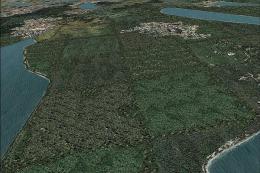
Mach Loop Spotters scenery brings LFA7 North Wales to life with realistically placed aircraft watchers at Cad East, Cad West, and the Bwlch, plus fixed viewpoints for filming low-level passes from the ground. Built for Microsoft Flight Simulator X Acceleration SP2 and tuned for VFR flying, it requires VFR GenX Photographic Scenery Volume 2 for best results.
Acc MSPG Sceneries Mach Loop Scenery. This scenery is for FSX Acceleration SP2 use only as this is all it has been tested with. MSPG Mach Loop Spotters is some scenery that places some aircraft spotters on CAD East and CAD West also some spotters on the Bwlch all placed in real world positions. Also includes a view in CAD West and the Bwlch so you can watch yourself fly through from the spotters view in LFA7 North Wales. VFR GenX Photographic Scenery Volume 2 is recommended. By Matthew Kingscott, Scott Daniels.
Once the instalation is compleate add the scenery to your scenery library and your good to go. :)
THIS IS A FREEWARE RELEASE, NOT TO BE SOLD UNDER ANY TERMS AT ALL. THAT IS FINAL.
Downloaders, download this zip at our own risk from sites I have uploaded this scenery too, I will NOT take responsiblity for any possible damage to PCs due to downloading this file may cause, take it up with the hosting site.
Overall, thank you for Downloading this scenery, and please enjoy flying it :)
Matthew Kingscott / Scott Daniels 2011, MSPG Sceneries
Free for all simmers · 103.74 KB · Scanned clean
Download speed: Free tier is capped at 0.5 Mbps. PRO members download at full line speed.
FSX\Addon Scenery\ containing scenery and texture sub-folders.readme.txt or README file. It tells you exactly where files go, what dependencies are needed, and any quirks specific to this add-on.Use these coordinates to fly directly to this location once the mod is installed.
52.65000000,-3.80000000
Launch FSX or Prepar3D and use Flights → Load to open the downloaded .pln file. Your aircraft will be positioned at this location.
The archive mspg_mach_loop_spotters.zip has 4 files and directories contained within it.
This list displays the first 500 files in the package. If the package has more, you will need to download it to view them.
| Filename/Directory | File Date | File Size |
|---|---|---|
| MSPG Mach Loop Spotters.exe | 11.08.11 | 176.00 kB |
| Readme.txt | 11.08.11 | 645 B |
| flyawaysimulation.txt | 10.29.13 | 959 B |
| Go to Fly Away Simulation.url | 01.22.16 | 52 B |
More FSX & P3D add-ons hand-picked based on this download.
FSX Scenery
Sceneries Package v1; now freeware. The Sceneries Package v1 product features…
 FSX Scenery
VATJO Jordanian Sceneries, v4. The latest installment of the VATSIM Jordanian…
 FSX Scenery
Skara Scenery Bonaire X. Flamingo International Airport or Bonaire Internatio…
 FSX Scenery
Iwo Jima Scenery 1945 Update. This is a complete scenery with added effects a…
FSX Scenery
Kjeller Area Scenery X, Norway. Scenery around Kjeller airport with photoreal…
 FSX Scenery
FSX Loney's Alaska For FSX. This is a compilation of the author's Alaskan sce…
 FSX Scenery
For users of Flight Simulator X (and FSX: Steam Edition) and/or Prepar3D, ter…
 FSX Scenery
This freeware release by developer Aime Leclercq introduces revised highways …
Be the first to leave a comment on this download.
Be the first to share your thoughts on this download.