

 FS2004 Civil Jet Aircraft
Alitalia McDonnell Douglas MD-82 I-DAWS
This repaint package for Microsoft Flight Simulator 2004 presents an Alitalia…
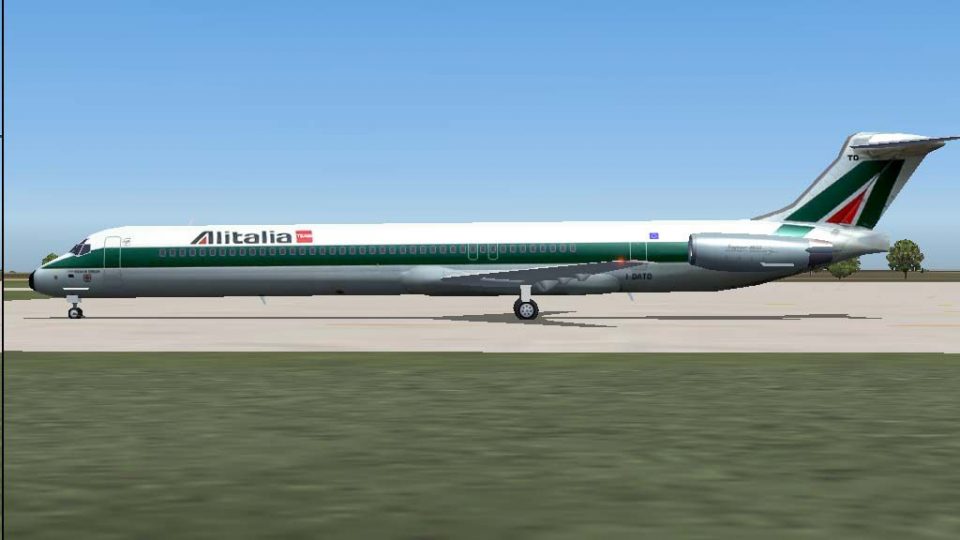
Alitalia’s McDonnell Douglas MD-82 “Reggio Emilia” I-DATO arrives as a faithful Traffic 2004 repaint with crisp, historically accurate textures and refined performance tuning for believable AI operations in Microsoft Flight Simulator 2004. Updated flight plans and realistic cruise altitudes sharpen route authenticity, and it requires Just Flight’s Traffic 2004 base model.
 Rate
Rate
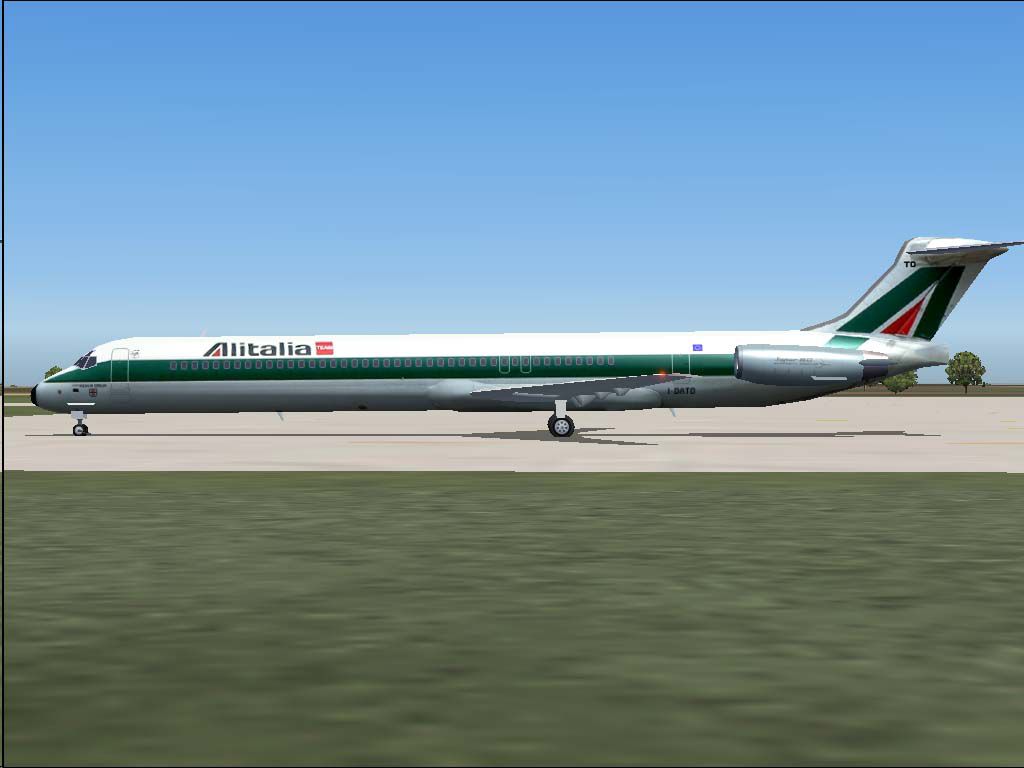
This free repaint package features the elegant Alitalia McDonnell Douglas MD-82 “Reggio Emilia” for Just Flight’s Traffic 2004. It is designed for use with Microsoft Flight Simulator 2004, providing a faithful and visually accurate representation of Alitalia’s short/medium-haul workhorse with a realistic flight model and intricately detailed textures. Repaint and flight model by Daniel Nole.
Within this package, each texture element has been carefully redesigned to reflect the “Reggio Emilia” aircraft, registered as I-DATO (C/N 53219-2062). The exterior artwork aligns with the historical Alitalia livery, and the developer has fine-tuned essential parameters such as engine thrust, fuel consumption, and weight distribution. These refinements ensure optimal flight performance, including correct climb rates and cruise handling for enhanced immersion.
Visible here is the Alitalia MD-82 resting at a European airport.
This aircraft type has long been a central player for Alitalia’s fleet, taking over from the retired DC-9 series. In the early 1990s, multiple MD-82 airframes began operations under Alitalia colors, each named after various locales across Italy. “Reggio Emilia” frequently services popular hubs across the continent, forming part of the core short-haul schedule alongside Airbus models like the A319, A320, and A321. Historically, these MD-82s have stretched their range across major European airports and, for a period, augmented some medium-range routes under Alitalia’s robust timetable.
To complement the livery, the Traffic 2004 flight plans have been meticulously updated by the creator, eliminating inaccurate assignments such as older widebody types showing up at smaller airports. The revised schedules now align closely with real-world patterns, placing the correct aircraft on their usual routes. The developer also included more accurate altitudes—35,000 to 39,000 feet—for this configuration, ensuring that in-simulator traffic behaves in a manner consistent with genuine MD-82 operations.
After unzipping the JFAiMD82 folder into a temporary directory, place the JFAiMD82 folder into your main “Aircraft” directory for Microsoft Flight Simulator 2004. Should you have an existing Alitalia MD-82 from the same developer, simply add the new repaint folder (texture.az5) to your current aircraft directory, merging it as needed. Please note, you will require the payware base model from Just Flight’s Traffic 2004 to fully utilize this repaint.
As always, this repaint is offered free of charge. All credits, including repaint and flight mechanics, go to Daniel Nole.
Free for all simmers · 2.09 MB · Scanned clean Oct 2026
Download speed: Free tier is capped at 0.5 Mbps. PRO members download at full line speed.
FS9\Aircraft\, FS9\Addon Scenery\, FS9\Gauges\, or FS9\Effects\.readme.txt or README file. It tells you exactly where files go, what dependencies are needed, and any quirks specific to this add-on.The archive tmd80az5.zip has 8 files and directories contained within it.
This list displays the first 500 files in the package. If the package has more, you will need to download it to view them.
| Filename/Directory | File Date | File Size |
|---|---|---|
| Flight Plans | 05.01.04 | 0 B |
| Alitalia.txt | 05.01.04 | 8.04 kB |
| I-DATO.jpg | 04.30.04 | 52.69 kB |
| Jfaimd82.zip | 05.01.04 | 1.02 MB |
| Jftfmd82.zip | 05.01.04 | 1.02 MB |
| readme.txt | 05.01.04 | 6.01 kB |
| flyawaysimulation.txt | 10.29.13 | 959 B |
| Go to Fly Away Simulation.url | 01.22.16 | 52 B |
Only PRO members can place votes.
More FS2004 add-ons hand-picked based on this download.
FS2004 Civil Jet Aircraft
This repaint package for Microsoft Flight Simulator 2004 presents an Alitalia…
 FS2004 Civil Jet Aircraft
This repaint package provides Alitalia textures for the freeware SGA McDonnel…
 FS2004 Civil Jet Aircraft
"Ancona". An add-on for Just Flight's Traffic 2004. Repaint and flight model …
 FS2004 Civil Jet Aircraft
This freeware release presents a detailed McDonnell Douglas MD-82 repaint nam…
 FS2004 Civil Jet Aircraft
This freeware repaint showcases Alitalia’s McDonnell Douglas MD-82 named Arez…
 FS2004 Civil Jet Aircraft
Final fix for the panel replacement virtual cockpit textures and gauges (AAMD…
 FS2004 Civil Jet Aircraft
Feature full animation, lighting effects and reflective textures. Also includ…
 FS2004 Civil Jet Aircraft
This freeware repaint for Microsoft Flight Simulator 2004 offers a detailed r…
Be the first to leave a comment on this download.
Be the first to share your thoughts on this download.