

 FS2004 Civil Jet Aircraft
AeroGal Boeing 727-200 HC-CDJ
This freeware package for Microsoft Flight Simulator 2004 offers a detailed A…
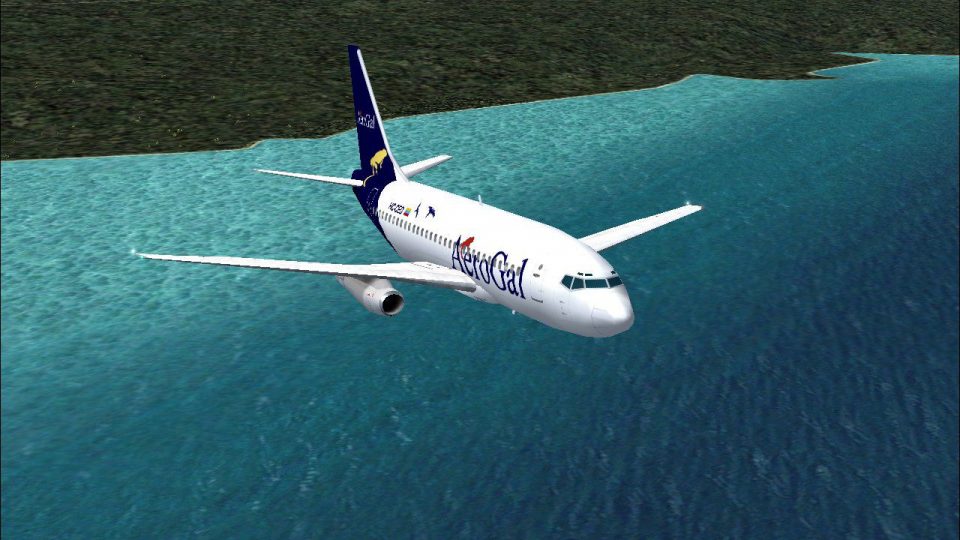
AeroGal’s Boeing 737-200 HC-CED arrives for Microsoft Flight Simulator 2004 with an AI Aardvark model and crisp 32-bit textures, finished in Mike Pearson’s faithful Ecuadorian paint scheme. Smooth control-surface and gear animations stay frame-friendly for busy AI traffic, while the classic “Original” series silhouette looks right both parked and in flight.
 Rate
Rate

This complete package for Microsoft Flight Simulator 2004 brings the AeroGal Boeing 737-200, meticulously rendered in high-resolution 32-bit textures, directly into your virtual skies. Its model and base textures originate from the talented AI Aardvark team, while Mike Pearson has precisely created the vibrant AeroGal livery. This release features smooth animation, optimized performance, and an authentic paint scheme that reflects the unique flair of an Ecuador-based operator.
The AeroGal branding, depicted in striking colors, stands out across the fuselage of this short-to-medium-range airliner. This rendition showcases refined elements that capture the carrier’s distinctive style. Each detail is reproduced using 32-bit imaging resources, yielding crisp lines and refined contrasts. Furthermore, the nose cone, fin, and engine cowlings all demonstrate precise painting methods that provide an immersive experience when viewed within AI traffic or up close during your travels.
Thanks to AI Aardvark’s proven expertise, this model is designed to be gentle on overall simulator performance. The airframe’s animations include dynamic ailerons, responsive elevators, and a fully functioning landing gear setup. These mechanisms are developed with a deep focus on optimizing frame rates, making it well-suited for dense traffic situations. The incorporation of essential control surfaces, such as flaps and spoilers, further highlights the faithful engineering behind this aircraft.
The AeroGal Boeing 737-200, a variant from the reputable 737 “Original” series, once served short routes across the region. It’s well remembered for its reliability and established performance metrics in challenging operational areas. This simulation captures that spirit, offering a robust and stable platform for classic jet operations in your Microsoft Flight Simulator 2004 environment. Pilots can admire the performance variation between older generation aircraft and modern designs, especially when handling approach or departure procedures at modestly equipped airfields.
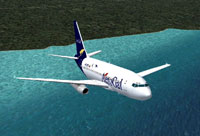
Screenshot of AeroGal Boeing 737-200 in flight.
Whether populating your virtual skies or adding variety to your hangar, this aircraft excels at both roles. The detail of the paintwork is balanced to ensure that large-scale AI traffic scenarios won’t stress your system. If you appreciate a fully interactive environment with airline-specific appearances, this release will contribute significantly to the realism of your simulation sessions.
This freeware aircraft add-on comes packaged with the original model from AI Aardvark, ensuring a solid foundation and accurate flight dynamics. In addition, Mike Pearson crafted the custom AeroGal scheme, delivering a faithful recreation of the airline’s design. Their cooperative effort guarantees a high level of quality and a final product that does justice to the legendary Boeing 737-200.
Free for all simmers · 896.8 KB · Scanned clean Oct 2026
Download speed: Free tier is capped at 0.5 Mbps. PRO members download at full line speed.
FS9\Aircraft\, FS9\Addon Scenery\, FS9\Gauges\, or FS9\Effects\.readme.txt or README file. It tells you exactly where files go, what dependencies are needed, and any quirks specific to this add-on.The archive av732gal.zip has 18 files and directories contained within it.
This list displays the first 500 files in the package. If the package has more, you will need to download it to view them.
| Filename/Directory | File Date | File Size |
|---|---|---|
| aav b732 aerogal ced readme.txt | 06.21.04 | 323 B |
| aav b732 aerogal small.gif | 06.22.04 | 12.04 kB |
| aav b732 aerogal.jpg | 06.21.04 | 228.23 kB |
| aia_737_200.air | 06.12.03 | 8.69 kB |
| Aircraft.cfg | 06.21.04 | 13.09 kB |
| model | 06.21.04 | 0 B |
| aia_737_200.mdl | 12.12.03 | 336.86 kB |
| model.cfg | 04.08.03 | 28 B |
| panel | 06.21.04 | 0 B |
| panel.cfg | 06.06.04 | 34 B |
| sound | 06.21.04 | 0 B |
| sound.cfg | 05.17.04 | 40 B |
| texture.aerogal | 06.21.04 | 0 B |
| AIA_737_200_l.bmp | 11.20.03 | 256.07 kB |
| AIA_737_200_t.bmp | 06.21.04 | 4.00 MB |
| Thumbs.db | 06.22.04 | 8.00 kB |
| flyawaysimulation.txt | 10.29.13 | 959 B |
| Go to Fly Away Simulation.url | 01.22.16 | 52 B |
Only PRO members can place votes.
More FS2004 add-ons hand-picked based on this download.
FS2004 Civil Jet Aircraft
This freeware package for Microsoft Flight Simulator 2004 offers a detailed A…
 FS2004 Civil Jet Aircraft
V2.0. Original 737-200 new base pack by SGA required. Textures only with no m…
 FS2004 Civil Jet Aircraft
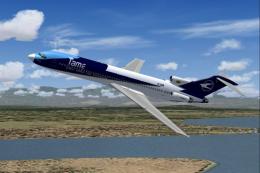
This complete freeware TAME Ecuador Boeing 727-200 HC-BHM add-on for Microsof…
 FS2004 Civil Jet Aircraft
This repaint of the Boeing 727-200, wearing TAME Ecuador’s HC-BZU registratio…
 FS2004 Civil Jet Aircraft
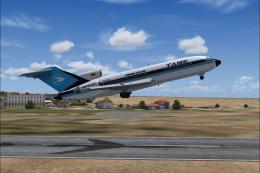
This complete freeware package brings the TAME Ecuador Boeing 727-100 (regist…
 FS2004 Civil Jet Aircraft
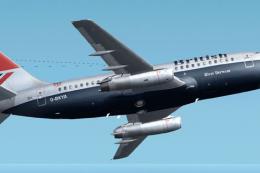
This is a repaint of Erick Cantu's new Boeing 737-200 in the colors British A…
 FS2004 Civil Jet Aircraft
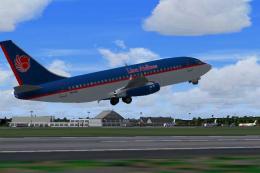
Lion Airlines Boeing 737-200, for AI traffic. Repaint by Aswandana. Model by …
 FS2004 Civil Jet Aircraft
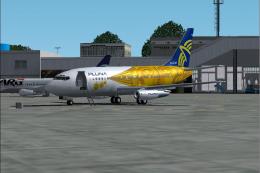
This freeware Boeing 737-200 package brings the PLUNA (Primeras Líneas Urugua…
Be the first to leave a comment on this download.
Be the first to share your thoughts on this download.