

 FS2004 Civil Jet Aircraft
AeroGal Boeing 737-200 HC-CED
This complete package for Microsoft Flight Simulator 2004 brings the AeroGal …
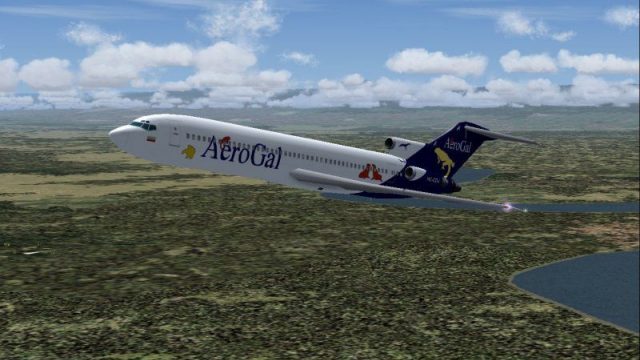
AeroGal’s Boeing 727-200 HC-CDJ brings classic tri-jet character to Microsoft Flight Simulator 2004 with an AI Aardvark model tuned for smooth frame rates, ideal for busy traffic or hands-on flying. Mike Pearson’s 32-bit repaint delivers crisp airline markings, rich color depth, and convincing exterior animations for an authentic period look.
 Rate
Rate
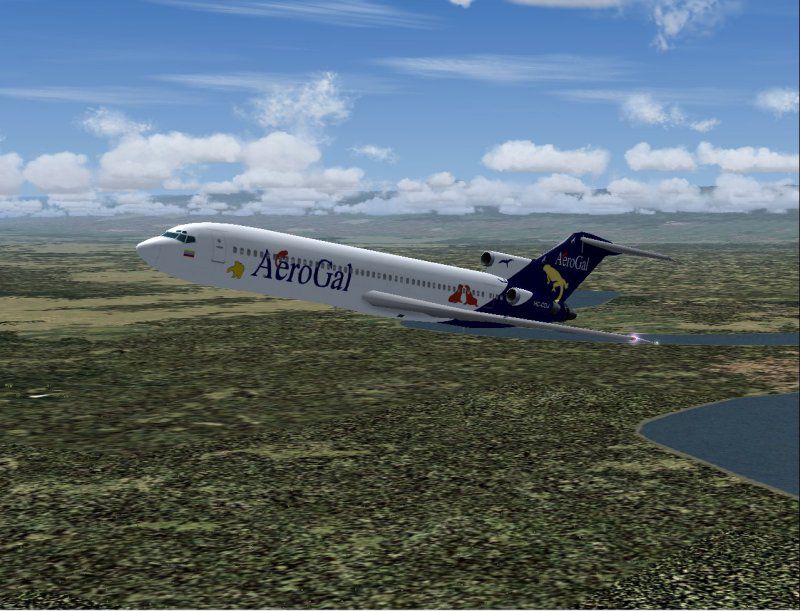
This freeware package for Microsoft Flight Simulator 2004 offers a detailed AeroGal Boeing 727-200 (registration HC-CDJ) that showcases an authentic tri-jet design. Users can incorporate it seamlessly into AI traffic plans or flyable fleets, because the model from AI Aardvark is especially optimized for minimal performance impact. Mike Pearson’s custom livery features 32-bit texturing work, which enhances the visual surface quality and includes color depth that stands out in a variety of lighting conditions.
The Boeing 727-200 entered service with a three-engine configuration—one of the signature highlights being the rear-mounted powerplants. Originally designed for short- to medium-range routes, it became popular for its excellent balance between range, speed, and cargo capacity. AeroGal, known officially as Aerolíneas Galápagos, operated this aircraft type to various domestic destinations across Ecuador, connecting passengers to major hubs such as Quito and Guayaquil.
High-Fidelity Paintwork: The livery by Mike Pearson is rendered using 32-bit textures. This approach increases clarity and depth, ensuring the airline’s branding elements are crisp and captivating.
Detailed Exterior Animations: Many moving components are fully operational, such as flight control surfaces and landing gear, which further elevates immersion during taxiing or approach.
Performance-Oriented Model: AI Aardvark engineered this set of geometry and textures to be frame-rate friendly, a vital aspect when users have multiple AI elements active in the same airspace.
Screenshot displaying the AeroGal Boeing 727-200 (HC-CDJ) at cruising altitude.
Enthusiasts seeking an iconic tri-jet in AeroGal colors will find this add-on valuable not only for AI network enhancements but also for personal operations. The overall setup retains a manageable resource footprint, making it ideal for large-scale virtual traffic schedules or casual flights on well-known Ecuadorian air routes. This release arrives as a complete freeware product, so there is no need for a separate base package.
Enjoy this blend of historical jetliner engineering and regional airline identity, brought to life by AI Aardvark and Mike Pearson’s combined efforts.
Free for all simmers · 912.55 KB · Scanned clean Oct 2026
Download speed: Free tier is capped at 0.5 Mbps. PRO members download at full line speed.
FS9\Aircraft\, FS9\Addon Scenery\, FS9\Gauges\, or FS9\Effects\.readme.txt or README file. It tells you exactly where files go, what dependencies are needed, and any quirks specific to this add-on.The archive av722gal.zip has 20 files and directories contained within it.
This list displays the first 500 files in the package. If the package has more, you will need to download it to view them.
| Filename/Directory | File Date | File Size |
|---|---|---|
| aav b722 aerogal cdj readme.txt | 06.21.04 | 323 B |
| aav b722 aerogal small.gif | 06.22.04 | 12.24 kB |
| aav b722 aerogal.jpg | 06.22.04 | 107.36 kB |
| aia_727_200.air | 06.16.04 | 9.63 kB |
| Aircraft.cfg | 06.21.04 | 10.83 kB |
| model | 06.21.04 | 0 B |
| aia_727_200.mdl | 09.16.03 | 548.12 kB |
| model.cfg | 09.16.03 | 34 B |
| panel | 06.21.04 | 0 B |
| panel.cfg | 06.02.04 | 42 B |
| Thumbs.db | 06.13.03 | 9.50 kB |
| sound | 06.21.04 | 0 B |
| Sound.cfg | 06.02.04 | 40 B |
| texture.aerogal | 06.21.04 | 0 B |
| aia_727_200_l.bmp | 08.11.03 | 256.07 kB |
| aia_727_200_t.bmp | 06.21.04 | 4.00 MB |
| Thumbs.db | 06.21.04 | 13.00 kB |
| Thumbs.db | 06.22.04 | 8.00 kB |
| flyawaysimulation.txt | 10.29.13 | 959 B |
| Go to Fly Away Simulation.url | 01.22.16 | 52 B |
Only PRO members can place votes.
More FS2004 add-ons hand-picked based on this download.
FS2004 Civil Jet Aircraft
This complete package for Microsoft Flight Simulator 2004 brings the AeroGal …
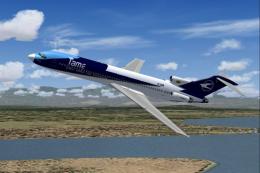 FS2004 Civil Jet Aircraft
This complete freeware TAME Ecuador Boeing 727-200 HC-BHM add-on for Microsof…
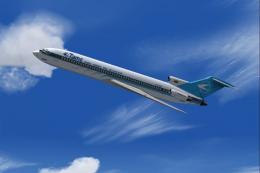 FS2004 Civil Jet Aircraft
This repaint of the Boeing 727-200, wearing TAME Ecuador’s HC-BZU registratio…
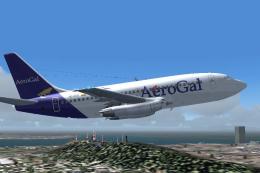 FS2004 Civil Jet Aircraft
V2.0. Original 737-200 new base pack by SGA required. Textures only with no m…
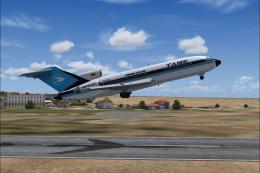 FS2004 Civil Jet Aircraft
This complete freeware package brings the TAME Ecuador Boeing 727-100 (regist…
 FS2004 Civil Jet Aircraft
This remarkable Air Florida Boeing 727-200 rendition brings the classic tri-j…
 FS2004 Civil Jet Aircraft
The Vistaliners B727 includes all the latest features from wingflex to ground…
 FS2004 Civil Jet Aircraft
This freeware package features a distinctive UPS Boeing 727-200 created for M…
Be the first to leave a comment on this download.
Be the first to share your thoughts on this download.