

 FS2004 Propeller Aircraft
KLM Douglas DC-3 PH-DAT
"The Flying Dutchman", registration PH-DAT. Textures only for the default DC3…
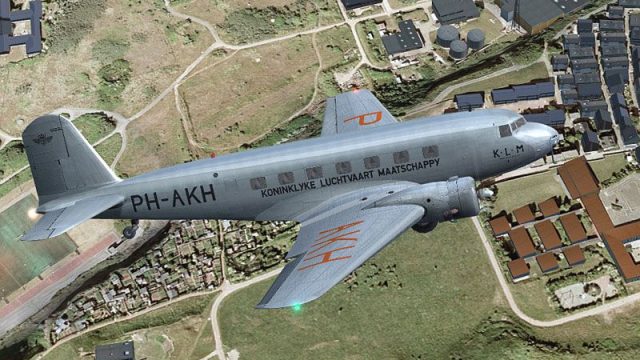
KLM “Haan” livery brings Douglas DC-2 PH-AKH to life with crisp period-correct textures and authentic Dutch airline identity, reflecting the 1935 aircraft named HAAN in the KLM fleet. Designed for FS2004, it requires the UIVER Team DC-2 base package and integrates cleanly with the virtual cockpit.
 Rate
Rate

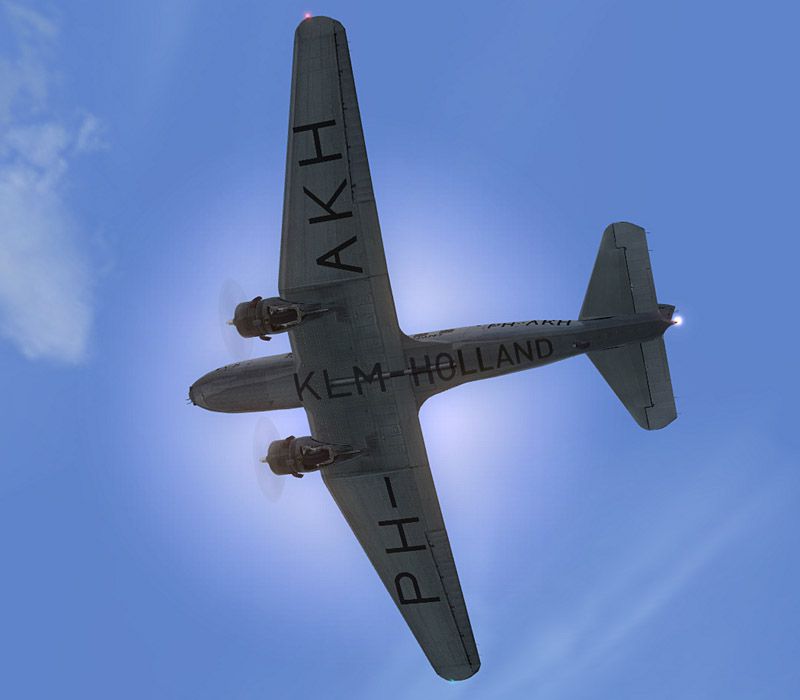
Based on original textures by Gerard Kranenbarg and Jan Visser, this texture set in KLM "Haan" livery requires the base DC-2 package from the UIVER Team. By Tim Scharnhop.
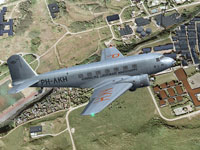
Screenshot of KLM Douglas DC-2 in flight.
[fltsim.XX]

title=Douglas DC-2 Klm PH-AKH "HAAN"

sim=uiver_aviodrome

model=

panel=

sound=

texture=klm

checklists=

kb_checklists=douglas_dc2_check

kb_reference=douglas_dc2_ref

atc_id_enable=1

atc_id= -

description=DC-2-115E (MSN 1354) was registered as PH-AKH and named 'HAAN' within the K.L.M. Royal Dutch Air Line fleet in April 1935.\nFS9 Flight Dynamics: Tom Falley\nModel: Alexander Schreijnders, Jan Visser\nLivery: Tim Scharnhop, Gerard Kranenbarg, Jan Visser\nPanel, VC, Interior: Rob Cappers, Jan Visser\nGauges: XML Programming: HansJorg Naegele, Gauge bitmaps: Rob Cappers\n

ui_manufacturer=Douglas

ui_type=DC-2

ui_variation=KLM PH-AKH "HAAN"

ui_typerole="Twin Engine Prop"

ui_createdby=""Uiver" Team"

atc_airline=KLM

atc_heavy=0

atc_flight_number=PHAKH

atc_id_color=0x00000000

atc_id_font=Verdana,-11,1,600,0

visual_damage=0

atc_parking_types=RAMP
Free for all simmers · 8.57 MB · Scanned clean Sep 2026
Download speed: Free tier is capped at 0.5 Mbps (this file takes approximately 2 mins at the cap). PRO members download at full line speed.
FS9\Aircraft\, FS9\Addon Scenery\, FS9\Gauges\, or FS9\Effects\.readme.txt or README file. It tells you exactly where files go, what dependencies are needed, and any quirks specific to this add-on.The archive dc2_klm.zip has 38 files and directories contained within it.
This list displays the first 500 files in the package. If the package has more, you will need to download it to view them.
| Filename/Directory | File Date | File Size |
|---|---|---|
| dc2_klm.jpg | 08.22.07 | 189.21 kB |
| readme.txt | 09.19.07 | 3.00 kB |
| thumbnail.gif | 09.19.07 | 5.56 kB |
| A_spinprop.bmp | 10.31.04 | 64.07 kB |
| belly_t.bmp | 05.30.07 | 1.00 MB |
| dc2_cockpit.bmp | 03.25.04 | 64.07 kB |
| dc2_engineparts.bmp | 11.16.04 | 64.07 kB |
| dc2_kleren.bmp | 05.24.07 | 64.07 kB |
| dc2_pilot2.bmp | 05.24.07 | 64.07 kB |
| dc2_propblade_t.bmp | 05.20.07 | 256.07 kB |
| dc2_rc1.bmp | 06.03.03 | 85.40 kB |
| dc2_spin_t.bmp | 09.02.02 | 16.07 kB |
| dc2_vc_cabin.bmp | 06.20.07 | 1.00 MB |
| dc2_vc_floor.bmp | 12.17.06 | 1.00 MB |
| dc2_vc_luggage.bmp | 01.19.06 | 32.07 kB |
| dc2_vc_misc.bmp | 06.19.07 | 1.00 MB |
| dc2_vc_oh.bmp | 06.30.07 | 1.00 MB |
| dc2_vc_quad.bmp | 09.12.07 | 1.00 MB |
| dc2_vc_r.bmp | 09.18.07 | 1.00 MB |
| dc2_vc_side.bmp | 10.20.06 | 1.00 MB |
| dc2_vcl.bmp | 08.15.07 | 1.00 MB |
| fuse_t.bmp | 09.18.07 | 4.00 MB |
| glas_cp_in_t.bmp | 07.22.07 | 8.07 kB |
| glas_t.bmp | 07.22.07 | 8.07 kB |
| glosspin_t.bmp | 10.31.04 | 16.07 kB |
| Lamp_glas.BMP | 07.22.07 | 8.07 kB |
| motor.bmp | 12.25.05 | 32.07 kB |
| neus_t.bmp | 05.30.07 | 256.07 kB |
| thumbnail.jpg | 08.15.07 | 26.61 kB |
| Uiver_hs_t.bmp | 06.03.07 | 1.00 MB |
| Uiver_vs_t.bmp | 07.02.07 | 1.00 MB |
| wheel.bmp | 06.21.03 | 85.40 kB |
| Wheels_32.bmp | 05.14.04 | 341.40 kB |
| wingl_t.bmp | 07.02.07 | 4.00 MB |
| wingr_t.bmp | 08.15.07 | 4.00 MB |
| dc2_klm-2.jpg | 08.22.07 | 61.17 kB |
| flyawaysimulation.txt | 10.29.13 | 959 B |
| Go to Fly Away Simulation.url | 01.22.16 | 52 B |
Only PRO members can place votes.
More FS2004 add-ons hand-picked based on this download.
FS2004 Propeller Aircraft
"The Flying Dutchman", registration PH-DAT. Textures only for the default DC3…
 FS2004 Propeller Aircraft
New colours, registration PH-BFR. The DC-5 was a high performance, short rang…
 FS2004 Propeller Aircraft
Barents Sea (Barents Zee) in the "Candy Wrapper" scheme. The KLM DC-7s wore t…
 FS2004 Propeller Aircraft
Textures only. Douglas DC4 'Rotterdam' was taken by Captain Evert van Dijk on…
 FS2004 Propeller Aircraft
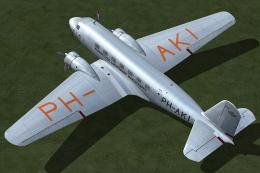
Based on original textures by Gerard Kranenbarg and Jan Visser, this texture …
 FS2004 Propeller Aircraft
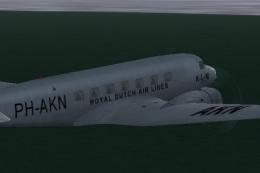
Textures for the payware Flight1 DC2, PH-AKN, "Nightingale". By David Reed. S…
 FS2004 Propeller Aircraft
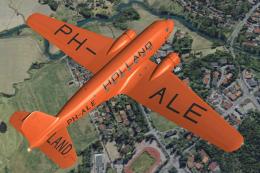
Based on original textures by Gerard Kranenbarg and Jan Visser, this texture …
 FS2004 Propeller Aircraft
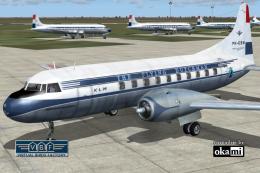
This repaint showcases a historically significant Convair CV-240-4, initially…
Be the first to leave a comment on this download.
Be the first to share your thoughts on this download.