

 FS2004 AFCAD Files
MMMX Mexico City AFCAD2 File
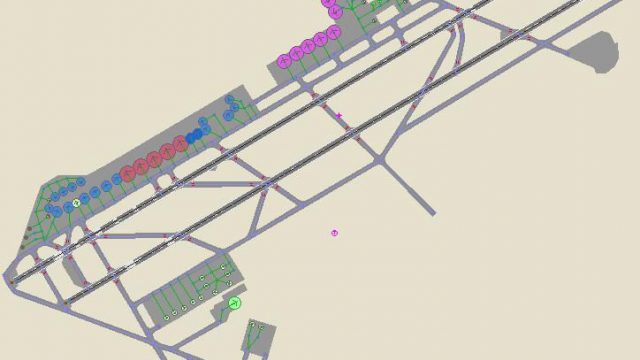
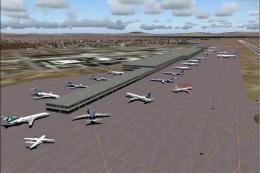
This AFCAD will add many more gates and parking spaces to the default MMMX sc…
Mexico City International Airport (MMMX) gate and parking assignments bring more believable airline operations to Flight Simulator 2004, matching real-world carriers across passenger and cargo stands. Designed for users running custom AI traffic, it maps airlines to appropriate gates to improve ground flow and ramp variety while keeping airport layout behavior consistent.
 Rate
Rate
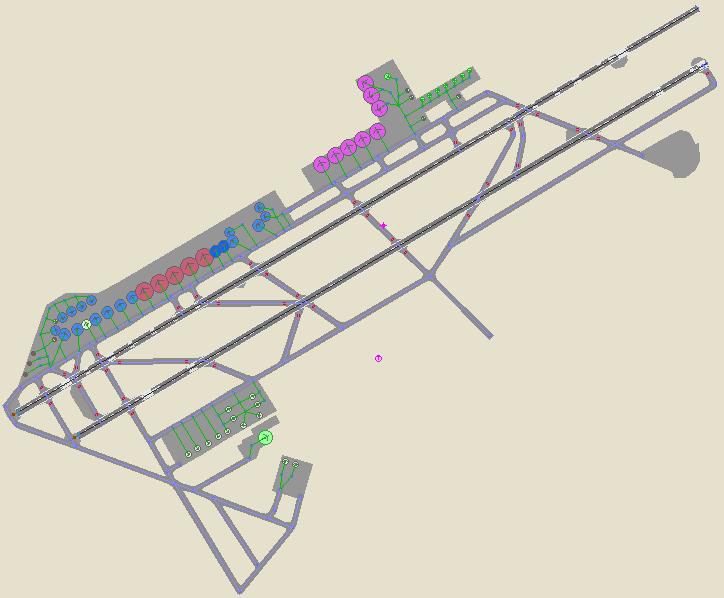
The only difference from V1 is that real world airlines assigned to the gates and most of the parking spaces. The reason this second AFCAD was made was because it was noticed how many people have installed their own AI traffic. Now if you simply just don't care about assigning your AI to specific gates or don't have your own AI traffic installed just keep the original AFCAD. By Miguel De La Cruz.
Overview of Mexico City Airport.
This is my second AFCAD2 for Mexico City, the only difference is that this one has real world airlines assigned to the gates and most of the parking spaces. The reason I made this second AFCAD was because I noticed how many people have installed their own AI traffic. Now if you simply just don't care about assigning your AI to specific gates or don't have your own AI traffic installed just keep the original AFCAD that I made for MMMX.
I used as much info as I could find in determining what airlines travel to MMMX both national and international with pics, websites, and my own personal experience going there. I might have forgotten a few airlines, so its not perfect. I hope you still like it though.
This is a list of the airlines that I added:
Cargo:
If and when someone develops scenery for MMMX, ill most likely make an AFCAD for it.
To install, just place the BGL into your FS9/Addon Scenery/scenery folder and your done! If you have my original AFCAD for MMMX just replace it with this one.
Free for all simmers · 46 KB · Scanned clean Aug 2026
Download speed: Free tier is capped at 0.5 Mbps. PRO members download at full line speed.
FS9\Aircraft\, FS9\Addon Scenery\, FS9\Gauges\, or FS9\Effects\.readme.txt or README file. It tells you exactly where files go, what dependencies are needed, and any quirks specific to this add-on.The archive af2_mex2.zip has 5 files and directories contained within it.
This list displays the first 500 files in the package. If the package has more, you will need to download it to view them.
| Filename/Directory | File Date | File Size |
|---|---|---|
| AF2_MMMX.bgl | 10.31.03 | 15.88 kB |
| MMMX2AFCAD.JPG | 10.31.03 | 42.05 kB |
| README!!!.txt | 10.31.03 | 1.76 kB |
| flyawaysimulation.txt | 10.29.13 | 959 B |
| Go to Fly Away Simulation.url | 01.22.16 | 52 B |
Only PRO members can place votes.
More FS2004 add-ons hand-picked based on this download.
FS2004 AFCAD Files
This AFCAD will add many more gates and parking spaces to the default MMMX sc…
 FS2004 AFCAD Files
MMMX, Lic Benito Juarez Int'l Airport, Mexico City. This file is only for Bil…
 FS2004 AFCAD Files
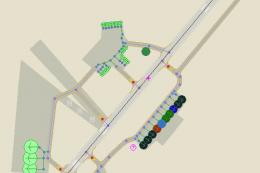
The airport has been completely reconfigured to provide as many parking spots…
FS2004 AFCAD Files
Toronto/City Centre Airport. An AFCAD2 for Toronto/City Centre Airport (CYTZ)…
 FS2004 AFCAD Files
A high quality AFCAD2 file for the UK2000 London City Airport, UK. Built from…
FS2004 AFCAD Files
Shannon/Belfast City, Ireland. Improves both EINN and EGAC airports. By Rene …
 FS2004 AFCAD Files
Updated gates and taxiways for Amsterdam Schiphol Int'l Airport, The Netherla…
 FS2004 AFCAD Files
Orly LFPO AFCAD2 for Orly2004 Scenery, France. A total of 108 gates are avail…
Be the first to leave a comment on this download.
Be the first to share your thoughts on this download.