

 FSX Civil Aircraft
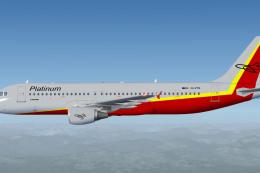
Platinum Airways Airbus A320-200
Platinum Airways blends a straightforward operational ethos (sometimes referr…
Platinum Airways’ Airbus A330-200 brings Thomas Ruth’s twin-engine wide-body to life with a crisp Al Nel repaint, smooth flight dynamics, and a fully animated virtual cockpit for immersive long-haul ops. Built for Microsoft Flight Simulator X, it supports SP1 and SP2, adds a multiplayer-ready model, and arrives as a complete integrated package.
 Rate
Rate
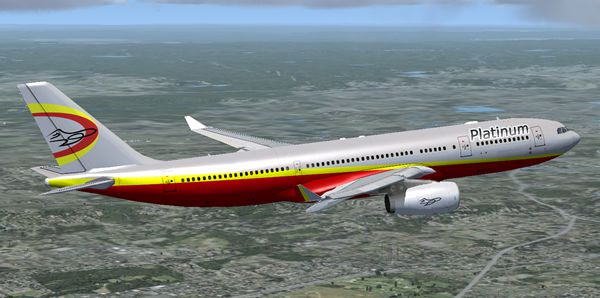
This freeware release features Thomas Ruth’s Airbus A330-200, offered as a fully integrated package in Platinum Airways’ new paint scheme by Al Nel and bundled with an automated installer created by Vic Ayres. It is tailored for simmers who prefer a flexible flying schedule, reflecting Platinum Airways as an open skies virtual airline that encourages pilots to fly the route and aircraft they desire at any given time.
The real-world Airbus A330-200 is a highly recognized medium to long-haul airliner known for its efficient performance and reliability. It is equipped with two turbofan engines that provide substantial thrust for extensive transoceanic flights. This rendition for Microsoft Flight Simulator X replicates the same aerodynamic profile, offering a stable and smooth experience during climb, cruise, and descent. Thomas Ruth’s modeling emphasizes balance, so users can anticipate refined handling in various flight conditions.
Screenshot of Platinum Airways Airbus A330-200 in flight.
Al Nel’s repaint decorates the aircraft in Platinum Airways’ sleek new color scheme. This design accentuates the fuselage and empennage with a contemporary look that visually distinguishes it from default carrier textures. Corporate insignias are positioned to offer high visibility in external spot views, adding authenticity to any flight plan originating from hubs around the world.
This release includes a fully animated virtual cockpit, allowing enthusiasts to operate crucial flight deck controls with precision. Instruments, electronic flight displays, and overhead switches have been integrated to deliver an immersive environment. The model functions correctly with Service Pack 1 and Service Pack 2 in FSX. Although it has not been verified with DX10 Preview, it should maintain high fidelity under most standard configurations.
The Version 2 update addresses a range of reported issues, ensuring smoother performance and improved reliability across different system setups. It also incorporates a multiplayer-compatible model (.mdl), enabling enthusiasts to fly together in shared skies without encountering visual or synchronization conflicts. This enhances group flights arranged through Platinum Airways events or independent virtual communities.
For convenience, an automatic installer by Vic Ayres guides users through the setup process. After running the installer, the aircraft appears in the simulator’s selection menu, ready for immediate use. Since Platinum Airways encourages full freedom of choice in aircraft and routing, this add-on makes an ideal option for pilots looking to expand their virtual hangar with a capable wide-body jet.
Developers and Contributors: Thomas Ruth (model), Al Nel (repaint), and Vic Ayres (installer)
Free for all simmers · 25.08 MB · Scanned clean Oct 2026
Download speed: Free tier is capped at 0.5 Mbps (this file takes approximately 7 mins at the cap). PRO members download at full line speed.
FSX\SimObjects\Airplanes\. The folder must contain an aircraft.cfg file. Effects go into FSX\Effects\; gauges go into FSX\Gauges\.readme.txt or README file. It tells you exactly where files go, what dependencies are needed, and any quirks specific to this add-on.The archive pt_a330-200_fsx.zip has 5 files and directories contained within it.
This list displays the first 500 files in the package. If the package has more, you will need to download it to view them.
| Filename/Directory | File Date | File Size |
|---|---|---|
| Pt_A330-200_FSX.exe | 07.30.13 | 25.11 MB |
| PT_A330-200_FSX.jpg | 08.01.13 | 138.39 kB |
| Readme.txt | 07.31.13 | 1.77 kB |
| flyawaysimulation.txt | 10.29.13 | 959 B |
| Go to Fly Away Simulation.url | 01.22.16 | 52 B |
Only PRO members can place votes.
More FSX & P3D add-ons hand-picked based on this download.
FSX Civil Aircraft
Platinum Airways blends a straightforward operational ethos (sometimes referr…
 FSX Civil Aircraft
Platinum Airways Boeing 757-200 (no winglets). Platinum Airways is a very vir…
 FSX Civil Aircraft
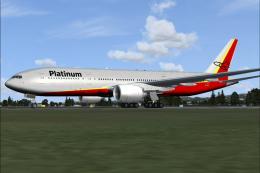
Platinum Airways Boeing 777-200. Platinum Airways is a very virtual KISS airl…
 FSX Civil Aircraft
Historic Jetliners Groups (Vista Liners) - Erick Cantu B727-200 for FSX. Repa…
 FSX Civil Aircraft
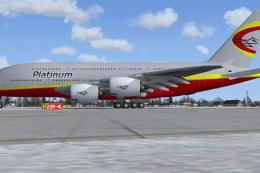
Project Airbus A380. Full aircraft, repainted in Platinum Airways' new livery…
 FSX Civil Aircraft
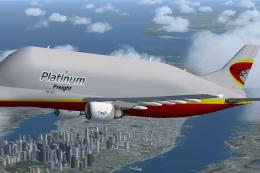
Thomas Ruth A300-600ST Beluga. Full aircraft, repainted in Platinum Airways' …
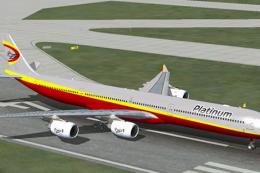 FSX Civil Aircraft
This complete freeware package showcases a refined Airbus A340-600 adorned wi…
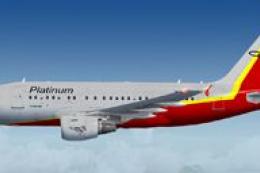 FSX Civil Aircraft
This free package presents a finely detailed Airbus A318-100 with distinctive…
Be the first to leave a comment on this download.
Be the first to share your thoughts on this download.