

 FSX Civil Aircraft
Platinum Airways Boeing 777-300 ER
Project Open Sky B777-300 ER full aircraft, repainted in Platinum Airways' ne…
Platinum Airways’ Boeing 777-200 brings a polished Project Open Sky widebody to FSX with a detailed virtual cockpit, crisp airline textures, and rich night lighting. Expect dynamic wing flex, animated gear and bogies, rolling wheels, reversers, opening passenger and cargo doors, realistic spoiler and steering logic, plus extra ground-service effects.
 Rate
Rate
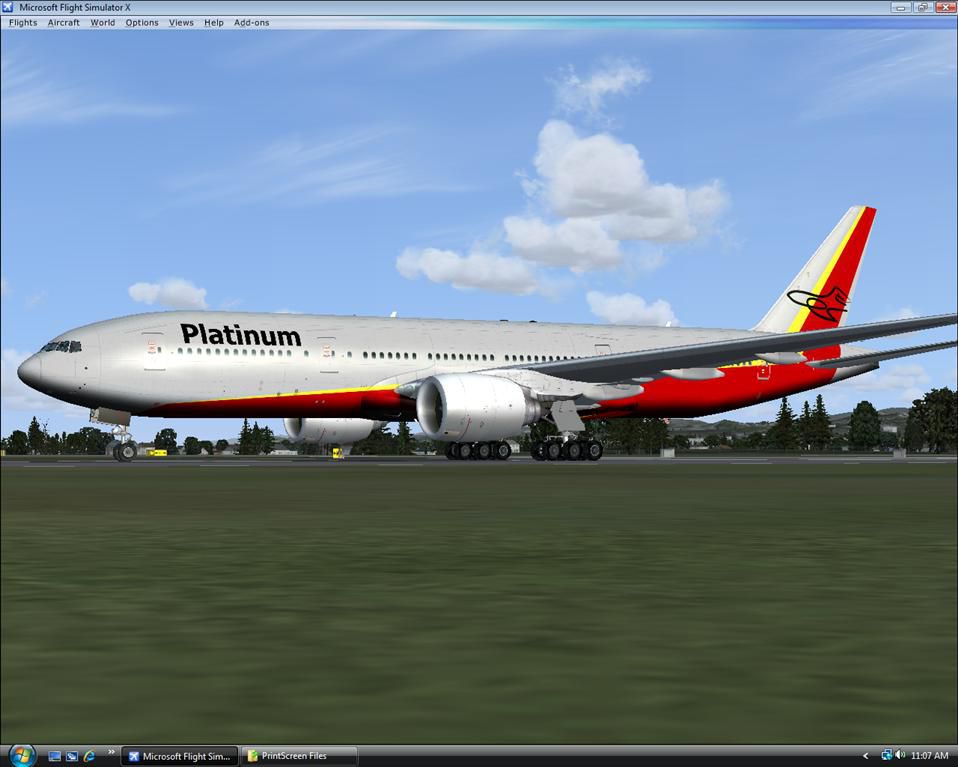
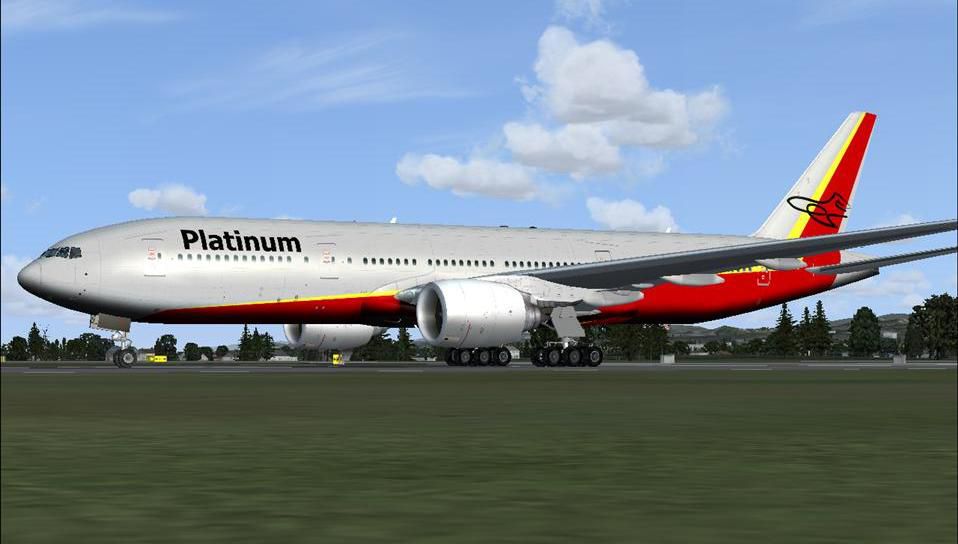
Platinum Airways Boeing 777-200. Platinum Airways is a very virtual KISS airline that combines liberated open skies with strategic hubs. Model by Project Open Sky, textures by Al Nel.
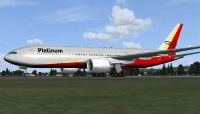
Platinum Airways Boeing 777-200.
CREDITS:
Model builder:
Hiroshi Igami
Yosuke Ube
And with support of Posky members
Virtual Cockpit builder:
Jacob Kubique
FDE designer:
Brandon D Henry
Warren C. Daniel
Master Painter:
Yosuke Ube
Aircraft advisory:
Corey Ford
Aaron Seymour
************************************************************************ *******
Features ( in depth ):
Dynamic flexing wings
Body gear steering under 15kt above 1kt.
Nose gear steering under 60kt above 1kt.
Rudder lock under 60kt above 1kt.
Ground spoiler only works on ground.
Low speed aileron locks at high speed.
Fully animated control surfaces
Fully independent suspension
Trim Animation
Opening Passenger Doors
Animated tilting bogies
Rolling wheels
Animated thrust reversers
Detailed textures
Full night lighting
Crash affects
Ground Service Vehicles when Cargo door open
And more...
************************************************************************ *******
Install:
Just unzip the file and send the Aircrafts folder to the FS2004 AIRCRAFT FOLDER.
The contents of the "effects" folder needs to be copied into the main EFFECTS folder. The aircraft will show up under the "PROJECT OPENSKY" manufacturer.
************************************************************************ *******
Operation:
Opening Passenger (L1) door: Shift + E ( Opening door )
Opening Cargo Doors: Shift + E + 2
Opening Passenger (L2) door: Shift + E + 3
Opening Bulk Cargo Door: Shift + E + 4
Free for all simmers · 7.94 MB · Scanned clean Oct 2026
Download speed: Free tier is capped at 0.5 Mbps (this file takes approximately 2 mins at the cap). PRO members download at full line speed.
FSX\SimObjects\Airplanes\. The folder must contain an aircraft.cfg file. Effects go into FSX\Effects\; gauges go into FSX\Gauges\.readme.txt or README file. It tells you exactly where files go, what dependencies are needed, and any quirks specific to this add-on.The archive pt_b772fsx.zip has 68 files and directories contained within it.
This list displays the first 500 files in the package. If the package has more, you will need to download it to view them.
| Filename/Directory | File Date | File Size |
|---|---|---|
| Aircraft.cfg | 09.16.10 | 17.08 kB |
| Boeing 777-200ER-PW4090.air | 09.23.08 | 9.36 kB |
| model.cfg | 07.12.07 | 33 B |
| OS772V2_PW4000.mdl | 07.28.08 | 4.68 MB |
| Panel.cfg | 12.15.08 | 35 B |
| Thumbs.db | 02.22.08 | 10.50 kB |
| sound.cfg | 12.15.08 | 35 B |
| README.txt | 09.16.10 | 2.93 kB |
| PT B772.jpg | 09.14.10 | 51.56 kB |
| Os772_COCKPIT_L.bmp | 09.16.10 | 1.00 MB |
| Os772_COCKPIT_T.bmp | 09.16.10 | 1.00 MB |
| OS772_LFuse_FRONT_L.bmp | 09.16.10 | 1.00 MB |
| OS772_LFuse_Front_T.bmp | 09.16.10 | 4.00 MB |
| OS772_LFuse_MID_L.bmp | 09.16.10 | 1.00 MB |
| OS772_LFuse_MID_T.bmp | 09.16.10 | 4.00 MB |
| OS772_LFuse_REAR_L.bmp | 09.16.10 | 1.00 MB |
| OS772_LFuse_REAR_T.bmp | 09.16.10 | 4.00 MB |
| OS772_RFuse_FRONT_L.bmp | 09.16.10 | 1.00 MB |
| OS772_RFuse_FRONT_T.bmp | 09.16.10 | 4.00 MB |
| OS772_RFuse_MID_L.bmp | 09.16.10 | 1.00 MB |
| OS772_RFuse_MID_T.bmp | 09.16.10 | 4.00 MB |
| OS772_RFuse_REAR_L.bmp | 09.16.10 | 1.00 MB |
| OS772_Rfuse_REAR_T.bmp | 09.16.10 | 4.00 MB |
| os772v2_WINGL_L.bmp | 09.16.10 | 1.07 kB |
| os772v2_WINGL_T.bmp | 09.16.10 | 4.00 MB |
| os772v2_WINGR_L.bmp | 09.16.10 | 1.07 kB |
| os772v2_WINGR_T.bmp | 09.16.10 | 4.00 MB |
| OS777_PAXDOORSIDE_L.bmp | 09.16.10 | 1.07 kB |
| OS777_PAXDOORSIDE_T.bmp | 09.16.10 | 4.00 MB |
| Os777_pw4000_Fan_blurred.bmp | 09.16.10 | 256.07 kB |
| Os777_pw4000_Fan_Slow.bmp | 09.16.10 | 256.07 kB |
| Os777_pw4090_L.bmp | 09.16.10 | 1.07 kB |
| OS777_PW4090_Parts_L.bmp | 09.16.10 | 1.07 kB |
| OS777_PW4090_Parts_t.bmp | 09.16.10 | 4.00 MB |
| Os777_pw4090_t.bmp | 09.16.10 | 4.00 MB |
| OS777_SPRING_L.BMP | 09.16.10 | 1.07 kB |
| OS777_SPRING_T.BMP | 09.16.10 | 16.07 kB |
| os777_WHEEL_L.bmp | 09.16.10 | 1.07 kB |
| os777_WHEEL_T.bmp | 09.16.10 | 1.00 MB |
| Os777CONTAINER_FRONT_L.BMP | 09.16.10 | 1.07 kB |
| Os777CONTAINER_FRONT_T.BMP | 09.16.10 | 4.00 MB |
| Os777CONTAINER_REAR_L.bmp | 09.16.10 | 1.07 kB |
| Os777CONTAINER_REAR_T.bmp | 09.16.10 | 4.00 MB |
| OS777frontwheel_T.bmp | 09.16.10 | 64.07 kB |
| OS777GSU1_L.BMP | 09.16.10 | 1.07 kB |
| OS777GSU1_T.BMP | 09.16.10 | 1.00 MB |
| OS777GSU2_L.BMP | 09.16.10 | 1.07 kB |
| OS777GSU2_T.BMP | 09.16.10 | 1.00 MB |
| OS777maintire_L.bmp | 09.16.10 | 1.07 kB |
| OS777maintire_T.bmp | 09.16.10 | 256.07 kB |
| OS777mainwheelF_T.bmp | 09.16.10 | 64.07 kB |
| OS777mainwheelR_T.bmp | 09.16.10 | 64.07 kB |
| OS777nosetire_L.bmp | 09.16.10 | 1.07 kB |
| OS777nosetire_T.bmp | 09.16.10 | 256.07 kB |
| OS777Option.bmp | 09.16.10 | 64.07 kB |
| Os777shaft_L.bmp | 09.16.10 | 1.07 kB |
| Os777shaft_t.bmp | 09.16.10 | 4.07 kB |
| OS777V2_LowerCargo_L.BMP | 09.16.10 | 1.07 kB |
| OS777V2_LowerCargo_T.BMP | 09.16.10 | 1.00 MB |
| os777v2_Parts_L.bmp | 09.16.10 | 1.07 kB |
| os777v2_Parts_T.bmp | 09.16.10 | 4.00 MB |
| os777v2_Parts2_L.bmp | 09.16.10 | 1.07 kB |
| os777v2_Parts2_T.bmp | 09.16.10 | 4.00 MB |
| thumbnail.jpg | 09.16.10 | 69.52 kB |
| PT B772Thumb.jpg | 02.03.11 | 2.61 kB |
| file_id.diz | 02.03.11 | 274 B |
| flyawaysimulation.txt | 10.29.13 | 959 B |
| Go to Fly Away Simulation.url | 01.22.16 | 52 B |
Only PRO members can place votes.
More FSX & P3D add-ons hand-picked based on this download.
FSX Civil Aircraft
Project Open Sky B777-300 ER full aircraft, repainted in Platinum Airways' ne…
 FSX Civil Aircraft
Platinum Airways Boeing 757-200 (no winglets). Platinum Airways is a very vir…
 FSX Civil Aircraft
Historic Jetliners Groups (Vista Liners) - Erick Cantu B727-200 for FSX. Repa…
 FSX Civil Aircraft
This freeware release features Thomas Ruth’s Airbus A330-200, offered as a fu…
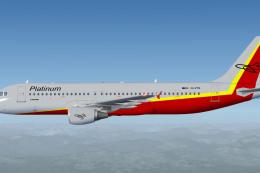 FSX Civil Aircraft
Platinum Airways blends a straightforward operational ethos (sometimes referr…
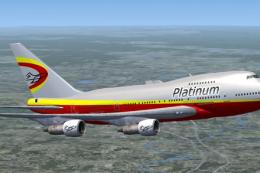 FSX Civil Aircraft
Project Open Sky B747 SP full aircraft, repainted in Platinum Airways' new li…
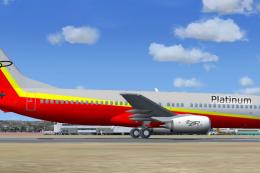 FSX Civil Aircraft
Platinum Airways Boeing 737-800. Platinum Airways is a very virtual KISS airl…
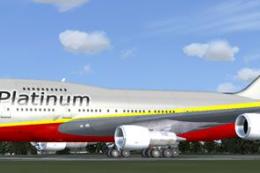 FSX Civil Aircraft
Platinum Airways Boeing 747 SP. Platinum Airways is a very virtual KISS airli…
Be the first to leave a comment on this download.
Be the first to share your thoughts on this download.