


 Austria
  FSX AFCAD Files
VHHH Hong Kong International Airport
This is part of the tenth round of airports issued by Alpha India Group. AIG …
Innsbruck Airport (LOWI) gains a challenging runway 08 ILS with a steep 7.0-degree glide path for dramatic alpine arrivals. The package adds a BGL-based approach using 111.50 on course 080, tuned for stable, slower finals and autopilot capture in FSX and Prepar3D v4/v5.
Innsbruck Airport (LOWI) runway 08 ILS, Austria. An ILS approach for runway 8 at Innsbruck Austria, an exciting approach with a 7.0 degree glide path! By Nelson Lyon.
This is an ILS approach for Innsbruck Austria rwy 08. This is for flight sim FSX/P3D only. Just place the included BGL file in your Addon Scenery/Scenery folder and activate as usual. The frequency is 111.50 and the course heading is 080.
T/O RWY 08 and climb to 14000 feet. When passing 9000 feet do a left turn to heading 320. When steady another turn to heading 260. Make sure you have the KTI NDB showing in your MFD or GPS. Continue on heading 260, once past the airport descend to 12000ft ( Initial approach altitude ). Reduce speed to 200 kts or so. For this app to work you have to have a final app speed of 130-160 on final or less depending on what you are flying. The slower the better. It is a very steep G/P 7.0 degrees but it works. At 24.5 DME turn left 90 degrees to intercept the final approach course. Select app mode on the autopilot. The sooner you can reduce speed to final approach the better. You will need full flaps and landing gear down. Let the auto pilot do it's thing just watch your speed. I used the Lear 45 for testing and it worked well. You will have to experiment to see what A/C works best for you. I should think the Beech 350 would also work very well.
Free for all simmers · 6.64 KB · Scanned clean Oct 2026
Download speed: Free tier is capped at 0.5 Mbps. PRO members download at full line speed.
FSX\Addon Scenery\ containing scenery and texture sub-folders.readme.txt or README file. It tells you exactly where files go, what dependencies are needed, and any quirks specific to this add-on.Use these coordinates to fly directly to this location once the mod is installed.
47.26020000,11.34390000
Launch FSX or Prepar3D and use Flights → Load to open the downloaded .pln file. Your aircraft will be positioned at this location.
The archive innsbruck-1.zip has 4 files and directories contained within it.
This list displays the first 500 files in the package. If the package has more, you will need to download it to view them.
| Filename/Directory | File Date | File Size |
|---|---|---|
| LOWI_ADEP2_ADE.bgl | 01.13.15 | 10.59 kB |
| Innsbruck.txt | 01.13.15 | 1.22 kB |
| flyawaysimulation.txt | 10.29.13 | 959 B |
| Go to Fly Away Simulation.url | 01.22.16 | 52 B |
Only PRO members can place votes.
More FSX & P3D add-ons hand-picked based on this download.
FSX AFCAD Files
This is part of the tenth round of airports issued by Alpha India Group. AIG …
 FSX AFCAD Files
Charles-De-Gaulle International Airport (LFPG), Paris, France. This airport u…
 FSX AFCAD Files
Incheon International Airport (RKSI), South Korea. A total makeover designed …
 FSX AFCAD Files
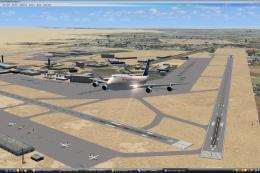
CaThis is part of the ninth round of airports issued by Alpha India Group. AI…
 FSX AFCAD Files
Geneva International Airport (IATA: GVA, ICAO: LSGG), commonly known as Coint…
 FSX AFCAD Files
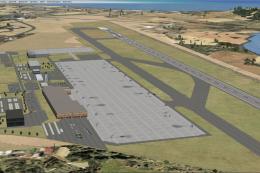
Ibiza Airport, Spain. This is part of the ninth round of airports issued by A…
 FSX AFCAD Files
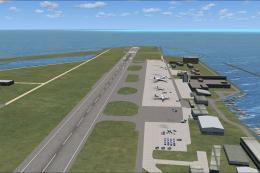
This is part of the ninth round of airports issued by Alpha India Group. AIG …
 FSX AFCAD Files
Madrid/Barajas Airport (LEMD), Spain. Includes gates renumbered based on AENA…
Read what other simmers think, or add your own.
