

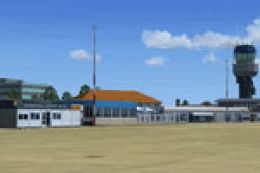
 FSX Scenery
NL2000 V4.0 Groningen Airport Eelde
Immerse yourself in a highly detailed representation of Groningen Airport Eel…
Groningen Airport Eelde (EHGG) comes to life with accurate terminal buildings, crisp runway and taxiway markings, functional-looking jetways, and refined terrain that blends into the surrounding Dutch landscape in Microsoft Flight Simulator X. Photoreal ground textures and carefully placed navigation aids support believable operations and realistic approaches, and it requires the NL2000 v4.0.20 installer.
 Rate
Rate
 Netherlands
This airport enhancement transforms Groningen Airport Eelde (EHGG) within Microsoft Flight Simulator X by introducing meticulously rendered structures, detailed ground markings, and refined landscape elements. Developed by The Netherlands 2000 Scenery Design Team, this free add-on integrates easily into a broader modular environment that covers the entire Dutch region. It requires the v4.0.20 installer to function properly, ensuring seamless integration into existing scenery setups.
This package delivers a faithful recreation of EHGG, a facility recognized for its straightforward layout and regular commercial operations. Jetways, runways, taxiways, and aprons utilize high-resolution textures that align well with the local geography. Navigational aids, including instrument landing systems (ILS), have also been modeled with attention to accuracy, so virtual pilots can experience precise approaches and departures. With these updates, the atmosphere around the airfield feels naturally immersive, reflecting a real-world flight environment.
Located southeast of the city of Groningen, Groningen Airport Eelde operates as a modest yet vital air hub for northern Netherlands. Commercial airliners, general aviation trainers, and private aircraft frequently converge here. Through this add-on’s refined topography and authentic terminal buildings, simmers get a clear sense of how the airport serves both travelers and local aviation enthusiasts in real life.
The creators have made installation straightforward: use the official NL2000 v4.0.20 installer to add this EHGG scenery package to Microsoft Flight Simulator X. This modular approach facilitates selective updates to regions across the Netherlands, reinforcing stability and overall performance. Once installed, every element integrates seamlessly, revealing an accurate depiction of runways, structures, and ground polygons.
The design team has paid close attention to photoreal textures, ensuring that adjacent fields, roads, and water features smoothly blend with airport boundaries. By merging satellite imagery with custom 3D modeling, the developers achieve a cohesive look and feel. Whether approaching from the air or navigating the ramp on the ground, users will notice the detailed representation of nearby towns and greenery, creating a more engaging flight experience.
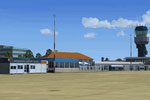
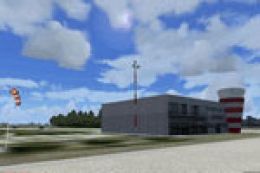
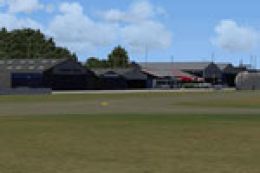
Screenshot of Groningen Airport Eelde Scenery.
By embracing this carefully assembled project from The Netherlands 2000 Scenery Design Team, enthusiasts can explore an expanded and more authentic virtual environment in northern Netherlands without sacrificing performance or realism.
Free for all simmers · 154.97 MB · Scanned clean Oct 2026
Download speed: Free tier is capped at 0.5 Mbps (this file takes approximately 43 mins at the cap). PRO members download at full line speed.
FSX\Addon Scenery\ containing scenery and texture sub-folders.readme.txt or README file. It tells you exactly where files go, what dependencies are needed, and any quirks specific to this add-on.Use these coordinates to fly directly to this location once the mod is installed.
53.11972000,6.56833000
Launch FSX or Prepar3D and use Flights → Load to open the downloaded .pln file. Your aircraft will be positioned at this location.
The archive nl2k_v4_02_ehgg.zip has 8 files and directories contained within it.
This list displays the first 500 files in the package. If the package has more, you will need to download it to view them.
| Filename/Directory | File Date | File Size |
|---|---|---|
| nl2k_v4.02_ehgg.nl2 | 12.18.11 | 155.10 MB |
| nl2k_v4.02_ehgg.txt | 12.22.11 | 365 B |
| auteursrecht.txt | 05.24.10 | 5.06 kB |
| copyright.txt | 05.24.10 | 4.43 kB |
| FILE_ID.DIZ | 12.22.11 | 365 B |
| nl2k_v4.02_ehgg.gif | 05.12.11 | 7.63 kB |
| flyawaysimulation.txt | 10.29.13 | 959 B |
| Go to Fly Away Simulation.url | 01.22.16 | 52 B |
Only PRO members can place votes.
More FSX & P3D add-ons hand-picked based on this download.
FSX Scenery
Immerse yourself in a highly detailed representation of Groningen Airport Eel…
 FSX Scenery
This freeware release brings a refined rendition of Groningen Airport Eelde (…
 FSX Scenery
Enhance your simulator’s portrayal of one of the Netherlands’ busiest regiona…
 FSX Scenery
This free add-on offers a precisely modeled depiction of EHEH Eindhoven Airpo…
 FSX Scenery
This comprehensive package brings an updated rendition of Maastricht Aachen A…
 FSX Scenery
Experience the intricacies of Den Helder Airport (EHKD) with this free FSX sc…
 FSX Scenery
This add-on enhances Microsoft Flight Simulator X with a finely detailed rend…
 FSX Scenery
This freeware add-on brings a fully updated rendition of Teuge Airport (EHTE)…
Be the first to leave a comment on this download.
Be the first to share your thoughts on this download.