


 FSX Historic & Vintage Aircraft
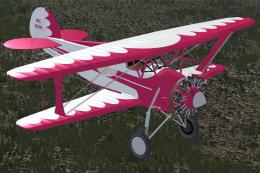
WACO ATO NC 8576
This is a "what if" concept for the Golden Age Simulations WACO ATO Taperwing…
Waco Classic captures Golden Age biplane flying with a stable taildragger flight model, tuned performance, and refined ground handling for relaxed sightseeing or gentle aerobatics. Built for Microsoft Flight Simulator X with FSX Acceleration and Vista compatibility, it includes aligned effects and lighting, and requires A2A 3D Lights and Redux for full night illumination.

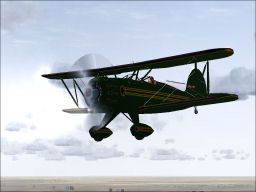
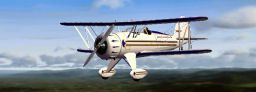
The Waco Classic biplane brings authentic Golden Age aviation flair into Microsoft Flight Simulator X. This classic taildragger is presented here as a freeware release, originally designed by Lynn and Bill Lyons for Microsoft Flight Simulator 2004 and carefully converted to FSX with specialized adjustments by David Grindele. It offers a stable flight model, finely tuned performance parameters, and compatibility with Windows Vista and FSX Acceleration, making it a comprehensive vintage aircraft package for those who appreciate historical airframes.
The Waco airframe is widely admired for its sturdy biplane configuration, featuring stacked wings (two wings aligned vertically) that enhance lift and provide reliable slow-speed handling. The classic open-cockpit design replicates the feeling of 1930s-era aviation. With the FSX adaptation by David Grindele, the flight characteristics have been tweaked to preserve authentic behavior while ensuring smooth operation in modern simulators. Notably, ground handling is more refined, improving taxiing on grass or paved surfaces.
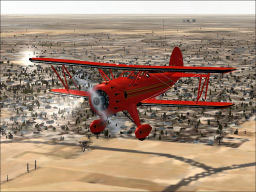
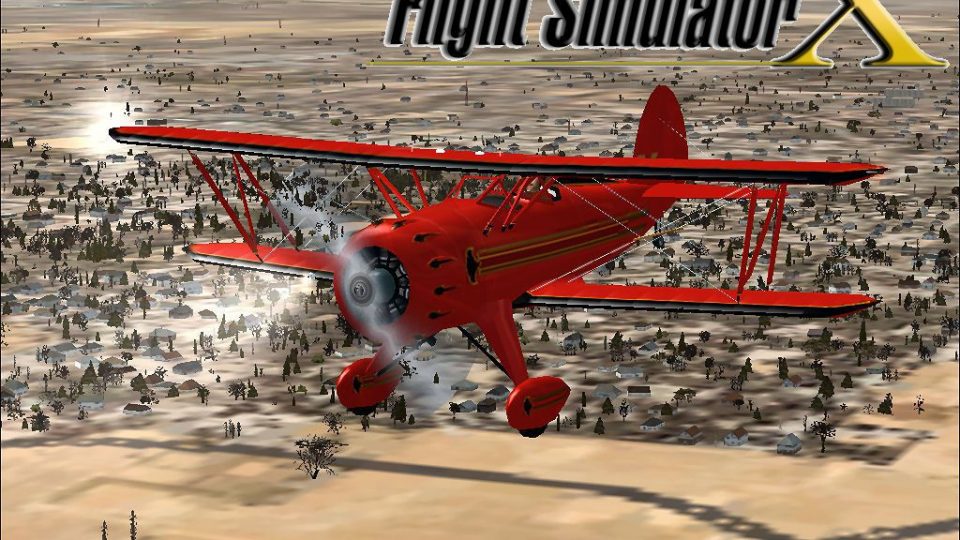
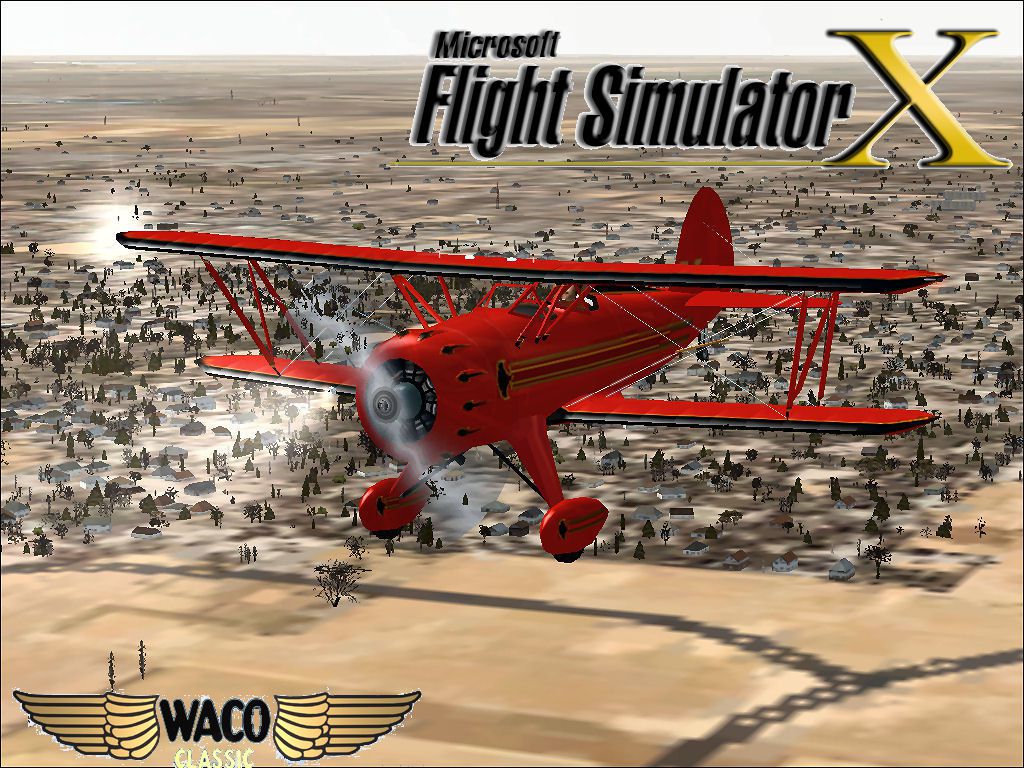
Screenshot of a red Waco Classic in flight.
This freeware add-on is optimized for Microsoft Flight Simulator X and works well under Windows Vista. Users who run FSX Acceleration will find the aircraft behaves as intended, maintaining consistent frame rates and reliable effect rendering. The included landing lights, strobes, and other external elements have all been aligned to fit FSX standards.
For complete lighting functionality, the developer recommends installing 3D Lights and Redux by A2A (previously known as Wings of Power). These additions help illuminate the aircraft in low-light environments, making night departures more immersive. The Waco Classic remains fully operational without these extras, but the visual effects are more extensive if they are present.
All files are included within this package. To install, decompress the download into a temporary folder, then move the entire “Waco Classic” directory into your main FSX “SimObjects/Airplanes” folder. The aircraft will appear in your simulator’s aircraft selection menu under the Waco Classic listing.
This release would not be possible without the original work by Lynn and Bill Lyons, whose model and textures capture the essence of a true aviation icon. Thanks also to David Grindele for the conversion and enhancements, performed in Rowlett, TX, USA. Enjoy this vintage platform for both short scenic flights and leisurely aerobatic maneuvers.
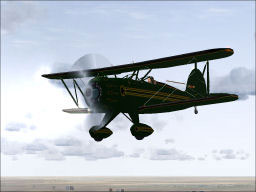
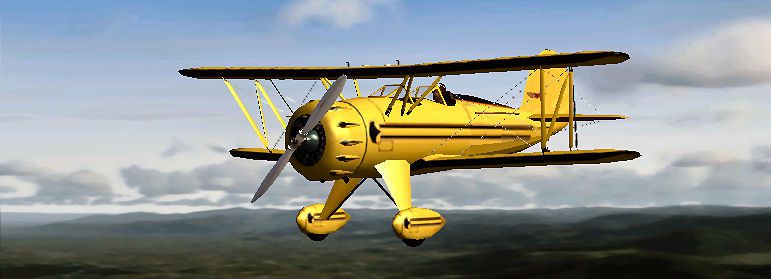
Screenshot of a Waco Classic in flight.
Free for all simmers · 2.14 MB · Scanned clean
Download speed: Free tier is capped at 0.5 Mbps. PRO members download at full line speed.
SimObjects\Airplanes\, Addon Scenery\, Effects\, or Gauges\.readme.txt or README file. It tells you exactly where files go, what dependencies are needed, and any quirks specific to this add-on.The archive wacocl.zip has 157 files and directories contained within it.
This list displays the first 500 files in the package. If the package has more, you will need to download it to view them.
| Filename/Directory | File Date | File Size |
|---|---|---|
| File Diz.txt | 02.24.09 | 296 B |
| Important Read First.txt | 02.24.09 | 850 B |
| Legal.txt | 02.24.09 | 263 B |
| WACO Classic.jpg | 02.23.09 | 245.09 kB |
| WacoClassic | 02.23.09 | 0 B |
| aircraft.cfg | 02.23.09 | 19.13 kB |
| model | 02.23.09 | 0 B |
| Model.cfg | 05.28.02 | 23 B |
| waco.mdl | 06.06.02 | 647.66 kB |
| panel | 02.23.09 | 0 B |
| Panel.cfg | 06.01.02 | 3.71 kB |
| waco2a.bmp | 05.30.02 | 469.80 kB |
| panel.1 | 02.23.09 | 0 B |
| Panel.cfg | 05.31.02 | 3.71 kB |
| waco2b.bmp | 06.08.02 | 469.80 kB |
| panel.2 | 02.23.09 | 0 B |
| Panel.cfg | 05.31.02 | 3.70 kB |
| waco2c.bmp | 05.31.02 | 469.80 kB |
| panel.3 | 02.23.09 | 0 B |
| Panel.cfg | 05.31.02 | 3.71 kB |
| waco2p.bmp | 05.25.02 | 469.80 kB |
| sound | 02.23.09 | 0 B |
| Bcshut.wav | 08.23.01 | 17.42 kB |
| Bcstartb.wav | 08.23.01 | 7.38 kB |
| bcstarter.wav | 08.17.00 | 48.12 kB |
| gyro.wav | 05.24.02 | 112.73 kB |
| Sound.cfg | 06.02.02 | 3.13 kB |
| waco1.wav | 05.03.01 | 54.31 kB |
| waco2.wav | 05.24.02 | 61.24 kB |
| waco6.wav | 05.28.02 | 17.43 kB |
| waco7.wav | 04.14.98 | 51.63 kB |
| texture | 02.23.09 | 0 B |
| pilot.bmp | 02.17.02 | 65.05 kB |
| plate.bmp | 06.24.03 | 65.05 kB |
| prop.bmp | 05.13.02 | 86.39 kB |
| prop2.bmp | 05.13.02 | 65.05 kB |
| Thumbnail.jpg | 02.23.09 | 18.04 kB |
| vcn_l.bmp | 06.06.02 | 21.43 kB |
| waco1_L.bmp | 05.29.02 | 85.43 kB |
| waco1_t.bmp | 06.01.02 | 1.33 MB |
| waco2_t.bmp | 05.17.02 | 85.43 kB |
| waco3.bmp | 05.17.02 | 65.05 kB |
| waco3_L.bmp | 05.29.02 | 85.43 kB |
| waco3_t.bmp | 06.01.02 | 85.43 kB |
| waco4_t.bmp | 05.17.02 | 85.43 kB |
| waco5.bmp | 05.30.02 | 257.05 kB |
| waco6.bmp | 05.21.02 | 86.39 kB |
| waco7_t.bmp | 05.23.02 | 85.43 kB |
| wacoa1_L.bmp | 05.30.02 | 21.43 kB |
| wacoa1_t.bmp | 06.03.02 | 21.43 kB |
| wacoa2_L.bmp | 05.30.02 | 21.43 kB |
| wacoa2_t.bmp | 06.03.02 | 21.43 kB |
| wacoa3_L.bmp | 05.30.02 | 21.43 kB |
| wacoa3_t.bmp | 06.03.02 | 21.43 kB |
| wacoa4_L.bmp | 05.30.02 | 21.43 kB |
| wacoa4_t.bmp | 06.03.02 | 21.43 kB |
| wacoa_L.bmp | 05.30.02 | 21.43 kB |
| wacoa_t.bmp | 06.03.02 | 21.43 kB |
| wacob.bmp | 05.28.02 | 17.05 kB |
| wacor_L.bmp | 05.30.02 | 21.43 kB |
| wacor_t.bmp | 06.03.02 | 21.43 kB |
| texture.1 | 02.23.09 | 0 B |
| pilot.bmp | 02.17.02 | 65.05 kB |
| plate.bmp | 06.24.03 | 65.05 kB |
| prop.bmp | 05.13.02 | 86.39 kB |
| prop2.bmp | 05.13.02 | 65.05 kB |
| thumbnail.jpg | 02.23.09 | 6.69 kB |
| vcn_l.bmp | 06.06.02 | 21.43 kB |
| waco1_L.bmp | 05.29.02 | 85.43 kB |
| waco1_t.bmp | 06.02.02 | 1.33 MB |
| waco2_t.bmp | 05.17.02 | 85.43 kB |
| waco3.bmp | 06.03.02 | 17.05 kB |
| waco3_L.bmp | 05.29.02 | 85.43 kB |
| waco3_t.bmp | 05.28.02 | 85.43 kB |
| waco4_t.bmp | 05.17.02 | 85.43 kB |
| waco5.bmp | 05.30.02 | 257.05 kB |
| waco6.bmp | 05.21.02 | 86.39 kB |
| waco7_t.bmp | 05.23.02 | 85.43 kB |
| wacoa1_L.bmp | 05.30.02 | 21.43 kB |
| wacoa1_t.bmp | 06.03.02 | 21.43 kB |
| wacoa2_L.bmp | 05.30.02 | 21.43 kB |
| wacoa2_t.bmp | 06.03.02 | 21.43 kB |
| wacoa3_L.bmp | 05.30.02 | 21.43 kB |
| wacoa3_t.bmp | 06.03.02 | 21.43 kB |
| wacoa4_L.bmp | 05.30.02 | 21.43 kB |
| wacoa4_t.bmp | 06.03.02 | 21.43 kB |
| wacoa_L.bmp | 05.30.02 | 21.43 kB |
| wacoa_t.bmp | 06.03.02 | 21.43 kB |
| wacob.bmp | 05.28.02 | 17.05 kB |
| wacor_L.bmp | 05.30.02 | 21.43 kB |
| wacor_t.bmp | 06.03.02 | 21.43 kB |
| texture.2 | 02.23.09 | 0 B |
| pilot.bmp | 02.17.02 | 65.05 kB |
| plate.bmp | 06.24.03 | 65.05 kB |
| prop.bmp | 05.13.02 | 86.39 kB |
| prop2.bmp | 05.13.02 | 65.05 kB |
| thumbnail.jpg | 02.23.09 | 45.47 kB |
| vcn_l.bmp | 06.06.02 | 21.43 kB |
| waco1_L.bmp | 05.29.02 | 85.43 kB |
| waco1_t.bmp | 06.02.02 | 1.33 MB |
| waco2_t.bmp | 05.17.02 | 85.43 kB |
| waco3.bmp | 06.03.02 | 17.05 kB |
| waco3_L.bmp | 05.29.02 | 85.43 kB |
| waco3_t.bmp | 05.30.02 | 85.43 kB |
| waco4_t.bmp | 05.17.02 | 85.43 kB |
| waco5.bmp | 05.30.02 | 257.05 kB |
| waco6.bmp | 05.21.02 | 86.39 kB |
| waco7_t.bmp | 05.23.02 | 85.43 kB |
| wacoa1_L.bmp | 05.30.02 | 21.43 kB |
| wacoa1_t.bmp | 06.03.02 | 21.43 kB |
| wacoa2_L.bmp | 05.30.02 | 21.43 kB |
| wacoa2_t.bmp | 06.03.02 | 21.43 kB |
| wacoa3_L.bmp | 05.30.02 | 21.43 kB |
| wacoa3_t.bmp | 06.03.02 | 21.43 kB |
| wacoa4_L.bmp | 05.30.02 | 21.43 kB |
| wacoa4_t.bmp | 06.03.02 | 21.43 kB |
| wacoa_L.bmp | 05.30.02 | 21.43 kB |
| wacoa_t.bmp | 06.03.02 | 21.43 kB |
| wacob.bmp | 05.28.02 | 17.05 kB |
| wacor_l.bmp | 05.30.02 | 21.43 kB |
| wacor_t.bmp | 06.03.02 | 21.43 kB |
| texture.3 | 02.23.09 | 0 B |
| pilot.bmp | 02.17.02 | 65.05 kB |
| plate.bmp | 06.24.03 | 65.05 kB |
| prop.bmp | 05.13.02 | 86.39 kB |
| prop2.bmp | 05.13.02 | 65.05 kB |
| Thumbnail.jpg | 02.23.09 | 9.46 kB |
| vcn_l.bmp | 06.06.02 | 21.43 kB |
| waco1_L.bmp | 05.29.02 | 85.43 kB |
| waco1_t.bmp | 06.02.02 | 1.33 MB |
| waco2_t.bmp | 05.17.02 | 85.43 kB |
| waco3.bmp | 06.03.02 | 17.05 kB |
| waco3_L.bmp | 05.29.02 | 85.43 kB |
| waco3_t.bmp | 05.31.02 | 85.43 kB |
| waco4_t.bmp | 05.17.02 | 85.43 kB |
| waco5.bmp | 05.30.02 | 257.05 kB |
| waco6.bmp | 05.21.02 | 86.39 kB |
| waco7_t.bmp | 05.23.02 | 85.43 kB |
| wacoa1_L.bmp | 05.30.02 | 21.43 kB |
| wacoa1_t.bmp | 06.03.02 | 21.43 kB |
| wacoa2_L.bmp | 05.30.02 | 21.43 kB |
| wacoa2_t.bmp | 06.03.02 | 21.43 kB |
| wacoa3_L.bmp | 05.30.02 | 21.43 kB |
| wacoa3_t.bmp | 06.03.02 | 21.43 kB |
| wacoa4_L.bmp | 05.30.02 | 21.43 kB |
| wacoa4_t.bmp | 06.03.02 | 21.43 kB |
| wacoa_L.bmp | 05.30.02 | 21.43 kB |
| wacoa_t.bmp | 06.03.02 | 21.43 kB |
| wacob.bmp | 05.28.02 | 17.05 kB |
| wacor_L.bmp | 05.30.02 | 21.43 kB |
| wacor_t.bmp | 06.03.02 | 21.43 kB |
| waco.air | 05.28.02 | 8.12 kB |
| Waco_check.txt | 05.31.02 | 4.18 kB |
| waco_notes.txt | 05.31.02 | 0 B |
| WacoCL | 02.24.09 | 0 B |
| flyawaysimulation.txt | 10.29.13 | 959 B |
| Go to Fly Away Simulation.url | 01.22.16 | 52 B |
More FSX & P3D add-ons hand-picked based on this download.
FSX Historic & Vintage Aircraft
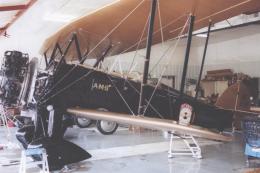
This is a "what if" concept for the Golden Age Simulations WACO ATO Taperwing…
 FSX Historic & Vintage Aircraft
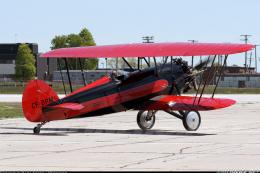
This package includes the Golden Age Simulations CTO models represented as th…
 FSX Historic & Vintage Aircraft
This is the freeware Golden Age Simulations WACO CTO Mailwing in the livery o…
 FSX Historic & Vintage Aircraft
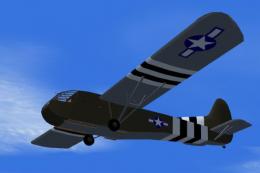
This model flies equally well in both FS2004 and FS.X as a stand alone glider…
 FSX Historic & Vintage Aircraft
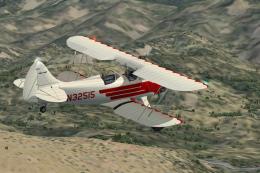
Waco UPF-7. An FSX rebuild of the earlier Waco UPF7 biplane. Includes updated…
 FSX Historic & Vintage Aircraft
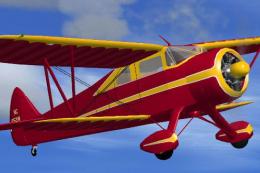
The Waco SRE dates from 1940 and was the last of the Waco cabin biplanes. It …
 FSX Historic & Vintage Aircraft
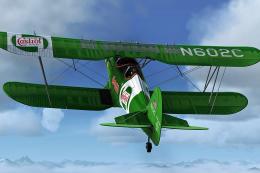
This special repaint has been designed to offer a green Castrol and Budweiser…
 FSX Historic & Vintage Aircraft
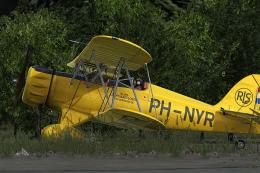
Enhance your Microsoft Flight Simulator X collection with this meticulously c…
Read what other simmers think, or add your own.

