


 FSX Historic & Vintage Aircraft
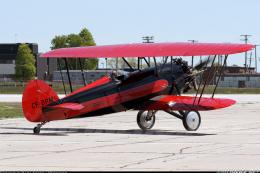
Alabeo Waco YMF-5 Castrol/Budweister Paint
This special repaint has been designed to offer a green Castrol and Budweiser…
Rijks Luchtvaart School colors bring the Alabeo Waco YMF-5 to life with authentic Dutch training markings, including PH-NYR, refined striping, and crisp surface detail that suits vintage sightseeing and classic aerobatics. Built for Microsoft Flight Simulator X, the repaint requires the payware Alabeo Waco YMF-5 and preserves the biplane’s open-cockpit 1930s character.
 Rate
Rate

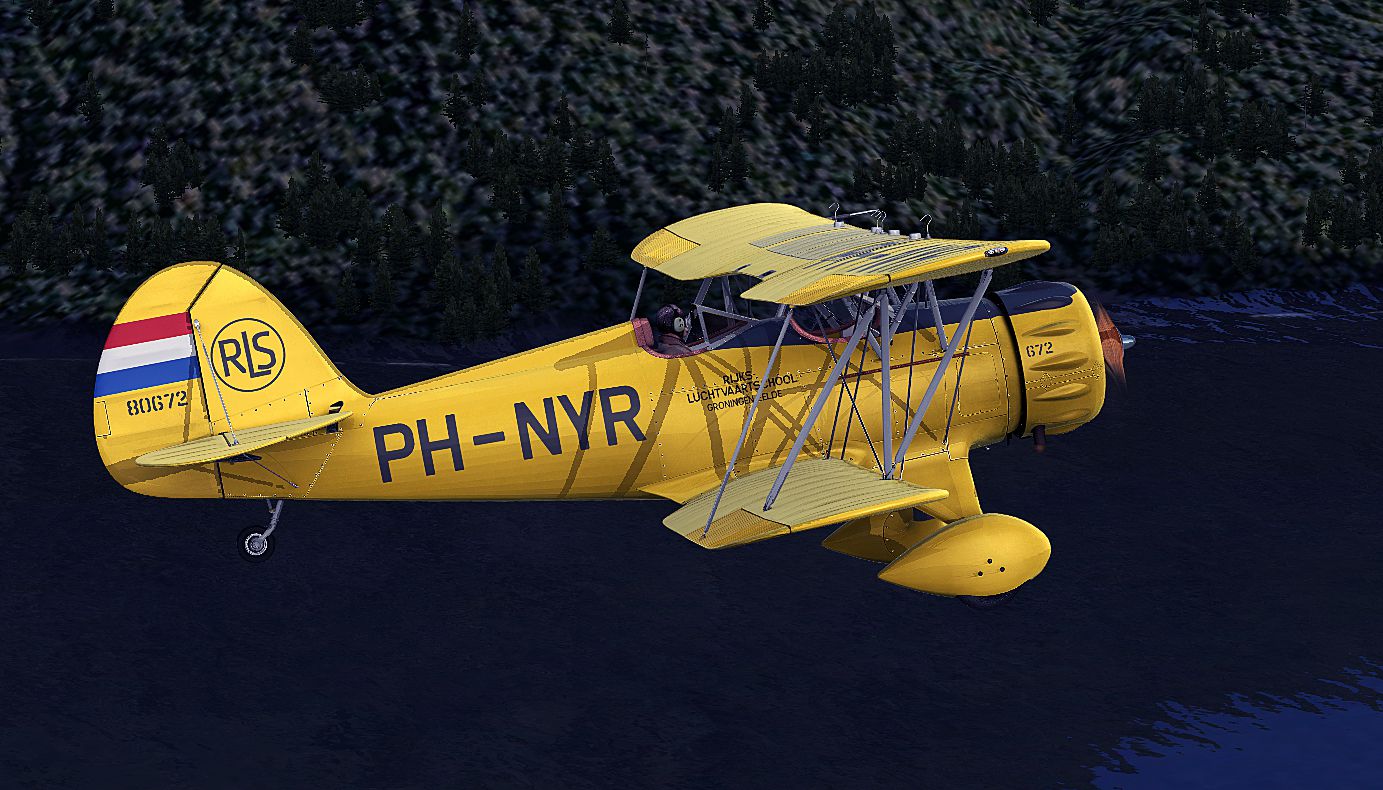
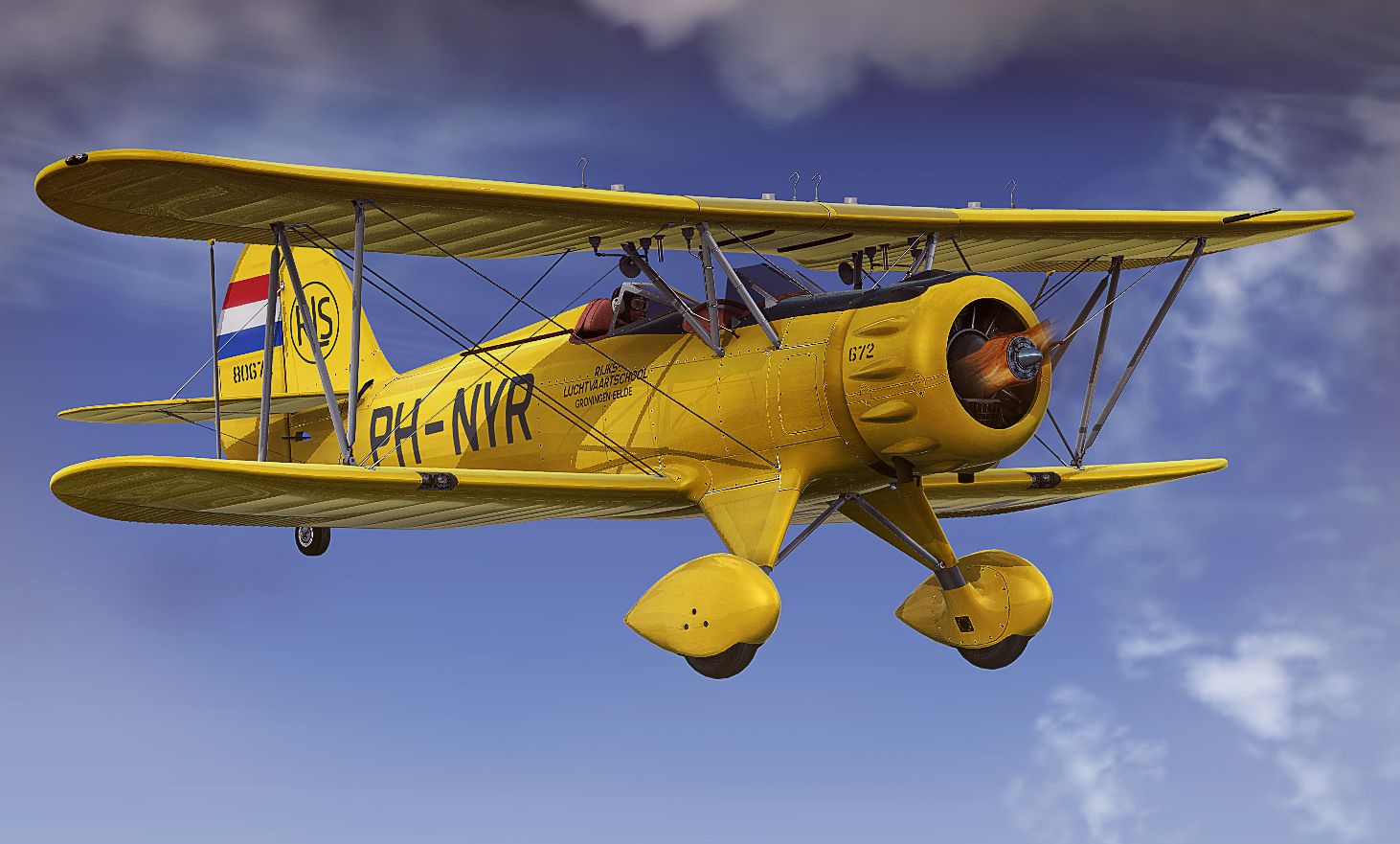
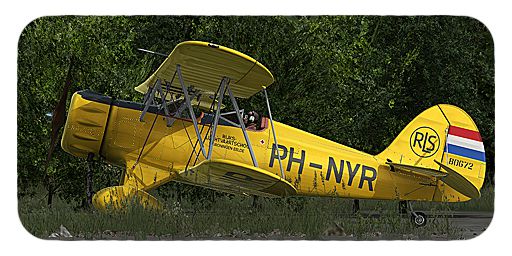
Enhance your Microsoft Flight Simulator X collection with this meticulously crafted repaint, featuring the WACO YMF-5 in the Rijks Luchtvaart School’s historic colors. Created by B. Lechner, this free-to-download livery pays tribute to the Netherlands’ aviation training legacy. Pilots can enjoy the open-cockpit design that recalls the 1930s-era WACO lineage, yet seamlessly integrates into modern simulation environments.
Rijks Luchtvaart School (translated: National Aviation School) has a storied heritage in Dutch flight instruction, and this repaint channels that tradition with its subtle fuselage striping and signature registration PH-NYR. Those who appreciate vintage biplanes will notice the attention to panel lines, rivet alignments, and bright trim accents that bring the nostalgic WACO YMF-5 to life—while maintaining the recognizable training institute’s styling.

Screenshot of Waco YMF-5 in flight.
The modern WACO YMF-5 is a reproduction of the original WACO aircraft produced in the 1930s by the WACO Classic Aircraft Corporation. Renowned for its elegant biplane layout and robust radial engine, the model offers pilots a traditional stick-and-rudder flying experience. This repaint underscores the airplane’s vintage pedigree with vivid colors that mirror historical Dutch training aircraft practices, making it even more immersive for simmers seeking authentic flight experiences.
[fltsim.XX]

Title = ALABEO WACO - RIJKSLUCHTVAARTSCHOOL - PH-NYR

Sim = waco

Model =

Panel =

Sound =

Texture = _PH-NYR

kb_checklists =

kb_reference =

atc_id = PH-NYR

ui_manufacturer = Alabeo

ui_type = WACO YMF5

ui_typerole = Single Engine Prop

ui_createdby = Alabeo

ui_variation = PH-NYR

description = Alabeo WACO YMF5

atc_heavy = 0

atc_airline =

atc_flight_number =

atc_id_color = 0000000000

visual_damage = 1
This repaint was assembled by B. Lechner exclusively for the payware Alabeo WACO YMF-5 package. To utilize this livery, you will require the original payware aircraft, which can be acquired from a store such as SimShack. The WACO’s classic silhouette, combined with the agile characteristics of a single-engine prop, makes this repaint ideal for low-level sightseeing or practicing classic aerobatics in the simulator.
Flying a biplane as iconic as the WACO YMF-5, adorned in local aviation school markings, adds realism and historical depth to your simulation sessions. Inspired by the Netherlands’ robust flight training tradition, this livery amplifies the immersion for enthusiasts looking to explore early-era cockpit dynamics. An open-cockpit environment and well-modeled radial engine sounds further enhance the sense of vintage aviation so often sought after in Microsoft Flight Simulator X.
Free for all simmers · 10.31 MB · Scanned clean Oct 2026
Download speed: Free tier is capped at 0.5 Mbps (this file takes approximately 3 mins at the cap). PRO members download at full line speed.
texture.{airline}) inside FSX\SimObjects\Airplanes\{base-aircraft}\.aircraft.cfg in Notepad. Add a new [fltsim.X] section per the readme.readme.txt or README file. It tells you exactly where files go, what dependencies are needed, and any quirks specific to this add-on.The archive waco_ymf5_ph-nyr.zip has 18 files and directories contained within it.
This list displays the first 500 files in the package. If the package has more, you will need to download it to view them.
| Filename/Directory | File Date | File Size |
|---|---|---|
| fltsim.txt | 09.01.12 | 1.45 kB |
| Screens | 09.01.12 | 0 B |
| PH-NYR - 003.jpg | 09.01.12 | 1.01 MB |
| PH-NYR - 005.jpg | 09.01.12 | 822.45 kB |
| PH-NYR - 006.jpg | 09.01.12 | 1.50 MB |
| Texture._PH-NYR | 09.01.12 | 0 B |
| EXT1.DDS | 09.01.12 | 4.00 MB |
| ext1_spec.dds | 08.13.12 | 4.00 MB |
| EXT2.DDS | 09.01.12 | 4.00 MB |
| ext2_spec.dds | 08.10.12 | 4.00 MB |
| EXT3.DDS | 09.01.12 | 4.00 MB |
| ext3_spec.dds | 08.10.12 | 4.00 MB |
| EXT4.DDS | 09.01.12 | 4.00 MB |
| ext4_spec.dds | 08.13.12 | 4.00 MB |
| texture.cfg | 04.12.11 | 48 B |
| THUMBNAIL.JPG | 09.01.12 | 216.31 kB |
| flyawaysimulation.txt | 10.29.13 | 959 B |
| Go to Fly Away Simulation.url | 01.22.16 | 52 B |
Only PRO members can place votes.
More FSX & P3D add-ons hand-picked based on this download.
FSX Historic & Vintage Aircraft
This special repaint has been designed to offer a green Castrol and Budweiser…
 FSX Historic & Vintage Aircraft
This is a repaint only for the payware Alabeo Waco YMF5 in East Germany milit…
 FSX Historic & Vintage Aircraft
This is a "what if" concept for the Golden Age Simulations WACO ATO Taperwing…
 FSX Historic & Vintage Aircraft
This package includes the Golden Age Simulations CTO models represented as th…
 FSX Historic & Vintage Aircraft
This is the freeware Golden Age Simulations WACO CTO Mailwing in the livery o…
 FSX Historic & Vintage Aircraft
This model flies equally well in both FS2004 and FS.X as a stand alone glider…
 FSX Historic & Vintage Aircraft
Waco UPF-7. An FSX rebuild of the earlier Waco UPF7 biplane. Includes updated…
 FSX Historic & Vintage Aircraft
The Waco Classic biplane brings authentic Golden Age aviation flair into Micr…
Be the first to leave a comment on this download.
Be the first to share your thoughts on this download.