

 FS2004 Utilities/Misc
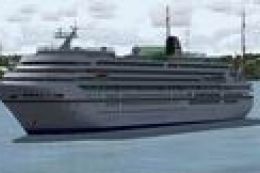
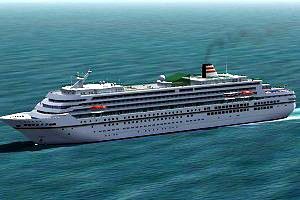
Luxury Cruise Ship Asuka
Includes panel virtual decks, etc. Model Designer : Mitsuya Hamaguchi.
The Asuka passenger cruise ship brings seafaring traffic to FS2004 with a detailed model, authentic smoke, convincing wake effects, and a dedicated sound set for added atmosphere. A custom panel supports anchor controls, letting captains raise and lower anchors for more believable harbor arrivals, departures, and ocean cruising.
 Rate
Rate
Free for all simmers · 1.54 MB · Scanned clean Sep 2026
Download speed: Free tier is capped at 0.5 Mbps. PRO members download at full line speed.
FS9\Aircraft\, FS9\Addon Scenery\, FS9\Gauges\, or FS9\Effects\.readme.txt or README file. It tells you exactly where files go, what dependencies are needed, and any quirks specific to this add-on.The archive asukav03.zip has 31 files and directories contained within it.
This list displays the first 500 files in the package. If the package has more, you will need to download it to view them.
| Filename/Directory | File Date | File Size |
|---|---|---|
| asukav03.jpg | 04.14.05 | 19.30 kB |
| asukav03.zip.txt.txt | 04.14.05 | 277 B |
| Cruise Ship ASUKA | 04.14.05 | 0 B |
| aircraft.cfg | 04.14.05 | 16.80 kB |
| Effects | 04.14.05 | 0 B |
| asuka_fx_navgrem.fx | 10.10.04 | 4.53 kB |
| asuka_fx_navred.fx | 10.10.04 | 4.53 kB |
| fx_smoke_asuka.fx | 10.07.04 | 1.21 kB |
| fx_spray1.fx | 10.14.04 | 4.99 kB |
| fx_spray_asuka.fx | 10.15.04 | 1.35 kB |
| hama_asuka.air | 09.10.04 | 12.95 kB |
| model.asuka | 04.14.05 | 0 B |
| asuka.mdl | 10.14.04 | 1.63 MB |
| model.cfg | 12.29.03 | 22 B |
| model.light | 04.14.05 | 0 B |
| asuka_light.mdl | 10.14.04 | 1.08 MB |
| model.cfg | 10.07.04 | 28 B |
| panel | 04.14.05 | 0 B |
| panel.cfg | 10.14.04 | 28 B |
| ReadMe.txt | 04.14.05 | 1.45 kB |
| sound | 04.14.05 | 0 B |
| C57.wav | 01.05.04 | 86.18 kB |
| sound.cfg | 10.09.04 | 10.36 kB |
| texture | 04.14.05 | 0 B |
| passengers.bmp | 09.30.04 | 128.07 kB |
| passengers_lm.bmp | 09.30.04 | 128.07 kB |
| ship.bmp | 10.14.04 | 512.07 kB |
| ship_lm.bmp | 10.14.04 | 512.07 kB |
| Thumbs.db | 04.14.05 | 5.00 kB |
| flyawaysimulation.txt | 10.29.13 | 959 B |
| Go to Fly Away Simulation.url | 01.22.16 | 52 B |
Only PRO members can place votes.
More FS2004 add-ons hand-picked based on this download.
FS2004 Utilities/Misc
Includes panel virtual decks, etc. Model Designer : Mitsuya Hamaguchi.
 FS2004 Utilities/Misc
A perfect addition to your military collection. This model was made in G-max.…
 FS2004 Utilities/Misc
FS2004 Battle Ship Hamagiri - Made by Mitsuya Hamaguchi.
 FS2004 Utilities/Misc
Updated: Here is a nice schooner used for training of French Navy cadets. Her…
 FS2004 Utilities/Misc
A part of the Freeflow Bermuda release..visit Freeflow.com for scenery releas…
 FS2004 Utilities/Misc
FS2004 Active Camera 2004 v2.1. This package includes both the install files,…
 FS2004 Utilities/Misc
All users of Massive Crash are urged to install this update. The files includ…
 FS2004 Utilities/Misc
FS2004 Better frame rates patch by Eddie Batista
Be the first to leave a comment on this download.
Be the first to share your thoughts on this download.