



FSX UKMIL Grob Tutor Update V2.1
UKMIL’s Grob Tutor cockpit update expands FSX with a second, digital Tutor variant alongside the original analog model, delivering correct gauges for both and aligning the panel standard with RAF training use. It keeps existing aircraft intact and requires the Grob Tutor v1.1 base install because shared files support the updated cockpit.
 Prepar3D
- Type:Patch
- File: ukmilgrobtutorv2.zip
- Size:29.02 MB
- Scan:
Clean (4d)
- Access:Freeware
- Content:Everyone

 Description
 Comments
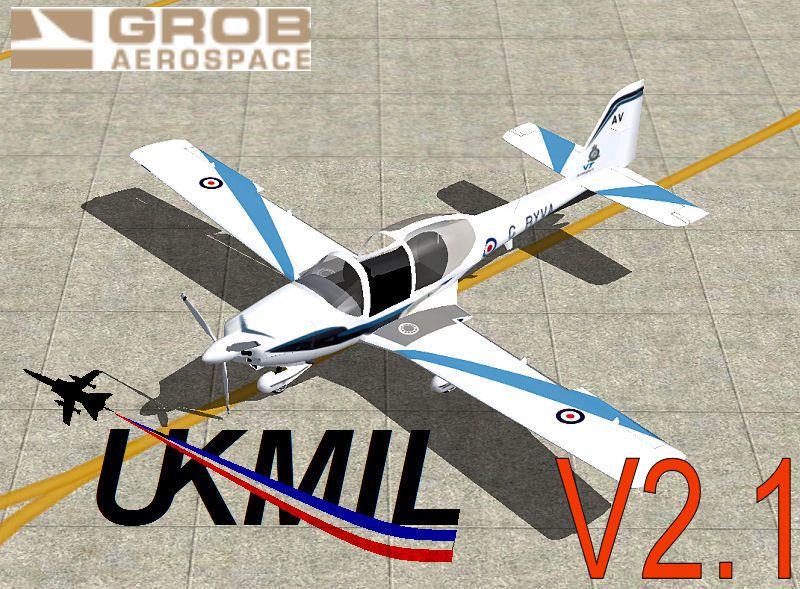
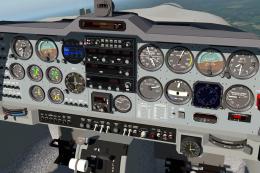
 This is a cockpit update for the Grob Tutor. This update will add a second set of Tutors to FSX with the newer digital version. Version 3 now adds the correct gauges for both models, and is now the correct standard, and actually used by RAF pilots in training.

Screenshot of UKMIL Grob Tutor in flight.
This update will NOT REPLACE your existing analog system, you will have BOTH available, but you MUST HAVE 1.1 installed alongside this for V3 to work as it shares some files.
To install, simply run the installer, and install into your FSX ROOT, you will then have both V1.1, and V2.1 tutors available.
Images & Screenshots

The archive ukmilgrobtutorv2.zip has 7 files and directories contained within it.
File Contents
This list displays the first 500 files in the package. If the package has more, you will need to download it to view them.
| Filename/Directory | File Date | File Size |
|---|---|---|
| README.txt | 01.27.12 | 1.15 kB |
| ukmilgrobtutor.jpg | 01.27.12 | 141.36 kB |
| ukmilgrobtutorthm.jpg | 01.11.09 | 17.91 kB |
| ukmilgrobv2_1.exe | 01.28.12 | 29.13 MB |
| ukmilgrobtutorv2 | 01.27.12 | 0 B |
| flyawaysimulation.txt | 10.29.13 | 959 B |
| Go to Fly Away Simulation.url | 01.22.16 | 52 B |

Installation Instructions
Most of the freeware add-on aircraft and scenery packages in our file library come with easy installation instructions which you can read above in the file description. For further installation help, please see our Flight School for our full range of tutorials or view the README file contained within the download. If in doubt, you may also ask a question or view existing answers in our dedicated Q&A forum.









0 comments
Leave a Response