

 FSX Military Aircraft
Air Force One Boeing 747
High quality reflective aircraft DDS textures for the payware PMDG B747-400 p…
Boeing B-377 “Air Force One” repaint imagines a presidential Stratocruiser with military virtual cockpit textures and Air Force crew, built from A2A’s stock artwork for a cohesive period look in FSX. It requires the A2A B-377 with the Captain of the Ship upgrade and installs as a texture set only.
 Rate
Rate
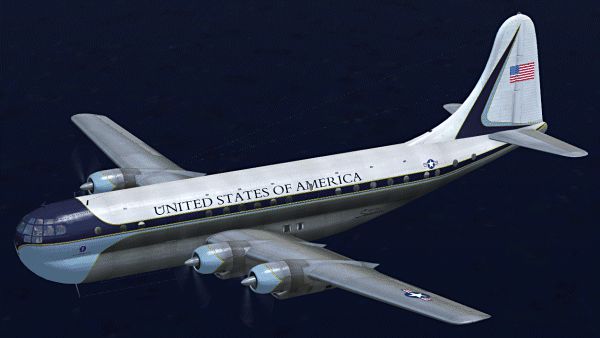
There were no B377's used for the presidency but it would have made a great Air Force One. This version includes military cockpit textures with Air Force pilots. Textures based on stock A2A textures. This is a repaint only and requires the A2A B-377 with COTS upgrade. By Paul Grubich.
Screenshot of Boeing B-377 Air Force One in flight.
Install: Put the folder "texture.af1" into your WoS_B377 folder. Then add the text below to your aircraft.cfg file (located in your WoS_B377 folder) under the last [fltsim.XX] section and change XX to the next number in line.
[fltsim.xx]

title=Boeing Stratocruiser, Air Force One

sim=b377

model=

panel=

sound=

texture=af1

kb_checklists=b377_check

reference=

description=

ui_manufacturer=Boeing

ui_type=377 "Stratocruiser"

ui_variation=Air Force One

ui_typerole="Four Engine Prop"

ui_createdby="A2A Simulations Inc."

atc_parking_code=BAW

atc_heavy=1

atc_id_enable=1

atc_id=G-AKGH

atc_airline=

atc_flight_number=

prop_anim_ratio=0.9

atc_id_color=0x00000000

visual_damage=0

atc_id_font=Verdana,-11,1,600,0

visual_damage=0

atc_id_font=Verdana,-11,1,600,0
Note: If you want the original cockpit textures back just delete textures vc0.dds through vc6.dds from the texture.af1 folder.
Thanks to A2A for a great plane and for the wonderful textures I based this version on. Freeware not to be sold.
Free for all simmers · 20.01 MB · Scanned clean Oct 2026
Download speed: Free tier is capped at 0.5 Mbps (this file takes approximately 6 mins at the cap). PRO members download at full line speed.
texture.{airline}) inside FSX\SimObjects\Airplanes\{base-aircraft}\.aircraft.cfg in Notepad. Add a new [fltsim.X] section per the readme.readme.txt or README file. It tells you exactly where files go, what dependencies are needed, and any quirks specific to this add-on.The archive b377_airforce_one.zip has 48 files and directories contained within it.
This list displays the first 500 files in the package. If the package has more, you will need to download it to view them.
| Filename/Directory | File Date | File Size |
|---|---|---|
| b377_airforce_one | 08.02.12 | 0 B |
| b377_airforce_one.gif | 08.02.12 | 84.25 kB |
| FILE_ID.DIZ | 08.02.12 | 331 B |
| Read First.txt | 08.02.12 | 1.33 kB |
| texture.af1 | 08.02.12 | 0 B |
| b377_1_lm.dds | 05.03.08 | 1.00 MB |
| b377_1_t.dds | 08.02.12 | 4.00 MB |
| b377_1_t_bump.dds | 08.15.08 | 4.00 MB |
| b377_1_t_spec.dds | 08.02.12 | 4.00 MB |
| b377_2_lm.dds | 05.03.08 | 1.00 MB |
| b377_2_t.dds | 08.02.12 | 4.00 MB |
| b377_2_t_bump.dds | 08.15.08 | 4.00 MB |
| b377_2_t_spec.dds | 08.02.12 | 4.00 MB |
| b377_3_t.dds | 08.02.12 | 1.00 MB |
| b377_3_t_spec.dds | 08.02.12 | 1.00 MB |
| b377_4_t.dds | 08.02.12 | 1.00 MB |
| b377_4_t_spec.dds | 08.02.12 | 1.00 MB |
| b377_5_t.dds | 08.02.12 | 1.00 MB |
| b377_5_t_spec.dds | 08.02.12 | 1.00 MB |
| b377_6_t.dds | 08.02.12 | 1.00 MB |
| b377_6_t_spec.dds | 08.02.12 | 1.00 MB |
| b377_7_t.dds | 08.02.12 | 1.00 MB |
| b377_7_t_bump.dds | 05.03.08 | 4.00 MB |
| b377_7_t_spec.dds | 08.02.12 | 1.00 MB |
| b377_8_t.dds | 08.02.12 | 1.00 MB |
| b377_8_t_spec.dds | 08.02.12 | 4.00 MB |
| b377_9_t.dds | 08.02.12 | 1.00 MB |
| b377_9_t_bump.dds | 05.03.08 | 4.00 MB |
| b377_9_t_spec.dds | 08.02.12 | 1.00 MB |
| env.dds | 09.10.08 | 1.50 MB |
| glass_t.dds | 07.11.12 | 64.12 kB |
| map.dds | 07.12.12 | 256.12 kB |
| pilot.dds | 07.11.12 | 64.12 kB |
| prop.dds | 05.04.08 | 64.12 kB |
| prop_s.dds | 05.03.08 | 64.12 kB |
| texture.cfg | 05.03.08 | 137 B |
| Thumbnail.jpg | 08.02.12 | 6.17 kB |
| vc0.dds | 07.12.12 | 4.00 MB |
| vc1.dds | 07.12.12 | 1.00 MB |
| vc2.dds | 07.12.12 | 1.00 MB |
| vc2_n.dds | 03.21.08 | 1.00 MB |
| vc3.dds | 07.12.12 | 4.00 MB |
| vc4.dds | 07.15.12 | 4.00 MB |
| vc5.dds | 07.12.12 | 1.00 MB |
| vc6.dds | 07.12.12 | 1.00 MB |
| watch.dds | 07.11.12 | 256.12 kB |
| flyawaysimulation.txt | 10.29.13 | 959 B |
| Go to Fly Away Simulation.url | 01.22.16 | 52 B |
Only PRO members can place votes.
More FSX & P3D add-ons hand-picked based on this download.
FSX Military Aircraft
High quality reflective aircraft DDS textures for the payware PMDG B747-400 p…
 FSX Military Aircraft
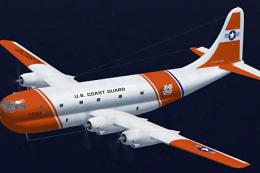
There were no B377/C97's used in the USCG. This version includes miltary cock…
 FSX Military Aircraft
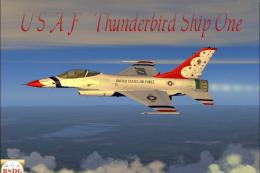
A repaint of Kirk Olsson's F16 Viper (Fighting Falcon), using updated flight …
 FSX Military Aircraft
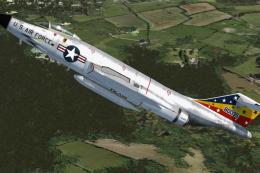
Here are three natural metal F101 Voodoo single-seaters for Henk Schuitemaker…
 FSX Military Aircraft
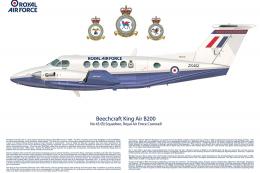
Royal Air Force Beechcraft King Air. A RAF texture for the default King Air. …
 FSX Military Aircraft
Repaint of the Project Open Sky B757-200 in USAF livery, registration 90004, …
 FSX Military Aircraft
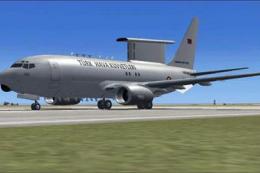
FSX Turkish Air Force AWACS Boeing 737-700 "Peace Eagle" (Baris Kartali). Mod…
 FSX Military Aircraft
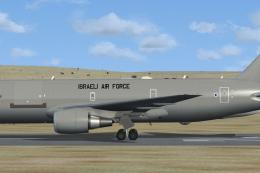
A KC767J in the Israeli Air Force livery. This is a fictional Israeli AF vers…
Read what other simmers think, or add your own.

Great plane! Good graphics! This was my first repaint installation. Installation was a challenge at first. I kept trying to install it to the A2A folder, instead of simobjects airplanes. Once I figured that out, the installation went easily. Thanks, Mr. Grubich

Many thanks for the articals and downloads offered on Fly Away. May I make a plead for the in-experienced Flight Simulator operators? When a down load or advice is given to us users, can you be explicit on the operating requirements that are needed for the down load/advice. e.g. FSX/P3D. FS 2004 is self explanatory but others are a little confusing for us beginners and it would help if a requirement was just a little more accurate. My system is X-Plane 11 but will some-one explain what is "steam"? What is P3D? For any-one using a simulator for years all of this simple but for us new to the hobby its a bit daunting, we are trying to join the club but its a bit tricky not knowing the language.