

 FS2004 Propeller Aircraft
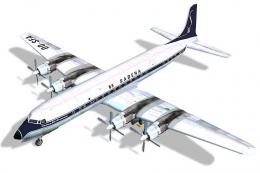
Sabena Douglas DC-7C OO-SFA
Seven Seas Sabena (OO-SFA). In 1957, the Sabena's DC-7C was introduced for lo…
Sabena Airlines OO-SFB textures bring classic Belgian flag-carrier styling to the Douglas DC-7 in FS2004, with period-correct markings tailored for Tom Gibson and Greg Pepper’s model. The repaint by Juan Velilla adds an authentic propliner presence for vintage airline routes and transcontinental-era operations, and requires the base DC-7 aircraft.
 Rate
Rate
Textures only. Aircraft by Tom Gibson and Greg Pepper. Repaint by Juan Velilla. (See also DC7SABV1.ZIP).
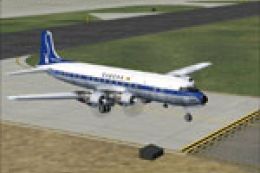
Screenshot of Sabena Douglas DC-7 on the ground.
Installation in FS2004:
[fltsim.X]

	title=DC-7 Sabena Colors

	sim=dc7(c)
model=

	panel=

	sound=

	texture=OO-SFB

	kb_checklists=dc7_check

	kb_reference=dc7_ref

	ui_manufacturer=Douglas

	ui_type=DC-7

	ui_variation=Sabena Airlines

	atc_heavy=0

	atc_id=

	atc_airline=sabena

	atc_flight_number=624

	description=The DC-7 allowed the inauguration of non-stop transcontinental service.

	atc_parking_types=GATE

	atc_parking_codes=Sabena
Please make sure: if you have already installed other texture versions of the DC-7, the numbering of [fltsim.X] must be adapted in sequence; For example: [fltsim.1], [fltsim.2] ...
Free for all simmers · 1.92 MB · Scanned clean Oct 2026
Download speed: Free tier is capped at 0.5 Mbps. PRO members download at full line speed.
This file is a repaint — the package below is the base model it paints onto. Install it first, or the textures will have nothing to load onto.
FS9\Aircraft\, FS9\Addon Scenery\, FS9\Gauges\, or FS9\Effects\.readme.txt or README file. It tells you exactly where files go, what dependencies are needed, and any quirks specific to this add-on.The archive dc7sabb.zip has 24 files and directories contained within it.
This list displays the first 500 files in the package. If the package has more, you will need to download it to view them.
| Filename/Directory | File Date | File Size |
|---|---|---|
| ReadFirstDC7.txt | 04.02.05 | 1.26 kB |
| blurred_prop.bmp | 09.25.02 | 64.07 kB |
| dc6b-3.bmp | 03.29.03 | 341.43 kB |
| dc6b-4.bmp | 04.01.03 | 341.43 kB |
| DC7_leftaft_L.bmp | 07.06.03 | 1.00 MB |
| DC7_leftaft_t.bmp | 03.22.05 | 1.33 MB |
| DC7_leftfwd_L.bmp | 07.06.03 | 1.00 MB |
| DC7_leftfwd_t.bmp | 03.31.05 | 1.33 MB |
| DC7_rtaft_L.bmp | 07.06.03 | 1.00 MB |
| DC7_rtaft_t.bmp | 03.22.05 | 1.33 MB |
| DC7_rtfwd_L.bmp | 07.06.03 | 1.00 MB |
| DC7_rtfwd_t.bmp | 03.31.05 | 1.33 MB |
| DC7cowl_flaps_L.bmp | 03.01.03 | 192 B |
| dc7cowl_flaps_t.bmp | 06.24.03 | 32.07 kB |
| dc7cowl1_L.bmp | 03.01.03 | 192 B |
| dc7cowl1_t.bmp | 07.05.03 | 256.07 kB |
| dc7cowl2_L.bmp | 03.01.03 | 192 B |
| dc7cowl2_t.bmp | 07.05.03 | 256.07 kB |
| dc7cowl3_L.bmp | 03.01.03 | 192 B |
| dc7cowl3_t.bmp | 07.05.03 | 256.07 kB |
| dc7cowl4_L.bmp | 03.01.03 | 192 B |
| dc7cowl4_t.bmp | 07.05.03 | 256.07 kB |
| flyawaysimulation.txt | 10.29.13 | 959 B |
| Go to Fly Away Simulation.url | 01.22.16 | 52 B |
Only PRO members can place votes.
More FS2004 add-ons hand-picked based on this download.
FS2004 Propeller Aircraft
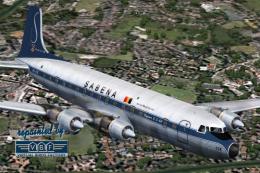
Seven Seas Sabena (OO-SFA). In 1957, the Sabena's DC-7C was introduced for lo…
 FS2004 Propeller Aircraft
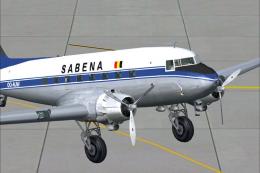
Douglas DC-6B, registration OO-CTK, cn 43831/363, delivered to Sabena on May …
 FS2004 Propeller Aircraft
Updated textures, registration OO-AUW, in 1940's colors. A repaint for the de…
 FS2004 Propeller Aircraft
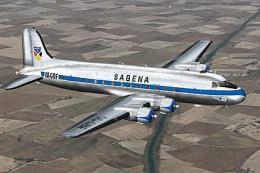
This is a repaint of the California Classic DC-6B aircraft by Tom Gibson and …
 FS2004 Propeller Aircraft
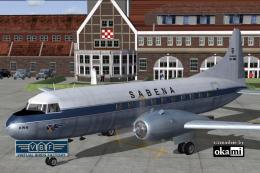
Textures only. The Belgian airline Sabena had 14 DC-4's/C-54's in use. This i…
 FS2004 Propeller Aircraft
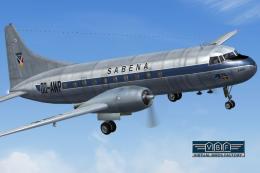
This freeware repaint showcases a Convair CV-240-12 (construction number 156)…
 FS2004 Propeller Aircraft
This freeware repaint for Microsoft Flight Simulator 2004 showcases a classic…
 FS2004 Propeller Aircraft
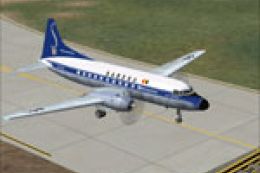
This is a repaint of the California Classic Convair CV340 aircraft by Tom Gib…
Be the first to leave a comment on this download.
Be the first to share your thoughts on this download.