

 FSX Military Aircraft
USMC A-7E Hi Vis Camo
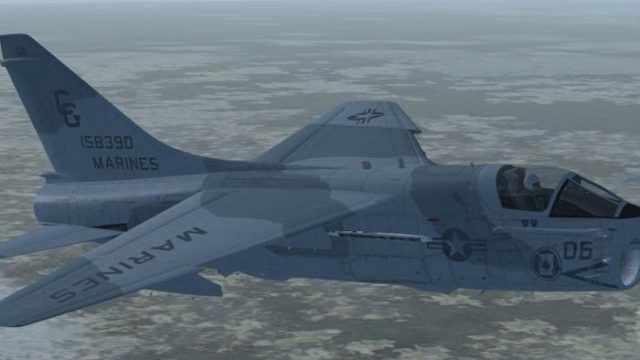
This fictional repaint depicts what a United States Marine Corps A-7E might h…
USMC A-7E Corsair II Low Vis Camo paints a believable 1991 “what-if” Marine Attack Squadron look with subdued grays, low-visibility insignia, and real-style bureau number and squadron identifiers inspired by mid-1970s Harrier markings. Built for Microsoft Flight Simulator X, it requires the payware Razbam A-7E model and delivers a cohesive virtual cockpit experience.
 Rate
Rate
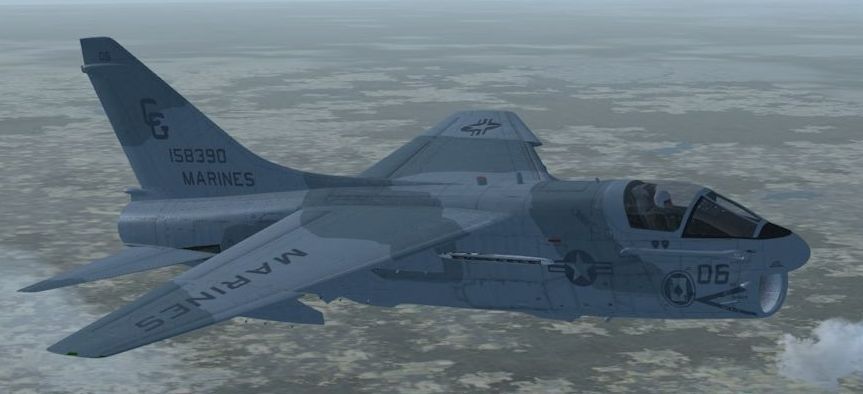
This fictional repaint envisions a United States Marine Corps A-7E Corsair II wearing a low-visibility camouflage scheme as if the service had formally adopted the aircraft in 1991. Recreated by John Detrick for the payware Razbam A-7E model, it aims to capture an alternate history in which the AV-8A Harrier program, initially a relatively unknown venture, did not materialize. Designed for Microsoft Flight Simulator X, this texture set portrays the A-7E in markings that mirror an actual Harrier’s paintwork from around 1975, using an authentic U.S. Marine Corps bureau number and real squadron identifiers.
The single-engine A-7 Corsair II was originally produced as a light attack aircraft for the U.S. Navy to replace more aging designs. Despite its reliability, the Marines opted for a vertical and short takeoff and landing platform (the Harrier) instead. In this alternate concept, the A-7E would have been integrated under Marine Attack Squadron operations to provide robust close air support and precise ground-attack capabilities if political or budgetary restrictions had prevented acquiring a foreign-designed jet.
This repaint showcases subdued camouflage consistent with early 1990s tactical standards. The low-vis insignia, toned-down gray shades, and a real bureau number from an actual USMC Harrier deliver an authentic “what-if” authenticity. The chosen squadron details also reflect real-world Marine Attack Squadron lineage from the era.
Screenshot of USMC A-7E in flight.
Please note that this repaint requires the payware Razbam A-7E Corsair II package. The base aircraft is not included with these files. You may need to purchase the original model from a reputable vendor such as our payware store, SimShack, before installing this texture set.
[fltsim.x] title= A-7 Corsair II VMA-231 1991 sim=A-7 model= panel= sound= texture=VMA231LV kb_checklists=a7_check kb_reference=a7_ref atc_airline=MARINES atc_flight_number=06 ui_manufacturer=Vought ui_type=A-7 Corsair II ui_variation=VMA-231 fictional circa 1991 Low Vis Camo description=Fictional USMC A-7E circa 1991. Repaint by John Detrick. The real world USMC chose the AV-8A Harrier instead, but this livery imagines an alternative scenario. ui_createdby="RAZBAM" atc_heavy=0 visual_damage=1
This livery highlights the flexibility of the A-7E platform in Marine Corps service. If Congress had denied funding for the British-designed Harrier, or if the platform had proven unfeasible, the A-7 could have filled a similar role. John Detrick carefully emulated the unit markings from the period, ensuring historical legitimacy while preserving the fictional angle.
Free for all simmers · 41.84 MB · Scanned clean Oct 2026
Download speed: Free tier is capped at 0.5 Mbps (this file takes approximately 12 mins at the cap). PRO members download at full line speed.
texture.{airline}) inside FSX\SimObjects\Airplanes\{base-aircraft}\.aircraft.cfg in Notepad. Add a new [fltsim.X] section per the readme.readme.txt or README file. It tells you exactly where files go, what dependencies are needed, and any quirks specific to this add-on.The archive vma231lva7.zip has 20 files and directories contained within it.
This list displays the first 500 files in the package. If the package has more, you will need to download it to view them.
| Filename/Directory | File Date | File Size |
|---|---|---|
| Read Me.txt | 12.03.14 | 1.71 kB |
| texture.VMA231LV | 12.03.14 | 0 B |
| Droptanks_t.dds | 12.02.14 | 4.00 MB |
| Droptanks_t_spec.dds | 12.03.14 | 4.00 MB |
| FuselageA_t.dds | 12.02.14 | 16.00 MB |
| FuselageA_t_spec.dds | 12.03.14 | 16.00 MB |
| FuselageB_t.dds | 12.02.14 | 16.00 MB |
| FuselageB_t_spec.dds | 12.03.14 | 16.00 MB |
| Interior_04.dds | 07.28.10 | 16.00 MB |
| Interior_06.dds | 07.16.10 | 4.00 MB |
| parts_01.dds | 12.03.14 | 16.00 MB |
| Pilot_t.dds | 12.02.14 | 16.00 MB |
| texture.cfg | 07.06.09 | 93 B |
| thumbnail.jpg | 12.03.14 | 53.32 kB |
| VMA231LVA7.gif | 12.03.14 | 8.66 kB |
| wings_t.dds | 12.02.14 | 16.00 MB |
| wings_t_spec.dds | 12.03.14 | 16.00 MB |
| thumbnail.jpg | 12.03.14 | 53.32 kB |
| flyawaysimulation.txt | 10.29.13 | 959 B |
| Go to Fly Away Simulation.url | 01.22.16 | 52 B |
Only PRO members can place votes.
More FSX & P3D add-ons hand-picked based on this download.
FSX Military Aircraft
This fictional repaint depicts what a United States Marine Corps A-7E might h…
 FSX Military Aircraft
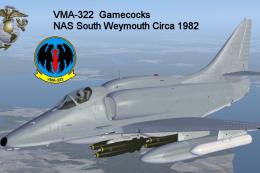
Textures only for the payware Virtavia A-4E/F Skyhawk. This represents a late…
 FSX Military Aircraft
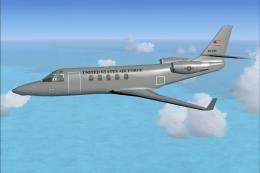
This is Peter Brun/Lider Designs Gulfstream Modified for Flight Simulator X. …
 FSX Military Aircraft
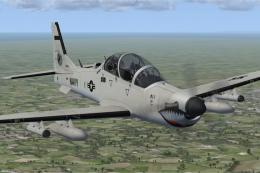
This custom texture set presents a fictional United States Navy low-visibilit…
 FSX Military Aircraft
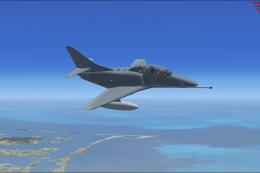
TA-4J H&MS 49 1989 Low Vis for FSX SP2 Acceleration. Textures and new models …
 FSX Military Aircraft
Texture fix for FSX Default F/A-18C Death Rattlers Low Vis Weathered. F/A-18C…
 FSX Military Aircraft
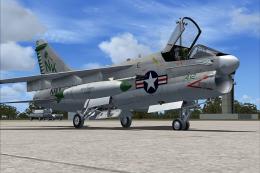
USS Enterprise, circa 1973. Model by RAZBAM. Repaint by Zsolt Beleznay. Scree…
 FSX Military Aircraft
US Navy LTV A-7E Pack. Package of three liveries for the A7E of VA-46 Clansme…
Be the first to leave a comment on this download.
Be the first to share your thoughts on this download.