

 FSX General Aviation Aircraft
Flight Design CTsw (Wheels)
This add-on provides a faithful representation of Flight Design’s unique CTsw…
Flight Design’s CTsw on floats brings a nimble Light Sport seaplane experience to Microsoft Flight Simulator X, pairing a sleek composite airframe with Rotax 912S performance for brisk climbs and efficient cruise. The package includes custom sounds, a detailed 2D panel, a dynamic virtual cockpit, and clear reference documentation.
 Rate
Rate

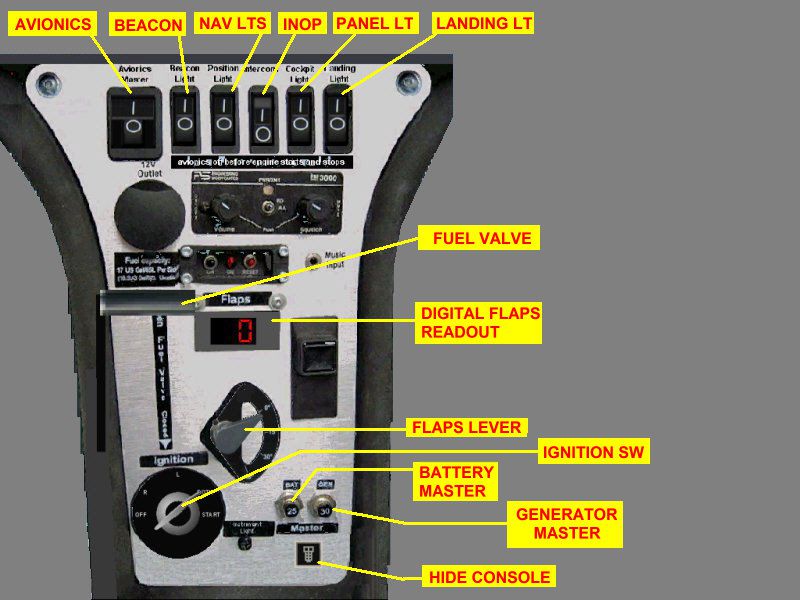
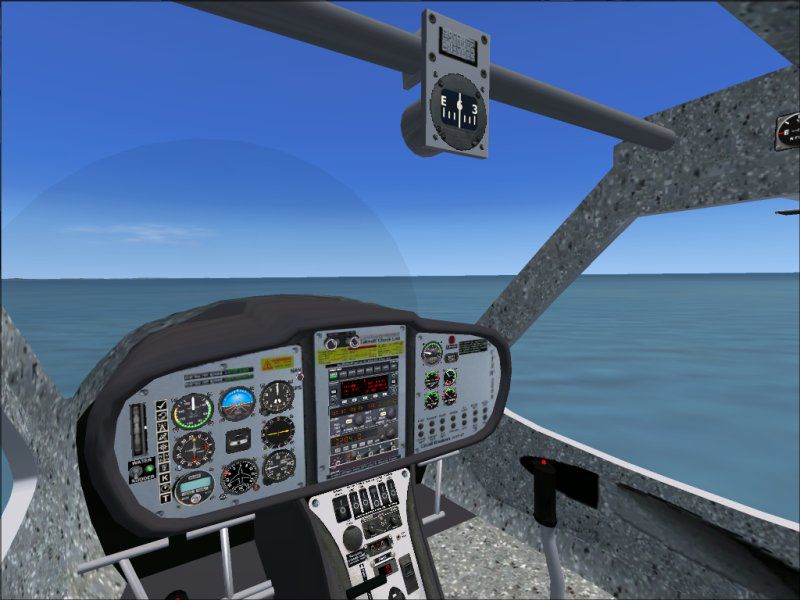
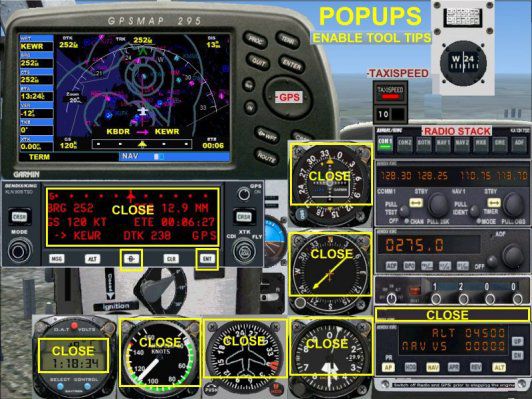
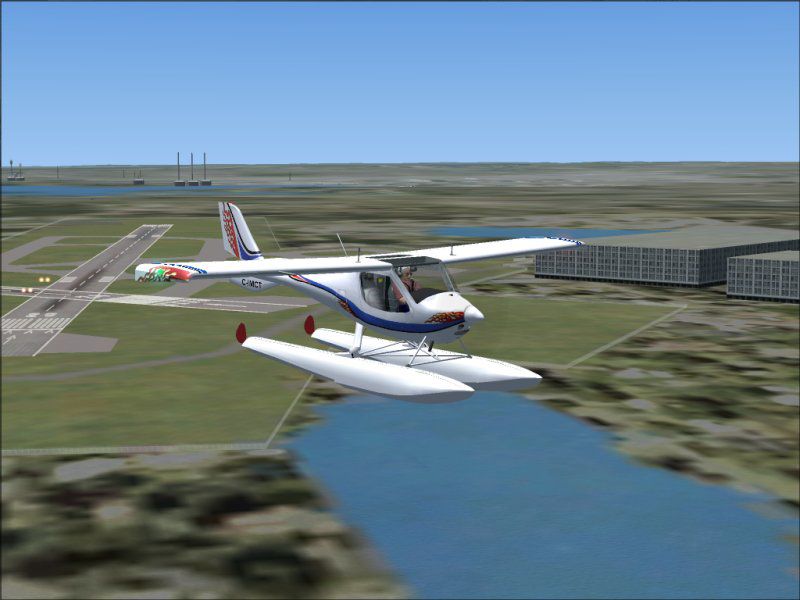

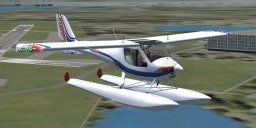
This float-equipped Light Sport Aircraft (LSA) add-on brings a fully realized Flight Design CTsw into Microsoft Flight Simulator X, featuring robust composite construction, a sleek low-drag airframe, and an efficient Rotax powerplant. Created by Premier Aircraft Design’s Barry Blaisdell, Jean-Pierre Brisard, Bob May, Kevin Pardy, and Danny Crance, this freeware release includes an integrated model with custom sounds, a dynamic virtual cockpit, and detailed documentation.
The airframe utilizes a composite blend of carbon fiber and Kevlar, which collectively reduces overall weight and preserves structural integrity. This design approach results in a fuselage profile that minimizes aerodynamic drag while enhancing stability at both low and high speeds.
The forward cabin is shaped to maximize legroom and visibility. Its refined fuselage contour opens up extra space for luggage without compromising the aircraft’s center of gravity or handling responsiveness.
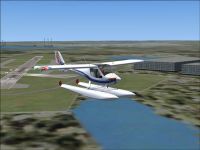
Flight Design CTsw on floats.
Designed to excel in the Light Sport category, the CTsw is known for its high rate of climb and efficient float operations. Thanks to its refined wing structure and one-piece flaps, the aircraft maintains controlled approaches, even on short final into confined waterways. With a maximum speed of 120 knots indicated, it strikes a balance between swift cruise performance and manageable stall handling.
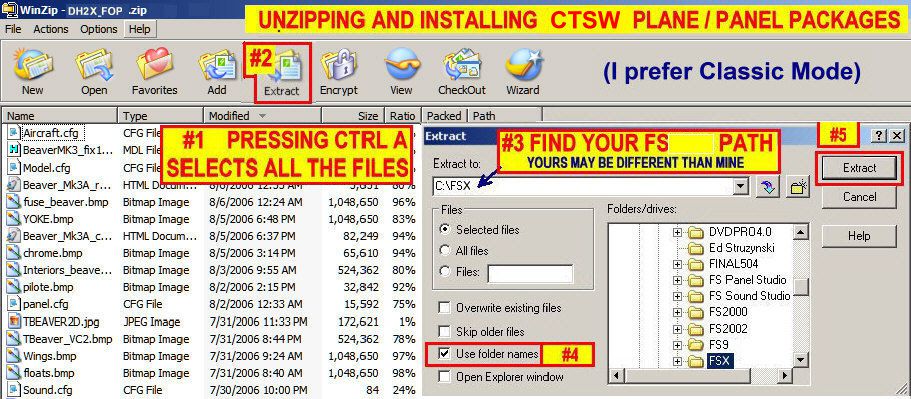
All essential files are bundled into the XCTSW_IM.ZIP archive. Use an unzip utility to extract its contents into your primary flight simulator folder, maintaining the internal directory structure. Follow the steps below or refer to the Install_Help.jpg for additional guidance:
XCTSW_IM.ZIP and open it with your preferred compression tool.Special appreciation is extended to Roger Heller for providing detailed photographic references of the Flight Design CTsw. Additional credit belongs to the development team at Premier Aircraft Design: Barry Blaisdell, Jean-Pierre Brisard, Bob May, Kevin Pardy, and Danny Crance. Their collective expertise ensures this float-capable CTsw for Microsoft Flight Simulator X remains both authentic and exciting to fly.
Free for all simmers · 8.84 MB · Scanned clean Oct 2026
Download speed: Free tier is capped at 0.5 Mbps (this file takes approximately 2 mins at the cap). PRO members download at full line speed.
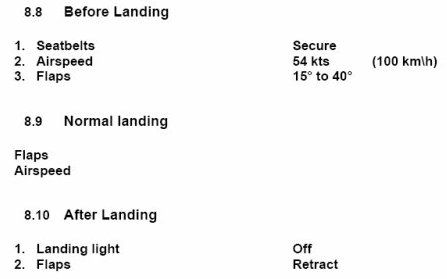
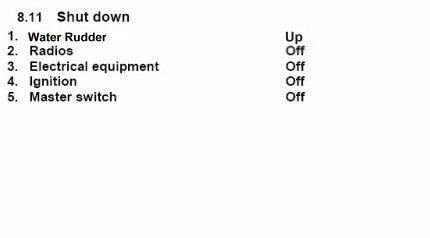
SimObjects\Airplanes\, Addon Scenery\, Effects\, or Gauges\.readme.txt or README file. It tells you exactly where files go, what dependencies are needed, and any quirks specific to this add-on.The archive xctsw_im.zip has 90 files and directories contained within it.
This list displays the first 500 files in the package. If the package has more, you will need to download it to view them.
| Filename/Directory | File Date | File Size |
|---|---|---|
| Airplanes | 10.19.07 | 0 B |
| Flight_Design_CTSW_C-IMCT | 10.19.07 | 0 B |
| aircraft.cfg | 10.17.07 | 13.70 kB |
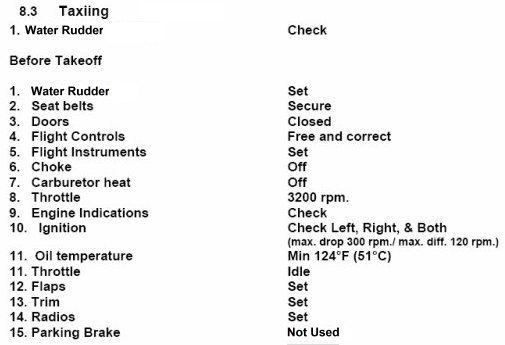
| beforeTO.jpg | 10.14.07 | 31.06 kB |
| C-IMCT.jpg | 10.14.07 | 61.57 kB |
| CT-SWF_check.htm | 07.30.07 | 1.98 kB |
| CT-SWF_ref.htm | 07.30.07 | 5.54 kB |
| CT-SW_F.air | 08.11.07 | 10.51 kB |
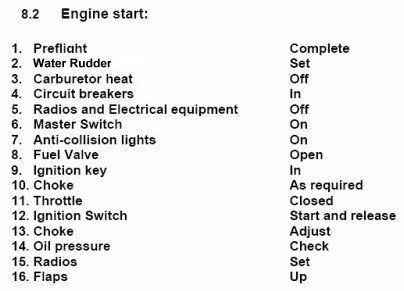
| EngStart.jpg | 10.14.07 | 24.05 kB |
| Install_Help.jpg | 08.14.07 | 203.24 kB |
| landing.jpg | 07.30.07 | 13.26 kB |
| model | 10.19.07 | 0 B |
| CTSW_ver13_Floats.mdl | 08.09.07 | 1004.97 kB |
| Model.cfg | 08.10.07 | 36 B |
| panel.Analog2F | 10.19.07 | 0 B |
| CTAP2.CAB | 09.03.07 | 158.42 kB |
| CTSWpanel3A.bmp | 08.13.07 | 1.18 MB |
| CTSWpnl_A2.bmp | 09.02.07 | 2.25 MB |
| CTSWstack.bmp | 07.28.07 | 236.03 kB |
| CT_COMPASS.bmp | 05.24.07 | 113.49 kB |
| FDCT2.CAB | 09.03.07 | 1.08 MB |
| frame3.bmp | 09.25.03 | 155.48 kB |
| Panel.cfg | 10.14.07 | 12.76 kB |
| PANEL.jpg | 10.14.07 | 61.95 kB |
| PANEL2.jpg | 10.14.07 | 75.40 kB |
| PANEL3.jpg | 08.11.07 | 42.62 kB |
| PANEL_DOCS | 10.19.07 | 0 B |
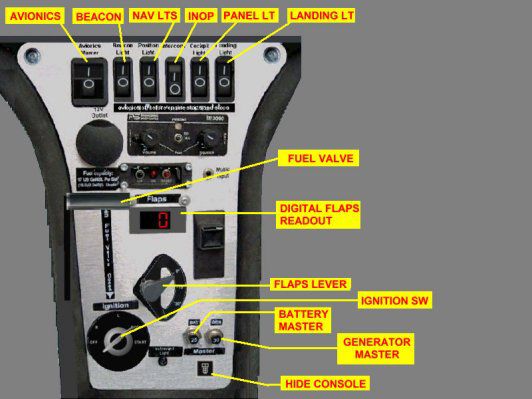
| CONSOLE.jpg | 08.11.07 | 115.18 kB |
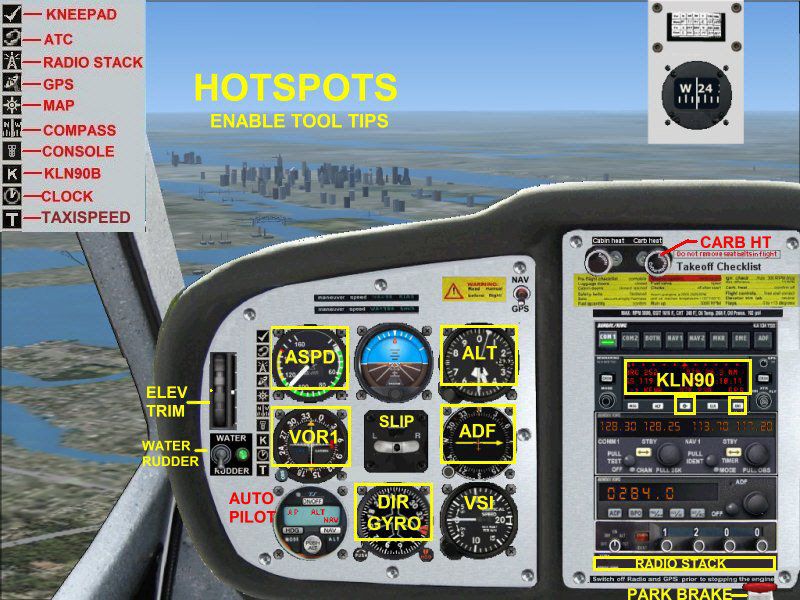
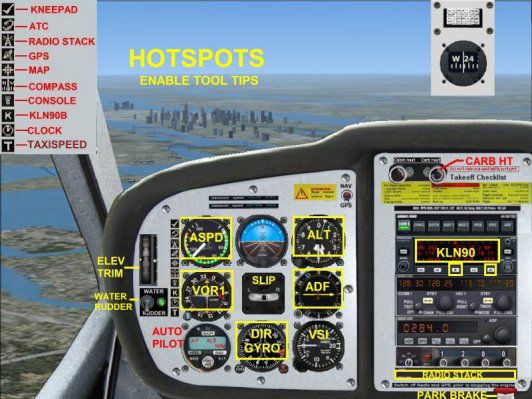
| HOTSPOTS.jpg | 10.14.07 | 129.14 kB |
| kln90bgpsreadout.pdf | 07.07.02 | 59.29 kB |
| POPUPS.jpg | 10.14.07 | 156.85 kB |
| VC.jpg | 10.14.07 | 75.52 kB |
| ReadMe_First.txt | 10.15.07 | 3.65 kB |
| shutdn.jpg | 10.14.07 | 9.92 kB |
| SOUND | 10.19.07 | 0 B |
| Sound.cfg | 07.30.07 | 34 B |
| texture.IMCT | 10.19.07 | 0 B |
| chrome.bmp | 10.13.05 | 64.07 kB |
| CTSW_console.bmp | 08.13.07 | 512.07 kB |
| CTSW_Elevator.bmp | 05.01.07 | 256.07 kB |
| CTSW_fuse.bmp | 08.10.07 | 1.00 MB |
| CTSW_interiors.bmp | 07.05.07 | 512.07 kB |
| CTSW_Panels.bmp | 09.02.07 | 512.07 kB |
| CTSW_pilote.bmp | 06.28.07 | 32.07 kB |
| CTSW_Seats.bmp | 08.13.07 | 512.07 kB |
| CTSW_Wings.bmp | 08.10.07 | 1.00 MB |
| floats_S.bmp | 08.10.07 | 1.00 MB |
| prop_TBX.bmp | 04.05.07 | 256.07 kB |
| Thumbnail.jpg | 10.14.07 | 8.61 kB |
| TO-CLB-CRS-DES.jpg | 07.30.07 | 27.62 kB |
| fsfsconv | 10.19.07 | 0 B |
| Rotax_Snd | 10.19.07 | 0 B |
| door_small_close.wav | 04.09.03 | 55.99 kB |
| door_small_open.wav | 04.09.03 | 59.98 kB |
| rotax_apdisconnect.wav | 06.29.01 | 169.80 kB |
| rotax_flaps.wav | 08.27.01 | 225.90 kB |
| rotax_noncombust.wav | 02.01.03 | 35.63 kB |
| rotax_prop1a.wav | 08.15.01 | 60.75 kB |
| rotax_prop1b.wav | 08.15.01 | 68.25 kB |
| rotax_prop2a.wav | 08.15.01 | 62.75 kB |
| rotax_prop2b.wav | 08.15.01 | 73.25 kB |
| rotax_rpm1.wav | 04.17.01 | 58.29 kB |
| rotax_rpm2.wav | 05.12.06 | 617.25 kB |
| rotax_rpm3.wav | 05.12.06 | 544.90 kB |
| rotax_rpm4.wav | 05.12.06 | 383.12 kB |
| rotax_shutdown.wav | 05.13.03 | 314.04 kB |
| rotax_stallhorn.wav | 06.29.01 | 237.68 kB |
| rotax_starter.wav | 05.13.03 | 25.75 kB |
| rotax_startup.wav | 05.13.03 | 110.15 kB |
| Sound.cfg | 08.12.07 | 8.67 kB |
| xrotax_noncombust.wav | 02.01.03 | 16.45 kB |
| xrotax_prop.wav | 03.18.03 | 262.17 kB |
| xrotax_rpm1.wav | 05.12.06 | 217.49 kB |
| xrotax_rpm2.wav | 05.12.06 | 226.46 kB |
| xrotax_rpm3.wav | 05.12.06 | 262.45 kB |
| xrotax_rpm4.wav | 05.12.06 | 237.50 kB |
| xrotax_shutdown.wav | 02.20.03 | 71.65 kB |
| xrotax_starter.wav | 05.13.03 | 15.66 kB |
| xrotax_startup.wav | 04.03.03 | 181.63 kB |
| SimObjects | 11.05.06 | 0 B |
| fx_PADbeaconh.fx | 09.02.06 | 4.75 kB |
| fx_vclightwhite.fx | 05.12.06 | 1.31 kB |
| Effects | 09.06.07 | 0 B |
| BK_Radio.gau | 08.31.06 | 296.00 kB |
| cad_kln901brored.gau | 07.19.02 | 144.00 kB |
| cad_kln902brored.gau | 07.18.02 | 144.00 kB |
| cad_kln90brored.gau | 07.18.02 | 144.00 kB |
| gauges | 10.19.07 | 0 B |
| flyawaysimulation.txt | 10.29.13 | 959 B |
| Go to Fly Away Simulation.url | 01.22.16 | 52 B |
Only PRO members can place votes.
More FSX & P3D add-ons hand-picked based on this download.
FSX General Aviation Aircraft
This add-on provides a faithful representation of Flight Design’s unique CTsw…
 FSX General Aviation Aircraft
KLM Flight School Beechcraft Baron 58. A repaint for the default Beech Baron …
 FSX General Aviation Aircraft
Flight Replicas Super Cub Extreme. A paint scheme for a 180 hp bush type airp…
 FSX General Aviation Aircraft
Repaint textures for the Just Flight freeware Cessna 152, depicting real worl…
 FSX General Aviation Aircraft
Japanese Red Cross Flight Corps Mitsubishi MU-2 Solitaire (including panel re…
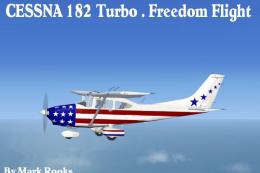 FSX General Aviation Aircraft
This package introduces a revitalized take on the default Cessna C-182 in Mic…
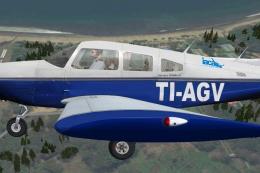 FSX General Aviation Aircraft
The payware Carenado Archer II painted as TI-AGV from IACA Flight School. By …
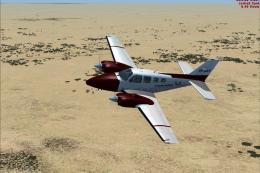 FSX General Aviation Aircraft
Friends Of Flight textures for the payware Carenado Beech Baron B58. Join fri…
Read what other simmers think, or add your own.

I have been flying your CTSW on wheels for some time and it's great. I have a real CTSW and your model represents the CTSW quite well.
Tonight I tried your CTSW on floats. There is a problem. I start out sitting on the water, but after a few seconds, the left float SINKS. NOT GOOD :-( If I add power right a way I can take off. When I land, it lands fine, but then one float SINKS. Is this a bug or something I am doing wrong? Thanks, Rob.