

 FSX General Aviation Aircraft
Super Cub Extreme - RP1
This package offers custom liveries designed for the Flight Replicas Super Cu…
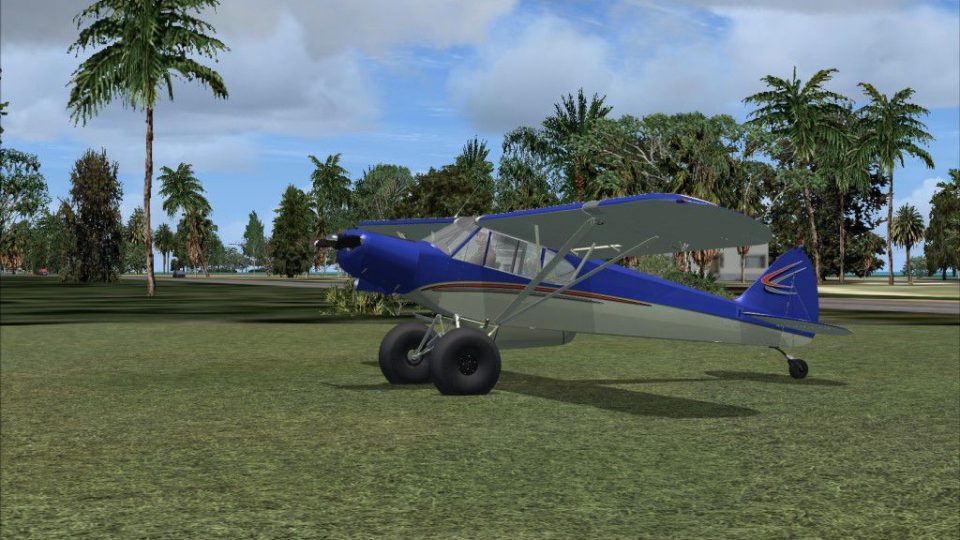
Super Cub Extreme “Swoop” repaint delivers a crisp factory-style blue over cream scheme for the 180 hp, high-wing bush plane with fixed gear and tundra tires in FSX. Includes texture files plus layered PSD so custom tail numbers are easy to create, and requires the Flight Replicas Super Cub Extreme base aircraft.
 Rate
Rate
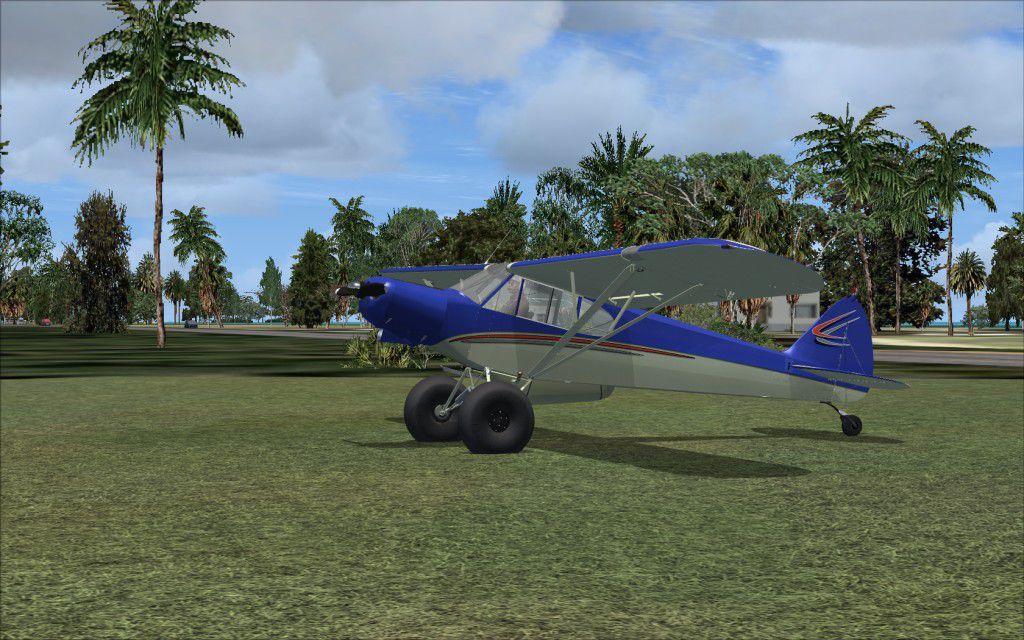
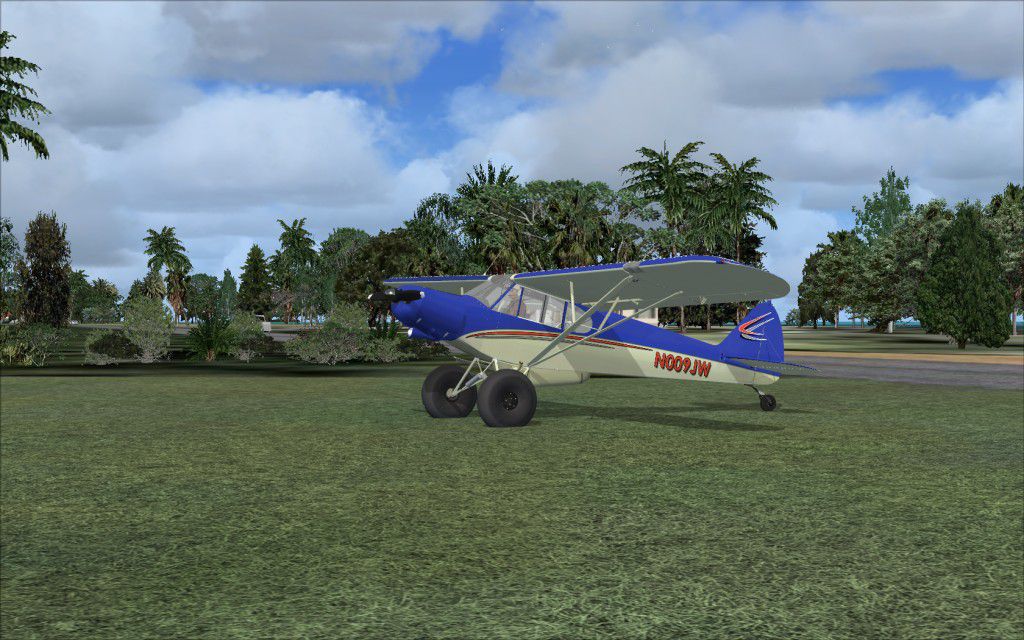
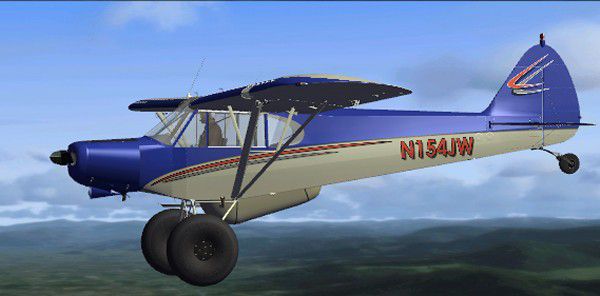
Flight Replicas Super Cub Extreme. A paint scheme for a 180 hp bush type airplane with fixed landing gear and high mounted wings. Painted in a standard factory paint scheme with blue on a cream background. This is only the paint textures package. By Joe Watson.
Super Cub Extreme in flight.
This is a repaint of Mike's payware Flight Replicas Super Cub which you must have as this is just the skin. I patterned it after the CubCrafters Classic and Carbon Cub but this is the Top Cub with tundra tire. I included the PSD so that you can place your own number. The 2 in the layers are my Emma Field and Cub Flyers number. These will work with the Extreme model only, There are minor differences in the other models and it may not work with others.
Installation:
After you extract the texture.Swoop folder to the Flight Replicas Extreme folder, open the texture.Extreme folder and copy all the textures over to the "Swoop" folder but DO NOT OVERWRITE any files.
After that open the Aircraft.cfg and copy this in the next texture entry. Don't forget to remove the "x" and place the next number in order:
[fltsim.x]

title=PA-18_180 "Swoop" FSX

sim=FR_PA-18X_180_FSX

model=

panel=

sound=

texture=Swoop

kb_checklists=Super_Cub_check

kb_reference=Super_Cub_ref

atc_id=

atc_id_color=

ui_manufacturer=Flight Replicas

ui_type=Super Cub

ui_variation=180 hp Joes Extreme

ui_typerole="Single Engine Prop"

ui_createdby=Flight Replicas

description=
Joe Watson
Lake Placid, Florida
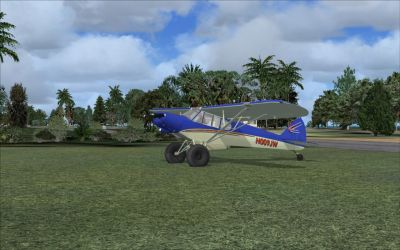
Super Cub Extreme.
Free for all simmers · 12 MB · Scanned clean Oct 2026
Download speed: Free tier is capped at 0.5 Mbps (this file takes approximately 3 mins at the cap). PRO members download at full line speed.
texture.{airline}) inside FSX\SimObjects\Airplanes\{base-aircraft}\.aircraft.cfg in Notepad. Add a new [fltsim.X] section per the readme.readme.txt or README file. It tells you exactly where files go, what dependencies are needed, and any quirks specific to this add-on.The archive super_cub_extreme.zip has 17 files and directories contained within it.
This list displays the first 500 files in the package. If the package has more, you will need to download it to view them.
| Filename/Directory | File Date | File Size |
|---|---|---|
| Cub_Extr.gif | 05.07.10 | 14.33 kB |
| Cub_Joes-10.jpg | 05.06.10 | 197.21 kB |
| Cub_Joes-12.jpg | 05.06.10 | 184.37 kB |
| FILE_ID.DIZ | 05.07.10 | 306 B |
| READ_ME.txt | 05.07.10 | 1.57 kB |
| Texture.Swoop | 05.06.10 | 0 B |
| SC_1.DDS | 05.06.10 | 4.00 MB |
| SC_1.zip | 05.06.10 | 6.81 MB |
| SC_1_T_spec.dds | 05.06.10 | 4.00 MB |
| SC_2.DDS | 05.06.10 | 4.00 MB |
| SC_3.DDS | 12.11.09 | 4.00 MB |
| SC_4.dds | 07.17.09 | 1.00 MB |
| SC_belly_pod.dds | 05.06.10 | 1.00 MB |
| thumbnail.jpg | 05.06.10 | 36.38 kB |
| Super_Cub_Extreme | 05.07.10 | 0 B |
| flyawaysimulation.txt | 10.29.13 | 959 B |
| Go to Fly Away Simulation.url | 01.22.16 | 52 B |
Only PRO members can place votes.
More FSX & P3D add-ons hand-picked based on this download.
FSX General Aviation Aircraft
This package offers custom liveries designed for the Flight Replicas Super Cu…
 FSX General Aviation Aircraft
Extra 300S "Extreme Speed". A repaint of the default Extra 300. The repaint i…
 FSX General Aviation Aircraft
A repaint of the Flight Replica PA-18 Super Cub. Screenshot of yellow Piper S…
 FSX General Aviation Aircraft
Piper PA-18 Super Cub, registration D-EKIB / D-ELJH. This is a repaint (DXT5)…
 FSX General Aviation Aircraft
Piper Super Cub. A repaint of the Flight Replicas Piper Super Cub "Tiger" for…
 FSX General Aviation Aircraft
SP-2 Acceleration Piper Super Cub. A repaint of Flight Replica's Piper Super …
 FSX General Aviation Aircraft
Swiss Air Force Piper Super Cub. New prop texture included. Fictive textures …
 FSX General Aviation Aircraft
"Bush Outfitters" Piper Super Cub Amphib. Repaint (amphibian) for the Piper S…
Be the first to leave a comment on this download.
Be the first to share your thoughts on this download.