

 FSX Military Aircraft
VX-23 And VF-101 Lockheed F-35B/C Update
Update adds missing USA roundels and other minor texture edits to VX-23 F-35C…
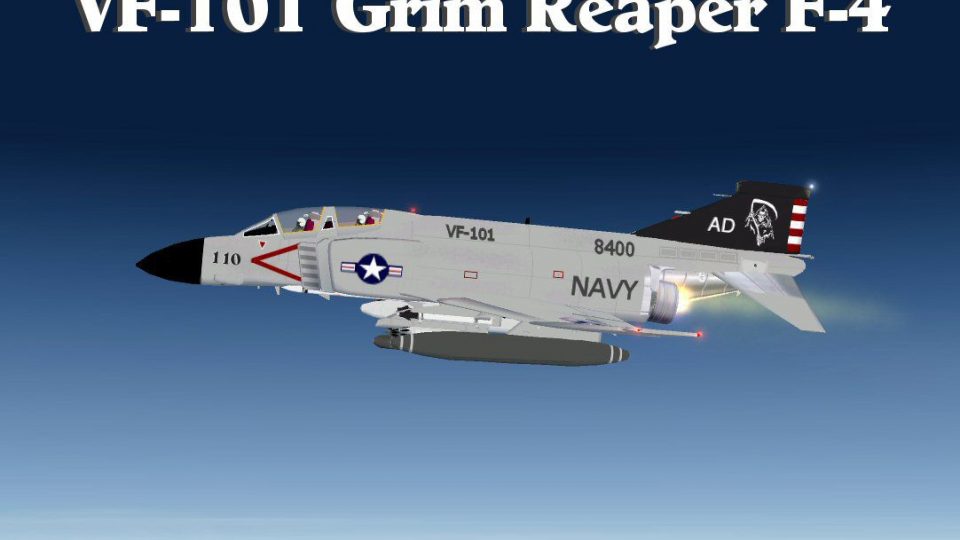
VF-101 “Grim Reapers” F-4 Phantom II brings a crisp U.S. Navy training squadron look to the classic jet, reflecting BuNo 148400 displayed at Hickory Regional Airport. Built on Kazunori Ito’s model for Flight Simulator X, it adds refreshed textures, a new panel, and convincing afterburner effects.
 Rate
Rate
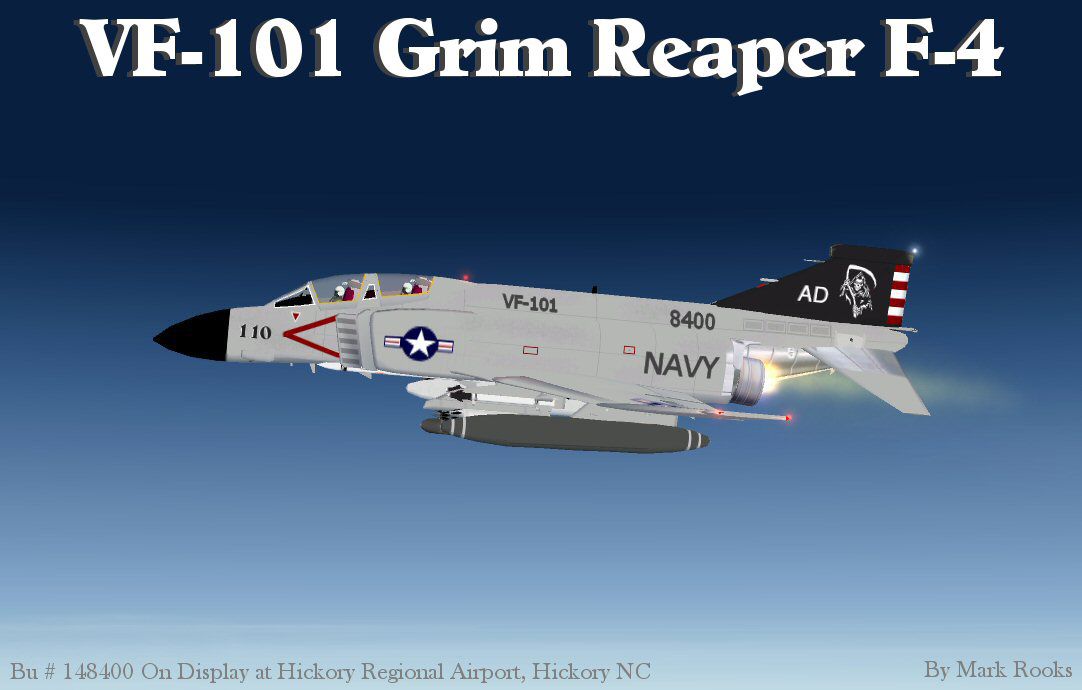
Grim Reapers VF-101 F-4 Phantom A repaint of Kazunori Ito's F4 Phantom II For Flight Simulator X. This is the VF-101 Grim Reaper F-4 Phantom II. The original Grim Reapers were activated on June 3, 1942 as VF-10 at NAS San Diego flying the F4F Wildcat. The first commanding officer was James H Flatley Jr. This F4 Phantom II BU # 148400 is on display at Hickory NC Regional Airport. This Phantom II has new afterburner effects, new panel and new textures. Updates by Mark Rooks of RDG Aircraft.

Grim Reapers VF-101 F-4 Phantom in flight.
VF-101 Grim Reapers ..... Support a Mercy Flight near you.
Mark Rooks.
To install this aircraft:
As always back up any original files.
1.Unzip downloaded folders to your desktop or temporary directory of your choice.
2.Copy the " VF-101 Grim Reapers" and paste it in the main aircraft folder.
By default the main aircraft folder is located at:
"C:Program FilesMicrosoft GamesFSXSIM Objects /Aircraft.
3. Be sure to completely unzip all files the aircraft file when complete will Cotain 6 files the Following 6 files goes in the aircraft folder CFG Airfile Model Sound Panel Textures.
4. Unzip the gauges folder and put the gauges in the FSX gauges folder located at "C:Program FilesMicrosoft GamesFSXGauges "
5. Unzip the Effects folder and put the files in the FSX Effects folder located at "C:Program FilesMicrosoft GamesFSXEffects "
Made Simpler:
Make sure all files are unzipped the New Plane folder should contain 6 files unzipped they are CFG Airfile Sound Model Texture Panel the New Plane folder with the 6 files goes in the game aircraft folder found at C:Program FilesMicrosoft GamesMicrosoft Flight Simulator XSimObjectsAirplanes follow the path ie open the c drive then open program files then open Microsoft Games then open Microsoft Flight Simulator X then open SimObjects then open Airplanes folder the New Plane goes in that folder.
Mark Rooks
Textures and FSX updates created by Mark "Fire Ball" Rooks.
DISCLAIMER:
WE CONNOT BE CHARGED FOR ANY DAMAGES/PROBLEMS/ERRORS CAUSED TO YOUR EQUIPMENT THROUGH USE OF RDG FILES!
USE ALL FILES AT YOUR OWN RISK!
BY INSTALLING OUR FILES ON YOUR EQUIPMENT YOU ARE AGREEING TO THIS DISCLAIMER.
ALL FILES VIRUS FREE AT TIME OF UPLOAD
Enjoy your new repaint
Thanks for downloading,
The Bmp for the panel is originally Mel Mutter's .. I Repainted the bmp to fit the gauge package and panel CFG I created for the F-4 Phantom II
"Fire Ball"
Free for all simmers · 12.79 MB · Scanned clean Oct 2026
Download speed: Free tier is capped at 0.5 Mbps (this file takes approximately 4 mins at the cap). PRO members download at full line speed.
SimObjects\Airplanes\, Addon Scenery\, Effects\, or Gauges\.readme.txt or README file. It tells you exactly where files go, what dependencies are needed, and any quirks specific to this add-on.The archive vf101grimreapers.zip has 10 files and directories contained within it.
This list displays the first 500 files in the package. If the package has more, you will need to download it to view them.
| Filename/Directory | File Date | File Size |
|---|---|---|
| Effects.zip | 03.17.10 | 10.77 kB |
| F-4 Phantom VF 101 Grim Reapers.zip | 07.17.10 | 4.82 MB |
| Gauges.zip | 03.18.10 | 6.15 MB |
| Panel BMP without Cross.zip | 03.17.10 | 624.78 kB |
| Read Me First.txt | 07.17.10 | 3.26 kB |
| Screen VF101.jpg | 07.17.10 | 70.58 kB |
| Text.txt | 07.17.10 | 562 B |
| VF-101 History.zip | 07.17.10 | 1.13 MB |
| flyawaysimulation.txt | 10.29.13 | 959 B |
| Go to Fly Away Simulation.url | 01.22.16 | 52 B |
Only PRO members can place votes.
More FSX & P3D add-ons hand-picked based on this download.
FSX Military Aircraft
Update adds missing USA roundels and other minor texture edits to VX-23 F-35C…
 FSX Military Aircraft
FSX VF-84 Jolly Rogers F4 Phantom. A repaint of Kazunori Ito's F-4 Phantom. T…
 FSX Military Aircraft
US Navy F-4 Phantom II VF-84 Jolly Rogers. A repaint of Kazunori Ito's F4 Pha…
 FSX Military Aircraft
This package has the textures for the 101 Sqn VC-10, XR808, which celebrates …
 FSX Military Aircraft
USMC VMFAT-101 F/A-18D. This is a set of VMFAT-101 "SharpShooters" textures f…
 FSX Military Aircraft
FSX USMC VFMAT-101 Sharpshooters F/A-18. A set of VMFAT-101 "Sharpshooters" t…
 FSX Military Aircraft
This is an update of the Alpha CF-101B. It includes afterburners, changed gau…
 FSX Military Aircraft
USAF McDonnell McDonnell F-101 81st TFW Set 2. This is a set of four US Air F…
Read what other simmers think, or add your own.

In doing a random search I came across this posting. Thank you so much for having it posted. My father was an aviation jet mechanic on F-4 Phantom jets and this particular aircraft is from his last squadron, the Grim Reapers. He died as a result of service aboard the Franklin D. Roosevelt aircraft carrier. He had just turned 42, I was 12. He’s been my American hero all my life.
He was neither a sucker nor a loser for having chosen the US Navy as his career. I couldn’t be more proud of him.
I actually live outside a US Marine airbase on the other side of NC and cannot wait to go see the plane. I called the Hickory Aviation Museum to find out more information. They said the finishing touches are being done now so it will be going on display soon. The gentleman who took my call said if I made arrangements ahead of my visit I could get a personal tour!
Thank you again for the post. You made an old lady very happy today! Merk.