


 Austria
  FSX Scenery
openVFR Germany Terrain
This freeware scenery enhances the German landscape in FSX by incorporating d…
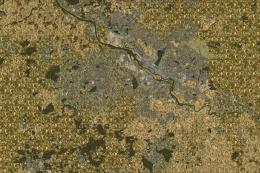
openVFR Austria Terrain Scenery refreshes Austria’s landscapes with OpenStreetMap-driven landclass, roads, railways, waterways, and points of interest for sharper VFR reference and more believable low-level flying. Designed for FSX, it blends into the default world while highlighting alpine terrain, forests, urban areas, and leisure zones with clearer geographic structure.
This freeware release enriches the default environment in Flight Simulator by focusing on Austria's distinctive landscapes. Developed by openVFR and primarily created by Markus Freyt, it incorporates OpenStreetMap data for a more precise representation of terrain features. Pilots who prefer navigating visually will find the added detail particularly useful, since it introduces improved geographical elements that are typically missing from default scenery packages.
The openVFR initiative uses crowdsourced map references to generate enhanced scenery layers. By integrating a variety of OpenStreetMap datasets, including infrastructure, water bodies, and natural areas, it advances visual flight realism. Pilots can identify different types of land cover as well as important landmarks and features within Austria.
This scenery merges seamlessly with the default FSX assets while enhancing ground textures, landuse data, and other geographical elements. To achieve this, openVFR collects and processes OSM datasets that include complete definitions for land classification, leisure areas (e.g., parks or sports facilities), and natural features like forests and mountainous regions. These additional details help represent the unique topography of Austria, known for its alpine terrain.

openVFR Austria Terrain Scenery.
This enhancement is particularly significant for virtual pilots who rely on the natural environment to guide their journeys. By improving navigational landmarks, water features, and other overlays, it bridges the gap between simplified default terrain and the real-world detail required for authentic VFR operations.
The openVFR team, along with creator Markus Freyt, has made this scenery available without any charge, reflecting the collaborative spirit of the OpenStreetMap community. Everything is built specifically to complement FSX’s ecosystem, so there is no need for complex manual configuration. Although it leverages open data sources, it still provides distinct realism for localized Austrian flight simulation experiences.
Free for all simmers · 14.79 MB · Scanned clean Oct 2026
Download speed: Free tier is capped at 0.5 Mbps (this file takes approximately 4 mins at the cap). PRO members download at full line speed.
FSX\Addon Scenery\ containing scenery and texture sub-folders.readme.txt or README file. It tells you exactly where files go, what dependencies are needed, and any quirks specific to this add-on.Use these coordinates to fly directly to this location once the mod is installed.
48.20820000,16.37380000
Launch FSX or Prepar3D and use Flights → Load to open the downloaded .pln file. Your aircraft will be positioned at this location.
The archive openvfr_terrain_at_20.zip has 14 files and directories contained within it.
This list displays the first 500 files in the package. If the package has more, you will need to download it to view them.
| Filename/Directory | File Date | File Size |
|---|---|---|
| openVFR_terrain_AT_2.0 | 01.22.10 | 0 B |
| openVFR_AT_2.0 | 01.20.10 | 0 B |
| Addon Scenery | 01.20.10 | 0 B |
| openVFR_Austria_Scenic | 01.18.10 | 0 B |
| Scenery | 01.18.10 | 0 B |
| CVX_austria.BGL | 01.15.10 | 23.04 MB |
| openVFR_Austria_Scenic_Exclude | 01.15.10 | 0 B |
| Scenery | 01.15.10 | 0 B |
| cvxEXCLUDE_AT.BGL | 01.24.10 | 64.74 kB |
| terrain.cfg | 11.04.06 | 159.02 kB |
| terrain_cfg_readme.htm | 11.05.06 | 11.88 kB |
| readme.pdf | 01.21.10 | 165.23 kB |
| flyawaysimulation.txt | 10.29.13 | 959 B |
| Go to Fly Away Simulation.url | 01.22.16 | 52 B |
Only PRO members can place votes.
More FSX & P3D add-ons hand-picked based on this download.
FSX Scenery
This freeware scenery enhances the German landscape in FSX by incorporating d…
 FSX Scenery
This free add-on refines the Swiss environment within Microsoft Flight Simula…
 FSX Scenery
This freeware scenery package augments default FSX terrain across The Netherl…
 FSX Scenery
This freeware scenery package transforms the German region within FSX by inco…
 FSX Scenery
This freeware package enriches Microsoft Flight Simulator X with an extensive…
 FSX Scenery
This freeware add-on enriches Microsoft Flight Simulator X with an elaborate …
 FSX Scenery
For users of Flight Simulator X (and FSX: Steam Edition) and/or Prepar3D, ter…
 FSX Scenery
Oceania - Asia SRTM Terrain Mesh. Covers Australia, New Zealand (including Au…
Be the first to leave a comment on this download.
Be the first to share your thoughts on this download.