

 FSX Scenery
openVFR The Netherlands POI
This freeware add-on enriches Microsoft Flight Simulator X with an elaborate …
openVFR The Netherlands Terrain Scenery refreshes Dutch VFR navigation in FSX with OpenStreetMap-driven landuse, roads, railways, waterways, leisure areas, and points of interest that better match real-world geography. The vector layers blend smoothly with the default world, improving low-level orientation and sightseeing across cities, towns, and countryside.
 Rate
Rate
 Netherlands
This freeware scenery package augments default FSX terrain across The Netherlands by incorporating detailed layers derived from precise OpenStreetMap (OSM) data. It reflects land use, roads, rail lines, waterways, and other world elements, making it highly suitable for pilots who rely on visual flying. Created by the openVFR team and led by developer Markus Freyt, this enhancement uses extensive OSM information to add extra realism and elevate the overall flight simulation experience.
openVFR The Netherlands Terrain Scenery targets pilots flying under Visual Flight Rules (VFR). The included data covers natural features, leisure sites, and multiple points of interest (sometimes called POI). These layers enrich the standard simulator environment, which often lacks enough detail for accurate VFR navigation. By blending landforms, rail networks, and rivers seamlessly, the scenery modernizes the depiction of The Netherlands within Flight Simulator X.
This project leverages diverse OSM data sets to replicate recognizable Dutch geography. Accuracy in these datasets helps ensure that major urban centers, smaller towns, and countryside features appear as correct references during flight. The result is a visually enriched environment that integrates seamlessly with existing Microsoft Flight Simulator X landscapes.
Designed to complement any default FSX setting, openVFR The Netherlands Terrain Scenery works alongside other add-ons with minimal performance impact. It focuses on vector-based mapping, so it generally does not conflict with photographic or mesh-based packages. The installation process follows the usual method of adding a new scenery folder within FSX, and it is recommended to check any readme details to confirm the proper layering in the scenery library.

openVFR The Netherlands Terrain Scenery.
By incorporating these curated elements, the openVFR team and developer Markus Freyt have produced a concise and beautifully presented scenery solution for anyone looking to explore the low-lying landscapes of The Netherlands in more detail. It is completely free to download, making it an excellent choice for improving your FSX VFR flights without requiring costly add-ons.
Free for all simmers · 21.46 MB · Scanned clean Oct 2026
Download speed: Free tier is capped at 0.5 Mbps (this file takes approximately 6 mins at the cap). PRO members download at full line speed.
FSX\Addon Scenery\ containing scenery and texture sub-folders.readme.txt or README file. It tells you exactly where files go, what dependencies are needed, and any quirks specific to this add-on.Use these coordinates to fly directly to this location once the mod is installed.
52.36760000,4.90410000
Launch FSX or Prepar3D and use Flights → Load to open the downloaded .pln file. Your aircraft will be positioned at this location.
The archive openvfr_terrain_nl_20.zip has 14 files and directories contained within it.
This list displays the first 500 files in the package. If the package has more, you will need to download it to view them.
| Filename/Directory | File Date | File Size |
|---|---|---|
| openVFR_terrain_NL_2.0 | 01.22.10 | 0 B |
| openVFR_NL_2.0 | 01.20.10 | 0 B |
| Addon Scenery | 01.20.10 | 0 B |
| openVFR_Netherlands_Scenic | 01.01.10 | 0 B |
| Scenery | 01.18.10 | 0 B |
| CVX_netherlands.BGL | 01.14.10 | 45.04 MB |
| openVFR_Netherlands_Scenic_Exclude | 01.15.10 | 0 B |
| Scenery | 01.15.10 | 0 B |
| cvxNL_EXCLUDE.BGL | 01.15.10 | 26.81 kB |
| terrain.cfg | 11.04.06 | 159.02 kB |
| terrain_cfg_readme.htm | 11.05.06 | 11.88 kB |
| readme.pdf | 01.21.10 | 165.23 kB |
| flyawaysimulation.txt | 10.29.13 | 959 B |
| Go to Fly Away Simulation.url | 01.22.16 | 52 B |
Only PRO members can place votes.
More FSX & P3D add-ons hand-picked based on this download.
FSX Scenery
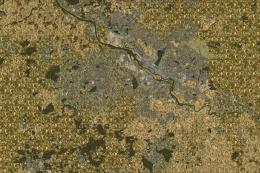
This freeware add-on enriches Microsoft Flight Simulator X with an elaborate …
 FSX Scenery
This freeware scenery enhances the German landscape in FSX by incorporating d…
 FSX Scenery
This freeware release enriches the default environment in Flight Simulator by…
 FSX Scenery
This free add-on refines the Swiss environment within Microsoft Flight Simula…
 FSX Scenery
This freeware scenery package transforms the German region within FSX by inco…
 FSX Scenery
This freeware package enriches Microsoft Flight Simulator X with an extensive…
 FSX Scenery
For users of Flight Simulator X (and FSX: Steam Edition) and/or Prepar3D, ter…
 FSX Scenery
Oceania - Asia SRTM Terrain Mesh. Covers Australia, New Zealand (including Au…
Be the first to leave a comment on this download.
Be the first to share your thoughts on this download.