

 FSX Historic & Vintage Aircraft
Curtiss C-46 Commando Package
More than proud, I am so happy to present my first model: GA_Curtis C-46 COMA…
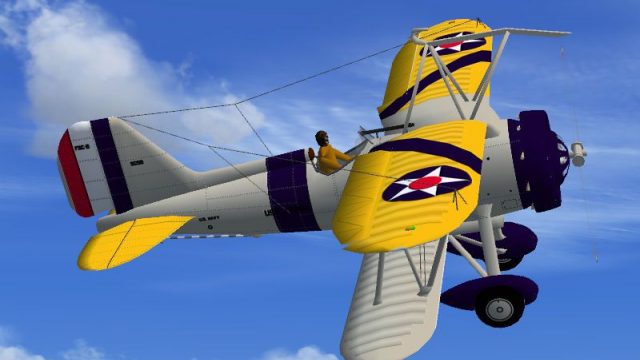
Curtiss F9C-2 Sparrowhawk brings the tiny trapeze-launched Navy fighter from USS Akron-era airship defense into FSX SP2 with authentic service livery, bump-mapped DDS textures, and complete animations including an operating tail hook. A drawing-based 2D panel and virtual cockpit provide working gauges plus animated flight controls.
 Rate
Rate
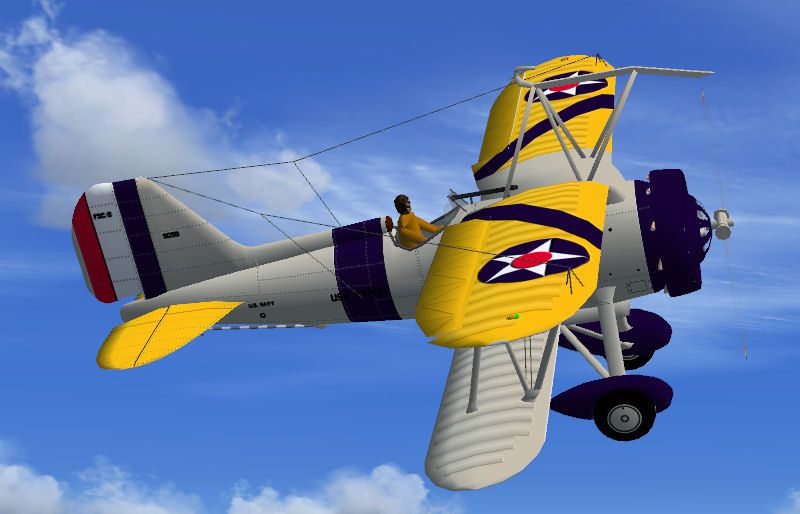
Curtiss F9C-2 Sparrowhawk. The Sparrowhawk was a small light weight fighter designed to be carried internal to the large US Navy dirgibles such as the USS Macon and USS Akron and launched for defense and then retrieved on trapeze fittings. This is a native FSX SP2 project. It is painted for service with the USS Akron. It has the usual animations, animated tail hook, bump maps, and .dds textures. The 2D panel and VC are based on a drawing. The VC has working gauges and animated flight controls. By Paul Clawson.
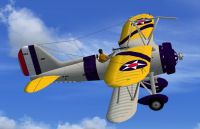
Screenshot of Curtiss F9C-2 Sparrowhawk in flight.
The Sparrowhawk was designed for the task of defending the large US Navy dirgibles such as the USS Macon and USS Akron. The Sparrowhawks were carried internal to the dirgibles and swung down on a trapeze for launch. After their flight they were retrieved on the trapeze and stowed back up inside the dirgible. This is a native FSX project compiled with the SP-2 version of Xtomdl into FSX SP-2. It has not been tested with Vista or DiectX 10. (With any luck I might make it from Windows XP all the way to Windows7!) It has the usual animations plus an animated tail hook, bump maps and .dds textures. It is painted for service on the USS Akron. The 2D panel and VC are based on one of Paul Matt's excellent drawings. The VC has working gauges and animated flight controls.
INSTALLATION: Unzip F9C2.zip into a temporary folder. Copy the folder Curtiss F9C into the Airplanes folder of FSX. Open the gauges folder and copy the 2 .cab files into the Gauges folder of FSX. That's it.
Enjoy! Paul Clawson
Free for all simmers · 1.22 MB · Scanned clean Oct 2026
Download speed: Free tier is capped at 0.5 Mbps. PRO members download at full line speed.
SimObjects\Airplanes\, Addon Scenery\, Effects\, or Gauges\.readme.txt or README file. It tells you exactly where files go, what dependencies are needed, and any quirks specific to this add-on.The archive f9c2.zip has 29 files and directories contained within it.
This list displays the first 500 files in the package. If the package has more, you will need to download it to view them.
| Filename/Directory | File Date | File Size |
|---|---|---|
| Curtiss F9C | 07.10.08 | 0 B |
| aircraft.cfg | 07.10.08 | 10.40 kB |
| F9C.air | 06.14.08 | 5.73 kB |
| model | 07.10.08 | 0 B |
| F9C.mdl | 07.09.08 | 371.17 kB |
| F9C_Interior.mdl | 07.09.08 | 215.88 kB |
| model.cfg | 07.09.08 | 45 B |
| panel | 07.10.08 | 0 B |
| panel.bmp | 06.28.08 | 2.40 MB |
| panel.cfg | 07.05.08 | 3.57 kB |
| Thumbs.db | 06.28.08 | 7.00 kB |
| sound | 07.10.08 | 0 B |
| Sound.cfg | 03.10.08 | 47 B |
| texture | 07.10.08 | 0 B |
| F9C_1.dds | 07.10.08 | 1.00 MB |
| F9C_2.dds | 07.10.08 | 1.00 MB |
| prop_F9C.dds | 07.10.08 | 64.12 kB |
| Thumbnail.jpg | 07.09.08 | 14.78 kB |
| F9C.gif | 07.10.08 | 8.80 kB |
| F9C.jpg | 07.10.08 | 71.75 kB |
| File_id.diz | 07.10.08 | 529 B |
| Gauges | 07.10.08 | 0 B |
| Lockheed_Vega.cab | 06.12.03 | 415.28 kB |
| Mod_J3Cub.cab | 06.22.08 | 137.70 kB |
| Readme.txt | 07.10.08 | 1.62 kB |
| Thumbs.db | 07.10.08 | 5.50 kB |
| F9C2 | 07.10.08 | 0 B |
| flyawaysimulation.txt | 10.29.13 | 959 B |
| Go to Fly Away Simulation.url | 01.22.16 | 52 B |
Only PRO members can place votes.
More FSX & P3D add-ons hand-picked based on this download.
FSX Historic & Vintage Aircraft
More than proud, I am so happy to present my first model: GA_Curtis C-46 COMA…
 FSX Historic & Vintage Aircraft
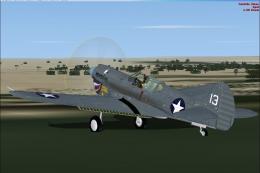
The P-40K was the heaviest of the P-40 family. It served mainly in the Pacifi…
 FSX Historic & Vintage Aircraft
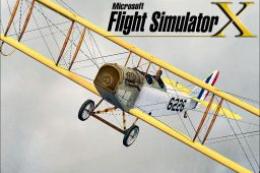
This classic biplane package brings the historically significant Curtiss JN-4…
 FSX Historic & Vintage Aircraft
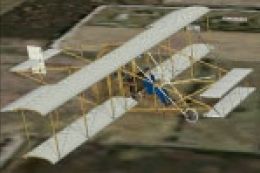
The author's great-uncle Frank Kruse's plane. Built approximately 1910 from p…
 FSX Historic & Vintage Aircraft
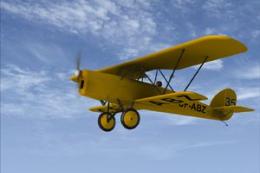
Flown in the 1931 Kings Cup Air Race (placed 13th) and used as a training air…
 FSX Historic & Vintage Aircraft
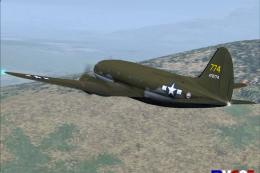
Fly "THE HUMP" with the "Commando". Textures set only in U.S.A.A.F. 'The Tink…
 FSX Historic & Vintage Aircraft
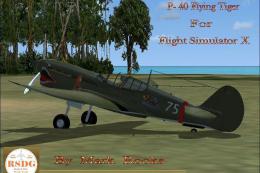
The paint scheme is the AVC Flying Tigers 3rd Squadron Hell's Angels. Include…
 FSX Historic & Vintage Aircraft
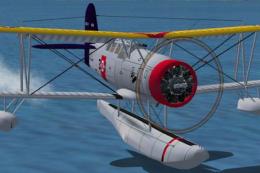
The Seagull served as a catapult launched scout for battleships and cruisers …
Read what other simmers think, or add your own.


Greetings,
Just installed Curtiss F9C Sparrowhawk. Always when I start a game with this model, EVEN THE GROUND ! , there is "crash because the plain is overstressed". Game with this model ends before even started.
At the same day installed also Boeing P-12 and Boeing F4B, but there are no problems, except that on Boeing F4B propeller sometimes looks like black disk, when observed from "within cockpit".
Can you help me to resolve the problem with crashing of Curtiss F9C ?
Best regards !