

 FS2004 Civil Jet Aircraft
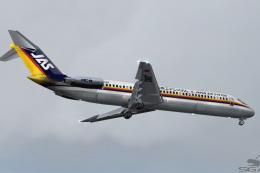
JAS Douglas DC-9-41
This repaint provides vivid Japan Air System markings for the SGA Douglas DC-…
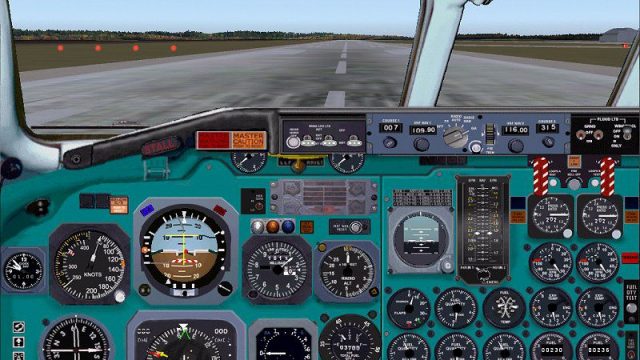
Douglas DC-9-41/-21 package for FS2004 delivers an immersive cockpit-and-panel experience modeled on real-world procedures, with systems and instruments tuned to authentic operation rather than shortcuts. Expect a checklist-driven workflow from cold-and-dark, where most switches and flows must be handled correctly for reliable starts and realistic flight management.
 Rate
Rate
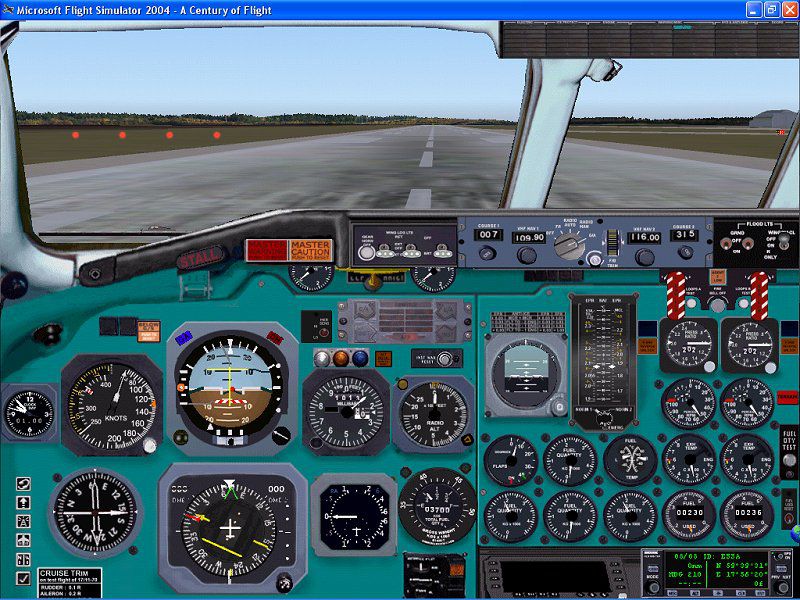
Panel and aircraft. Built with layout from SAS. A panel that needs careful check list reading before engine start. Most systems must be handled as in the real aircraft. By Stellan Hilmerby.
Main panel of Douglas DC-9-41/-21.
Point the installer at your main FS9 library. In a subfolder to the aircraft "SAS_DC9 Documents", you will find the check lists, speed books and a readme. There is no manual is this installation. Refer to http://www.hilmerby.com for information how to fly the DC9 and use
my forum if you get into trouble.
You may find this panel rather "hard" to handle and so do I. In the real aircraft, there are TWO pilots and sometimes they are both fully occupied.
In FS you are alone!
You will have to use the check list (even the expanded). They are both in PDF format. I recommend you to print them. Tell your copilot to read them carefully, or you will be surprised.
All systems and their instruments are programmed according to my 20 years experience from flying the real aircraft. Of course, there are limitations both in FS and in our programming skill. We never thought that it was possible to get this far. We have deliberately tried to get rid of the usual shortcuts in FS. Almost everything will be set to zero each time this panel is loaded. It was not our intention to build something that is possible to "jump and fly".
Free for all simmers · 8.68 MB · Scanned clean Sep 2026
Download speed: Free tier is capped at 0.5 Mbps (this file takes approximately 2 mins at the cap). PRO members download at full line speed.
FS9\Aircraft\, FS9\Addon Scenery\, FS9\Gauges\, or FS9\Effects\.readme.txt or README file. It tells you exactly where files go, what dependencies are needed, and any quirks specific to this add-on.The archive sasdc940.zip has 7 files and directories contained within it.
This list displays the first 500 files in the package. If the package has more, you will need to download it to view them.
| Filename/Directory | File Date | File Size |
|---|---|---|
| sasdc9v40.exe | 01.01.04 | 8.54 MB |
| install.txt | 01.02.04 | 1.17 kB |
| FILE_ID.DIZ | 01.02.04 | 262 B |
| sasdc940.gif | 01.02.04 | 15.86 kB |
| paneldc9.jpg | 10.15.03 | 146.23 kB |
| flyawaysimulation.txt | 10.29.13 | 959 B |
| Go to Fly Away Simulation.url | 01.22.16 | 52 B |
Only PRO members can place votes.
More FS2004 add-ons hand-picked based on this download.
FS2004 Civil Jet Aircraft
This repaint provides vivid Japan Air System markings for the SGA Douglas DC-…
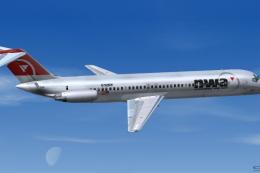 FS2004 Civil Jet Aircraft
This repaint offers a detailed Northwest Airlines DC-9-41 (circa 2004) livery…
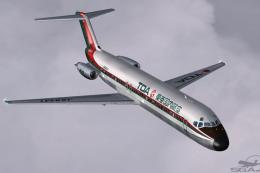 FS2004 Civil Jet Aircraft
Experience an iconic piece of Japanese aviation heritage with this Toa Domest…
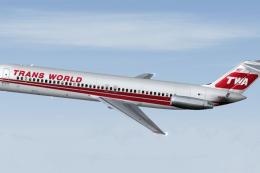 FS2004 Civil Jet Aircraft
This package provides specialized texture files for integrating a Trans World…
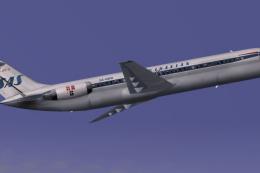 FS2004 Civil Jet Aircraft
This freeware repaint highlights Scandinavian Airlines’ distinctive 1978 live…
 FS2004 Civil Jet Aircraft
The national carrier of Finland is well-known for its distinctive branding, a…
 FS2004 Civil Jet Aircraft
This freeware repaint showcases Northwest Airlines’ distinctive markings on t…
 FS2004 Civil Jet Aircraft
This repaint showcases a classic 1984-era Scandanavian Airlines DC-9-41 liver…
Be the first to leave a comment on this download.
Be the first to share your thoughts on this download.