

 FS2004 Civil Jet Aircraft
Northwest Airlines Douglas DC-9-41 2004
This repaint offers a detailed Northwest Airlines DC-9-41 (circa 2004) livery…
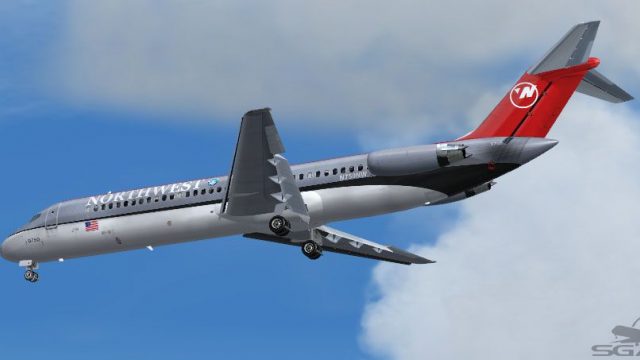
Northwest Airlines’ classic silver-and-red scheme is faithfully reproduced on the Douglas DC-9-41 for Microsoft Flight Simulator 2004, delivering crisp, era-accurate exterior textures with correct windows and tail detailing for convincing classic jet operations. The repaint requires the SGA DC-9-40/41 base package (SGA940.ZIP) to fly.
 Rate
Rate
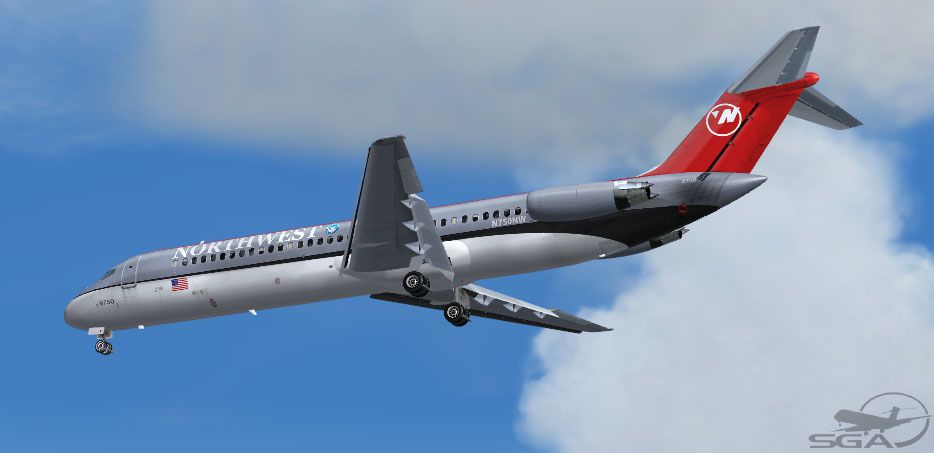
This freeware repaint showcases Northwest Airlines’ distinctive markings on the Douglas DC-9-41, meticulously crafted for Microsoft Flight Simulator 2004 enthusiasts seeking an authentic, short-to-medium range jet experience. McDonnell Douglas designed each DC-9 variant for constrained airfields, ensuring a remarkable balance of reliability and performance. This repaint, authored by Frank Idone for the SGA fleet, requires the base DC-9 package (SGA940.ZIP) from Fly Away Simulation for proper functionality.
The DC-9, introduced in the mid-1960s, offered several series adaptations to accommodate various operational demands. The Series 40 variant extended the fuselage to accommodate additional passengers, making it well-suited for high-density routes. In service with numerous carriers worldwide, it proved especially beneficial for short-field operations and quick turnaround times. Northwest Airlines employed this design advantage to maintain efficient schedules across a versatile network of destinations.
This repaint reflects Northwest Airlines’ identifiable aesthetics, combining a silver fuselage with the airline’s striking trademark markings. To match real-world counterparts accurately, it models iconic features including correct window placement and tail detailing. Frank Idone meticulously reproduced the exterior scheme to capture each subtle accent, preserving historical accuracy while ensuring high-fidelity textures in the simulator environment.
Above: Northwest Airlines Douglas DC-9-41 in flight.
Before installing these textures, confirm that you have the required SGA940.ZIP base model in your aircraft directory. This add-on only supplies the visuals; therefore, the freeware model (available in the Fly Away Simulation library) must be installed first. Once that is complete, follow these steps:
aircraft.cfg file using a text editor and insert the following entry, ensuring that you replace XX with the appropriate sequential number:[fltsim.XX]
title=SGA DC-9-40 Northwest
sim=SGA DC9_40
model=
panel=
sound=
texture=nw
checklists=
atc_id=N750NW
atc_airline=Northwest
atc_flight_number=834
ui_manufacturer=McDonnell Douglas
ui_type=DC-9-41
ui_variation=Northwest Airlines
description=DC-9 no.218 flown by Northwest Airlines.\nLivery by Frank Idone.\n\nThe DC-9 was engineered to operate from limited runways and on short- to medium-range routes. The Series 40 features an extended fuselage allowing up to 125 passengers, and it commonly employs JT8D powerplants.\n\nRepaint by Frank Idone.
The DC-9’s agile design, coupled with its robust JT8D engines, ensures powerful takeoffs from shorter fields while maintaining economical fuel consumption. Northwest Airlines capitalized on these capabilities to cover more regional points within its network. When testing this repaint in Microsoft Flight Simulator 2004, you may notice realistic lighting effects and surface reflections that highlight rivets and seams—details that immerse you further into classic jet travel.
This repaint is distributed as freeware and does not include the base model. You must download and install the appropriate SGA DC-9 series package separately from the Fly Away Simulation mod library prior to using these textures.
Free for all simmers · 2.85 MB · Scanned clean Oct 2026
Download speed: Free tier is capped at 0.5 Mbps. PRO members download at full line speed.
This file is a repaint — the package below is the base model it paints onto. Install it first, or the textures will have nothing to load onto.
FS9\Aircraft\, FS9\Addon Scenery\, FS9\Gauges\, or FS9\Effects\.readme.txt or README file. It tells you exactly where files go, what dependencies are needed, and any quirks specific to this add-on.The archive dc94nw.zip has 24 files and directories contained within it.
This list displays the first 500 files in the package. If the package has more, you will need to download it to view them.
| Filename/Directory | File Date | File Size |
|---|---|---|
| TEXTURE.nw | 11.04.04 | 0 B |
| 40FUSE_L.bmp | 10.27.04 | 1.00 MB |
| 40FUSE_T.BMP | 11.04.04 | 4.00 MB |
| CONE_L.BMP | 08.07.03 | 5.43 kB |
| CONE_T.BMP | 08.07.03 | 5.43 kB |
| DC9xINTERIOR_L.BMP | 05.19.04 | 256.07 kB |
| DC9xINTERIOR_T.BMP | 01.28.04 | 1.00 MB |
| DC9_B_L.BMP | 05.19.04 | 256.07 kB |
| DC9_B_T.BMP | 11.04.04 | 4.00 MB |
| ENGINES_L.BMP | 05.19.04 | 256.07 kB |
| ENGINES_T.BMP | 11.03.04 | 1.00 MB |
| INTAKE_L.bmp | 08.07.03 | 5.43 kB |
| INTAKE_t.BMP | 08.10.03 | 42.78 kB |
| Thumbs.db | 06.21.04 | 18.50 kB |
| WING_LEFT_L.BMP | 05.19.04 | 256.07 kB |
| WING_LEFT_T.BMP | 10.30.04 | 1.00 MB |
| WING_RIGHT_L.BMP | 05.19.04 | 256.07 kB |
| WING_RIGHT_T.BMP | 10.30.04 | 1.00 MB |
| SGA DC-9 Readme.pdf | 11.01.04 | 152.05 kB |
| 941nw.jpg | 11.04.04 | 54.62 kB |
| file_id.diz | 11.04.04 | 139 B |
| Install.txt | 11.04.04 | 1.97 kB |
| flyawaysimulation.txt | 10.29.13 | 959 B |
| Go to Fly Away Simulation.url | 01.22.16 | 52 B |
Only PRO members can place votes.
More FS2004 add-ons hand-picked based on this download.
FS2004 Civil Jet Aircraft
This repaint offers a detailed Northwest Airlines DC-9-41 (circa 2004) livery…
 FS2004 Civil Jet Aircraft
Panel and aircraft. Built with layout from SAS. A panel that needs careful ch…
 FS2004 Civil Jet Aircraft
This repaint provides vivid Japan Air System markings for the SGA Douglas DC-…
 FS2004 Civil Jet Aircraft
Experience an iconic piece of Japanese aviation heritage with this Toa Domest…
 FS2004 Civil Jet Aircraft
This package provides specialized texture files for integrating a Trans World…
 FS2004 Civil Jet Aircraft
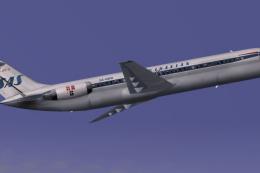
This freeware repaint highlights Scandinavian Airlines’ distinctive 1978 live…
 FS2004 Civil Jet Aircraft
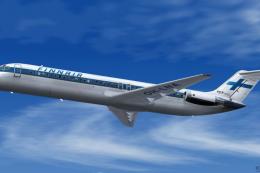
The national carrier of Finland is well-known for its distinctive branding, a…
 FS2004 Civil Jet Aircraft
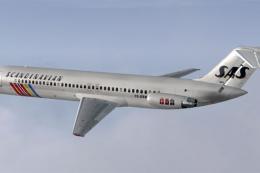
This repaint showcases a classic 1984-era Scandanavian Airlines DC-9-41 liver…
Be the first to leave a comment on this download.
Be the first to share your thoughts on this download.