

 FS2004 Civil Jet Aircraft
Douglas DC-9-41/-21
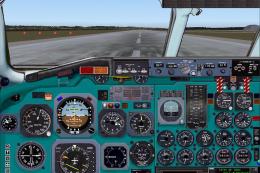
Panel and aircraft. Built with layout from SAS. A panel that needs careful ch…
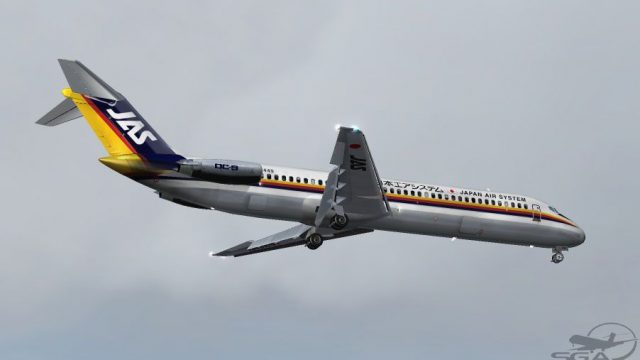
Japan Air System’s vivid livery brings the SGA Douglas DC-9-41 to life with faithful tail emblems, crisp fuselage markings, and period-accurate colors for authentic Japanese short-haul ops in Microsoft Flight Simulator 2004. It requires the freeware SGA DC-9-41 base model and includes detailed texture work that enhances panel lines and surface finish from every angle.
 Rate
Rate

This repaint provides vivid Japan Air System markings for the SGA Douglas DC-9-41 series, meticulously engineered for use with Microsoft Flight Simulator 2004. It requires the freeware base model, which can be obtained from the Fly Away Simulation mod library. Created by Frank Idone, this package delivers faithful emblems, tail designs, and fuselage details that commemorate the legacy of Japan Air System’s short-haul services among several Japanese cities.
The DC-9-41 was conceived by McDonnell Douglas to satisfy the growing need for a jet airliner adept at handling shorter runways and regional routes. With a fuselage length of 125.6 feet (38.3 m) and JT8D-series powerplants, it offered robust climb performance and reliable throughput on domestic Japanese segments, which was essential for carriers such as Japan Air System. JAS, known for its multi-colored liveries and modern expansions, effectively employed these aircraft to connect both major and secondary airports.
Screenshot showcasing the Japan Air System DC-9-41 in its distinctive color scheme.
Begin by confirming that you already possess the SGA DC-9-41 freeware base model. Then, extract these texture files into your DC-9’s main directory. Next, open and edit your aircraft configuration file. Insert the following lines, replacing the "XX" with the subsequent available number:
[fltsim.XX]
title=SGA DC-9-40 JAS
sim=SGA DC9_40
model=
panel=
sound=
texture=jas
checklists=
atc_id=JA8449
atc_airline=JAS
atc_flight_number=148
ui_manufacturer=McDonnell Douglas
ui_type=DC-9-41
ui_variation=Japan Air System
description=DC-9 no.887 flown by Japan Air System.
Livery by Frank Idone.

The DC-9 was designed specifically to operate from short runways and on short- to medium-range routes so that the speed, comfort, and reliability of jet transportation could be extended to numerous communities.
Series 40: Fuselage measure of 125.6 ft.
Seating capacity for up to 125 passengers with underfloor cargo volume of 1,019 cubic ft.
Powered by JT8D-9s, JT8D-11s, or JT8D-15s.
Introduced in March 1968.
This repaint honors the craftsmanship of Frank Idone and merges historical accuracy with a polished cockpit environment, making it an immersive choice for enthusiasts looking to capture the spirit of Japan Air System operations in Microsoft Flight Simulator 2004.
Free for all simmers · 3.01 MB · Scanned clean Oct 2026
Download speed: Free tier is capped at 0.5 Mbps. PRO members download at full line speed.
FS9\Aircraft\, FS9\Addon Scenery\, FS9\Gauges\, or FS9\Effects\.readme.txt or README file. It tells you exactly where files go, what dependencies are needed, and any quirks specific to this add-on.The archive dc941jas.zip has 24 files and directories contained within it.
This list displays the first 500 files in the package. If the package has more, you will need to download it to view them.
| Filename/Directory | File Date | File Size |
|---|---|---|
| TEXTURE.jas | 10.30.04 | 0 B |
| 40FUSE_L.bmp | 10.28.04 | 1.00 MB |
| 40FUSE_T.BMP | 10.18.04 | 4.00 MB |
| CONE_L.BMP | 08.08.03 | 5.43 kB |
| CONE_T.BMP | 08.08.03 | 5.43 kB |
| DC9xINTERIOR_L.BMP | 05.19.04 | 256.07 kB |
| DC9xINTERIOR_T.BMP | 01.28.04 | 1.00 MB |
| DC9_B_L.BMP | 05.19.04 | 256.07 kB |
| DC9_B_T.BMP | 10.30.04 | 4.00 MB |
| ENGINES_L.BMP | 05.19.04 | 256.07 kB |
| ENGINES_T.BMP | 10.18.04 | 1.00 MB |
| INTAKE_L.bmp | 08.08.03 | 5.43 kB |
| INTAKE_t.BMP | 08.10.03 | 42.78 kB |
| Thumbs.db | 08.24.04 | 25.50 kB |
| WING_LEFT_L.BMP | 05.19.04 | 256.07 kB |
| WING_LEFT_T.BMP | 10.30.04 | 1.00 MB |
| WING_RIGHT_L.BMP | 05.19.04 | 256.07 kB |
| WING_RIGHT_T.BMP | 10.30.04 | 1.00 MB |
| file_id.diz | 10.30.04 | 124 B |
| Install.txt | 10.30.04 | 1.92 kB |
| jas40.jpg | 10.30.04 | 51.17 kB |
| SGA DC-9 Readme.pdf | 09.23.04 | 153.00 kB |
| flyawaysimulation.txt | 10.29.13 | 959 B |
| Go to Fly Away Simulation.url | 01.22.16 | 52 B |
Only PRO members can place votes.
More FS2004 add-ons hand-picked based on this download.
FS2004 Civil Jet Aircraft
Panel and aircraft. Built with layout from SAS. A panel that needs careful ch…
 FS2004 Civil Jet Aircraft
This repaint offers a detailed Northwest Airlines DC-9-41 (circa 2004) livery…
 FS2004 Civil Jet Aircraft
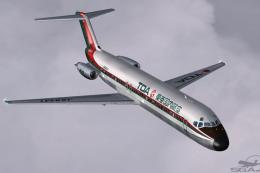
Experience an iconic piece of Japanese aviation heritage with this Toa Domest…
 FS2004 Civil Jet Aircraft
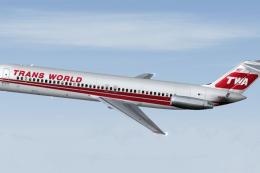
This package provides specialized texture files for integrating a Trans World…
 FS2004 Civil Jet Aircraft
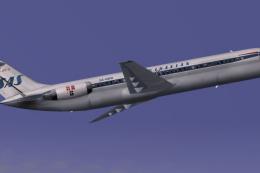
This freeware repaint highlights Scandinavian Airlines’ distinctive 1978 live…
 FS2004 Civil Jet Aircraft
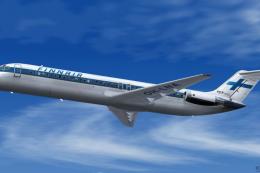
The national carrier of Finland is well-known for its distinctive branding, a…
 FS2004 Civil Jet Aircraft
This freeware repaint showcases Northwest Airlines’ distinctive markings on t…
 FS2004 Civil Jet Aircraft
This repaint showcases a classic 1984-era Scandanavian Airlines DC-9-41 liver…
Be the first to leave a comment on this download.
Be the first to share your thoughts on this download.