

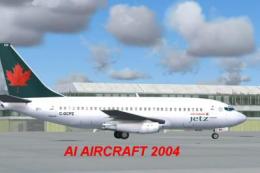
 FS2004 Civil Jet Aircraft
Air Canada Jetz Boeing 737-200
This freeware package introduces a detailed Air Canada Jetz Boeing 737-200 de…
Air Canada’s classic Boeing 737-200 arrives as an AI-optimized aircraft for FS2004, built on the efficient AI Aardvark model with Shane Strong’s faithful livery. Multiple LODs keep traffic smooth while preserving authentic proportions, and animated flaps, thrust reversers, gear, and control surfaces add convincing ramp and runway movement.
 Rate
Rate
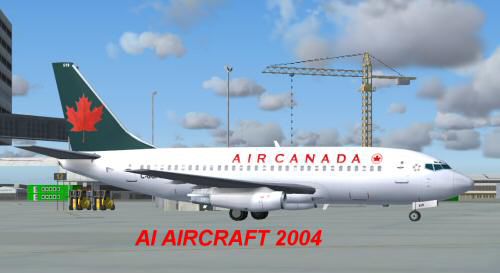
This freeware package introduces a classic Boeing 737-200 in Air Canada's livery for FS2004. It integrates a thorough AI-focused model by AI Aardvark along with texture work by Shane Strong, offering efficient performance while preserving authentic visuals. Enthusiasts looking to populate their virtual airports with a piece of Air Canada’s earlier jet fleet will appreciate the technical detail and faithful modeling included in this complete release hosted at Fly Away Simulation.
The Boeing 737-200, introduced in the late 1960s, earned its reputation as a workhorse for regional and transcontinental routes. This downloadable mod recreates that appearance through multiple Levels of Detail (LOD), so the polygon count dynamically reduces at greater distances. As a result, users enjoy minimal performance overhead in busy traffic environments. These LOD variants also offer moving control surfaces, thrust reversers, and flaps that replicate the real jets operating history while taxing less powerful systems.
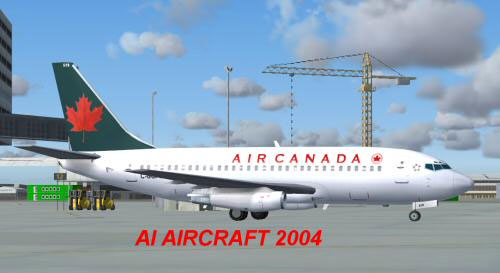
Screenshot of Air Canada 737-200 on the ramp.
Place the AIA_737_200_ALASKA folder directly in the main aircraft directory for FS2004. After that, assign the aircraft in your AI flightplans. This arrangement ensures your traffic management software can schedule departures and arrivals as needed. If you are unsure how to link flightplans and AI assets, consult the documentation or your preferred traffic utility guidelines.
By default, this add-on uses a non-reflective visual file (model=no_refl), but you can experiment with the reflective variant by modifying aircraft.cfg to model=reflective. Although the supplied texture does not come with a reflective channel, this option is available for those who want to see how the alternate model interacts with other paints.
This 737-200 package was primarily designed as an AI aircraft. Accordingly, it features custom flight dynamics engineered to settle on the runway swiftly and vacate in a timely manner, maintaining steady airfield traffic flow. To adjust landing characteristics—if you prefer a more protracted flare—you can fine-tune values for cruise lift, parasite drag, or induced drag within the configuration file.
Expanded animations include gear deployment, control surface movement, and spoiler activation, providing a balanced blend of realism and practicability. The Boeing 737-200 itself offered twin Pratt & Whitney engines, and Air Canada historically employed this model for domestic and cross-border operations decades ago. Although modern fleets have largely shifted to newer variants, this classic airframe retains its appeal among flight sim enthusiasts.
The creators, AI Aardvark (modeler) and Shane Strong (painter), have meticulously optimized this aircraft for smooth performance in dense airspace. Their work ensures that the visual fidelity remains convincing at gates and taxiways, while the multiple LODs help maintain fluid frame rates throughout your simulation session. This design philosophy means you can populate large airports with several 737-200s without incurring significant performance penalties.
Free for all simmers · 340.65 KB · Scanned clean Oct 2026
Download speed: Free tier is capped at 0.5 Mbps. PRO members download at full line speed.
FS9\Aircraft\, FS9\Addon Scenery\, FS9\Gauges\, or FS9\Effects\.readme.txt or README file. It tells you exactly where files go, what dependencies are needed, and any quirks specific to this add-on.The archive 737acai.zip has 12 files and directories contained within it.
This list displays the first 500 files in the package. If the package has more, you will need to download it to view them.
| Filename/Directory | File Date | File Size |
|---|---|---|
| 737acai.gif | 10.30.03 | 5.22 kB |
| 737acai.jpg | 10.30.03 | 19.63 kB |
| aia_737_XXX.air | 06.12.03 | 7.36 kB |
| Aircraft.cfg | 10.30.03 | 9.71 kB |
| FILE_ID.diz | 10.30.03 | 320 B |
| aia_737_200.mdl | 10.23.03 | 324.18 kB |
| model.cfg | 04.08.03 | 28 B |
| README.txt | 10.30.03 | 4.36 kB |
| aia_737_200_l.bmp | 05.23.03 | 256.07 kB |
| AIA_737_200_t.bmp | 10.29.03 | 1.00 MB |
| flyawaysimulation.txt | 10.29.13 | 959 B |
| Go to Fly Away Simulation.url | 01.22.16 | 52 B |
Only PRO members can place votes.
More FS2004 add-ons hand-picked based on this download.
FS2004 Civil Jet Aircraft
This freeware package introduces a detailed Air Canada Jetz Boeing 737-200 de…
 FS2004 Civil Jet Aircraft
This B757-200 has been painted with the new Air Canada scheme, even though th…
 FS2004 Civil Jet Aircraft
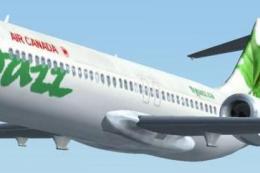
Discover a refined rendition of the Boeing 717-200 presented in the distincti…
 FS2004 Civil Jet Aircraft
Experience the sleek short-haul Boeing 717-200 in Air Canada Jazz’s distincti…
 FS2004 Civil Jet Aircraft
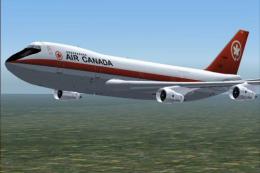
Project Opensky gmax 747-200PW Version 3 painted in 4 air canada liverys the …
 FS2004 Civil Jet Aircraft
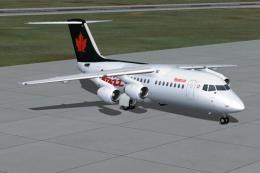
Additional textures for Air Canada Jazz (regular and colorful schemes). Requi…
 FS2004 Civil Jet Aircraft
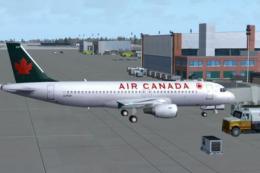
A complete AI Airbus model set featuring LOD and dynamic shine. Painted by Sh…
 FS2004 Civil Jet Aircraft
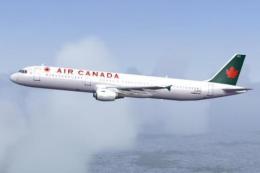
This add-on provides realistic AI functionality for an Airbus A321-200 in the…
Be the first to leave a comment on this download.
Be the first to share your thoughts on this download.