

 FS2004 Civil Jet Aircraft
Jetz Airbus A320-200 V2
This package delivers a robust AI rendition of the Airbus A320-200, customize…
Air Canada Jetz Boeing 737-200 brings a classic twinjet charter look to FS2004 with an integrated AI-ready model and accurate premium livery. Multi-LOD 3D modeling and smooth animations for gear, flaps, reversers, and spoilers keep visuals sharp while preserving frame rates in dense traffic, with optional reflective model variation.
 Rate
Rate
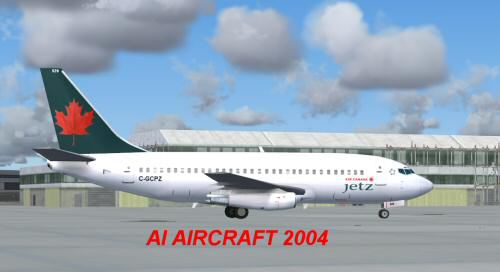
This freeware package introduces a detailed Air Canada Jetz Boeing 737-200 developed especially for FS2004. This variant showcases a fully integrated base model, so there are no additional downloads needed for operation. Air Canada Jetz functions as a dedicated premium charter division, known for transporting professional sports teams and VIP travelers. Boeing’s 737-200, introduced during the late 1960s, remains an enduring twin-engine workhorse. With careful attention to frame rates and visual fidelity, this add-on is ideal for virtual flyers seeking high-quality AI traffic integration without performance concerns.
This aircraft model by AI Aardvark implements multiple levels of detail (LOD) to optimize performance in crowded skies. The design includes animated gear, flaps, thrust reversers, and spoilers, as well as finely rendered flap canoes and antenna arrays. The package even features specular highlights (indicating reflective properties on surfaces) to enhance realism. Shane Strong provided the paintwork, reproducing Air Canada Jetz’s recognizable look with remarkable accuracy.
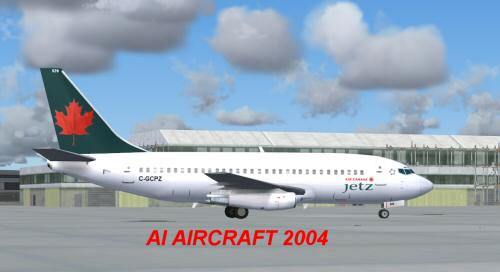
Screenshot highlighting the Air Canada Jetz livery on the Boeing 737-200.
After extracting the download, place the AIA_737_200_ALASKA folder into your FS2004 aircraft directory. With that done, you just need to reference this aircraft in your traffic program’s flightplans. If manual assignment of AI aircraft setups is unfamiliar, consult your preferred FS documentation for specific steps on programming flight schedules.
In the aircraft.cfg file, you will find the entry model=no_refl. To try the reflective version, change that line to model=reflective. Although the texture included here may not show a pronounced reflection layer, switching models will allow you to explore different visual possibilities for this AI plane.
The developer optimized this release as an AI unit, so it includes progressive LOD transitions that simplify the geometry as the aircraft moves farther away. This approach reduces system load, particularly when multiple AI aircraft populate an airport at once. By incorporating these carefully tuned LODs, you can enjoy a busy ramp without a significant frame rate hit.
The flight dynamics (FDE) aim to synchronize well with AI behavior. Designers often compromise between graceful takeoffs and ideal landings. In this package, AIA’s configuration enables the Boeing 737-200 to touch down swiftly before vacating runways, thereby improving traffic flow. If you desire a more pronounced float effect on touchdown, fine-tune the cruise lift, parasite drag, and induced drag entries in the aircraft.cfg file.
Model by AI Aardvark, painted by Shane Strong.
Free for all simmers · 337.26 KB · Scanned clean Oct 2026
Download speed: Free tier is capped at 0.5 Mbps. PRO members download at full line speed.
FS9\Aircraft\, FS9\Addon Scenery\, FS9\Gauges\, or FS9\Effects\.readme.txt or README file. It tells you exactly where files go, what dependencies are needed, and any quirks specific to this add-on.The archive 73acjtai.zip has 12 files and directories contained within it.
This list displays the first 500 files in the package. If the package has more, you will need to download it to view them.
| Filename/Directory | File Date | File Size |
|---|---|---|
| 737acjt.gif | 10.30.03 | 5.45 kB |
| 737acjt.jpg | 10.30.03 | 17.59 kB |
| aia_737_XXX.air | 06.12.03 | 7.36 kB |
| Aircraft.cfg | 10.30.03 | 9.70 kB |
| FILE_ID.diz | 10.30.03 | 325 B |
| aia_737_200.mdl | 10.23.03 | 324.18 kB |
| model.cfg | 04.08.03 | 28 B |
| README.txt | 10.30.03 | 4.37 kB |
| aia_737_200_l.bmp | 05.23.03 | 256.07 kB |
| AIA_737_200_t.bmp | 10.29.03 | 1.00 MB |
| flyawaysimulation.txt | 10.29.13 | 959 B |
| Go to Fly Away Simulation.url | 01.22.16 | 52 B |
Only PRO members can place votes.
More FS2004 add-ons hand-picked based on this download.
FS2004 Civil Jet Aircraft
This package delivers a robust AI rendition of the Airbus A320-200, customize…
 FS2004 Civil Jet Aircraft
This freeware package introduces a classic Boeing 737-200 in Air Canada's liv…
 FS2004 Civil Jet Aircraft
This B757-200 has been painted with the new Air Canada scheme, even though th…
 FS2004 Civil Jet Aircraft
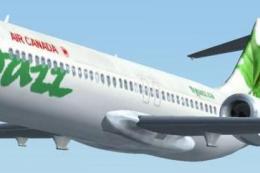
Discover a refined rendition of the Boeing 717-200 presented in the distincti…
 FS2004 Civil Jet Aircraft
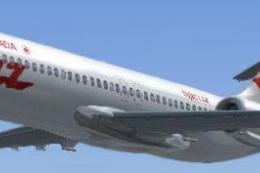
Experience the sleek short-haul Boeing 717-200 in Air Canada Jazz’s distincti…
 FS2004 Civil Jet Aircraft
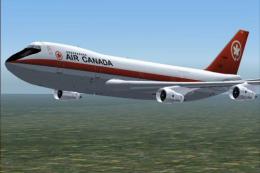
Project Opensky gmax 747-200PW Version 3 painted in 4 air canada liverys the …
 FS2004 Civil Jet Aircraft
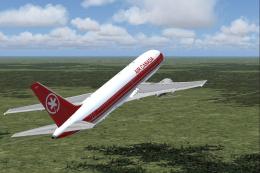
For use with IF76ACOC.ZIP. Fixed textures for the iFDG 767-200 Air Canada Cla…
 FS2004 Civil Jet Aircraft
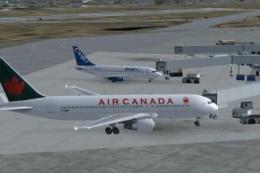
This freeware package features a meticulously crafted Air Canada Boeing 767-2…
Be the first to leave a comment on this download.
Be the first to share your thoughts on this download.