

 FS2004 Civil Jet Aircraft
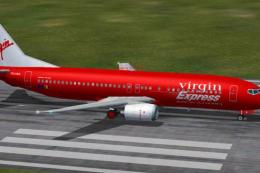
Virgin Express Boeing 737-300 OO-LTU
Includes self-installer. Model by FFX. Livery by Guillermo de Miranda. Screen…
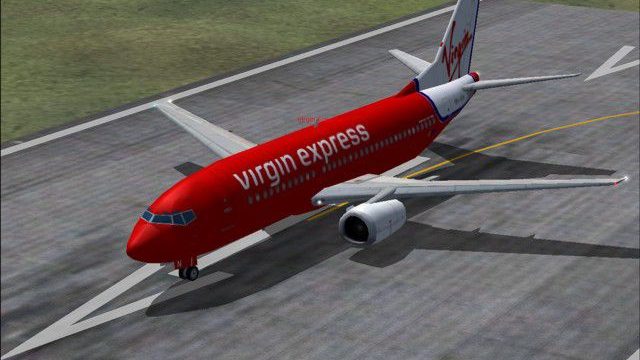
Virgin Express Boeing 737-300 (NC) brings efficient, convincing AI airline traffic to FS2004 with four LOD models that stay smooth on frame rates. Animated landing gear and flaps, antennas, flap canoes, spinning engine fans, and simulated gear bays add detail, with the AI Aardvark model and a crisp Davy Rodriguez repaint.
 Rate
Rate
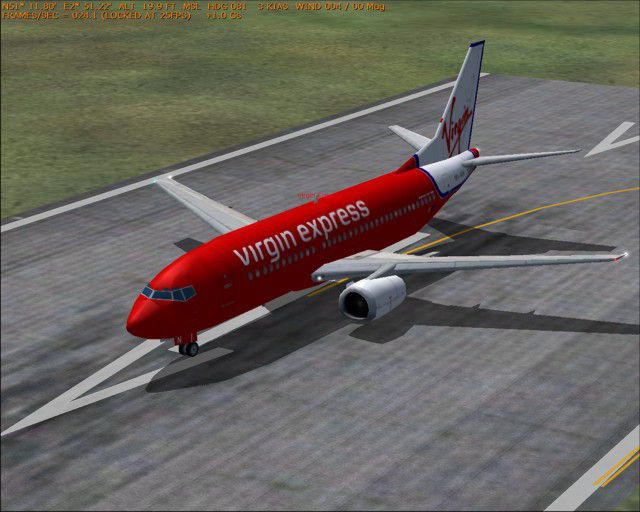
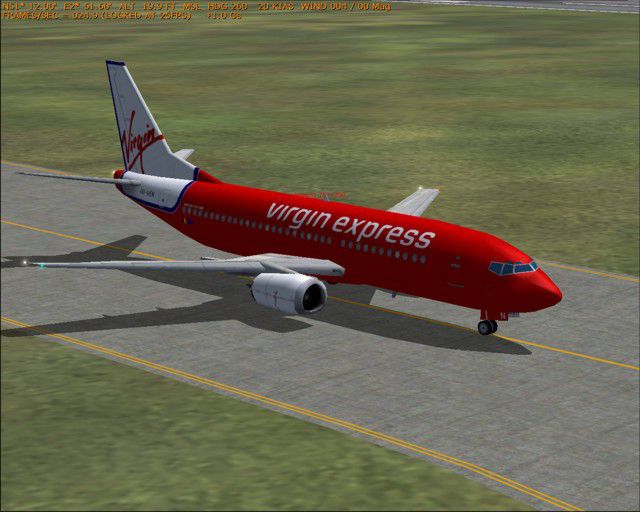

A B737-300 designed especially for AI traffic. Features 4 LOD models and moving parts. Very detailed, includes animated gear and flaps, antennas, flap canoes, spinning engine fans and simulated gear bays. Extremely frame rate friendly. Model by David Rawlins/AI Aardvark. Repaint by Davy Rodriguez.
-fs2004-1.jpg)
Screenshot of Virgin Express Boeing 737-300 on runway.
Free for all simmers · 393.9 KB · Scanned clean Sep 2026
Download speed: Free tier is capped at 0.5 Mbps. PRO members download at full line speed.
FS9\Aircraft\, FS9\Addon Scenery\, FS9\Gauges\, or FS9\Effects\.readme.txt or README file. It tells you exactly where files go, what dependencies are needed, and any quirks specific to this add-on.The archive vex733nc.zip has 11 files and directories contained within it.
This list displays the first 500 files in the package. If the package has more, you will need to download it to view them.
| Filename/Directory | File Date | File Size |
|---|---|---|
| AIA VEX B733 NC | 06.21.04 | 0 B |
| 1.JPG | 06.21.04 | 70.55 kB |
| 2.JPG | 06.21.04 | 54.79 kB |
| 3.JPG | 06.21.04 | 76.17 kB |
| Read Me.doc | 06.21.04 | 1.92 kB |
| Texture.VEX_1 | 06.21.04 | 0 B |
| aia_737_300_l.bmp | 07.21.03 | 256.07 kB |
| aia_737_300_t.bmp | 06.20.04 | 1.00 MB |
| Thumbnail.jpg | 06.21.04 | 4.21 kB |
| flyawaysimulation.txt | 10.29.13 | 959 B |
| Go to Fly Away Simulation.url | 01.22.16 | 52 B |
Only PRO members can place votes.
More FS2004 add-ons hand-picked based on this download.
FS2004 Civil Jet Aircraft
Includes self-installer. Model by FFX. Livery by Guillermo de Miranda. Screen…
 FS2004 Civil Jet Aircraft
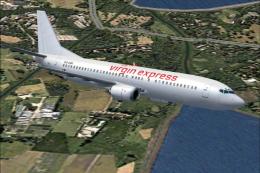
This download introduces a custom repaint representing a classic Boeing 737-4…
 FS2004 Civil Jet Aircraft
Here is a high-fidelity repaint portraying a classic Boeing 737-400 sporting …
 FS2004 Civil Jet Aircraft
Air Canada Boeing 767-300 GE (new colors). Model by AI Aardvark. Repaint by B…
 FS2004 Civil Jet Aircraft
A repaint of FSPainter's B767-300 in United Airlines' new color scheme. By An…
 FS2004 Civil Jet Aircraft
Enhance your Microsoft Flight Simulator 2004 experience with this meticulousl…
 FS2004 Civil Jet Aircraft
Virgin Blues red nose 733 textures for the ARNZ AIS-AI 737-300. Requires AIS7…
 FS2004 Civil Jet Aircraft
A repaint of Tsutomu Urakawa's B737-700 in the new AirTran livery. It is the …
Be the first to leave a comment on this download.
Be the first to share your thoughts on this download.