


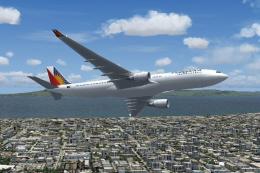
 FS2004 Civil Jet Aircraft
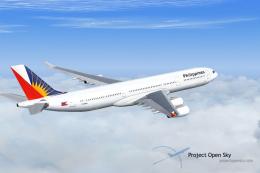
Philippines Airlines Airbus A330-300
Immerse yourself in the vibrant Filipino skies with this meticulously designe…
Philippine Airlines’ Boeing 737-300 brings a classic short- to medium-range twinjet to FS2004 with vibrant 32-bit textures and an accurate, performance-friendly livery. Built on an AI-optimised model that remains fully flyable, it includes stable flight dynamics for smooth taxi, takeoff, and cruise while also fitting seamlessly into AI traffic.
 Rate
Rate

This freeware modification showcases the Philippine Airlines Boeing 737-300 in vibrant 32-bit textures for FS2004. It integrates a detailed AI model that remains fully flyable, making it a flexible addition for both AI traffic and hands-on flight.
This rendition employs a classic Boeing 737-300 airframe. The 737-300 is a short- to medium-range, twinjet airliner. Philippine Airlines operated this aircraft for various regional and domestic routes. The creators designed this model with functional flight dynamics, ensuring stable handling.
The textures originate from AI Aardvark’s base set, which supports crisp and clear rendering. They feature 32-bit formats, so graphically you can spot subtle details on the fuselage and tail. The livery, produced by Mike Pearson, accurately reflects Philippine Airlines’ distinctive color scheme while retaining minimal frame rate impact.
This model doubles as an AI aircraft but performs efficiently for pilot-controlled operations. It uses flight dynamics tailored for realistic performance, ensuring smooth progression during taxi, takeoff, and cruise phases.
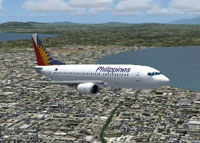
Screenshot of Philippines Airlines Boeing 737-300 in flight.
The package includes all necessary files and textures. Copy and paste the folder into your FS2004 Aircraft directory. Custom AI flight plans typically require additional tools but remain optional for simple flyable use.
Aircraft and base textures come from AI Aardvark. The Philippine Airlines livery was crafted by Mike Pearson. Both creators have combined their efforts to produce this repaint.
Enjoy an authentic Philippine Airlines flavor within FS2004 by adding this Boeing 737-300 to your simulation experience.
Free for all simmers · 1.08 MB · Scanned clean Oct 2026
Download speed: Free tier is capped at 0.5 Mbps. PRO members download at full line speed.
FS9\Aircraft\, FS9\Addon Scenery\, FS9\Gauges\, or FS9\Effects\.readme.txt or README file. It tells you exactly where files go, what dependencies are needed, and any quirks specific to this add-on.The archive av733pal.zip has 22 files and directories contained within it.
This list displays the first 500 files in the package. If the package has more, you will need to download it to view them.
| Filename/Directory | File Date | File Size |
|---|---|---|
| aav b733 pal small.gif | 06.14.04 | 16.38 kB |
| aav b733 pal.jpg | 06.14.04 | 164.60 kB |
| aav b733 pal.txt | 06.14.04 | 223 B |
| aia_737_300.air | 06.12.03 | 8.69 kB |
| Aircraft.cfg | 06.14.04 | 13.54 kB |
| model.reflective | 06.14.04 | 0 B |
| aia_737_300.mdl | 11.24.03 | 160.35 kB |
| model.cfg | 11.19.02 | 28 B |
| model | 06.14.04 | 0 B |
| aia_737_300.mdl | 11.24.03 | 158.48 kB |
| model.cfg | 11.19.02 | 28 B |
| panel | 06.14.04 | 0 B |
| panel.cfg | 05.17.04 | 47 B |
| sound | 06.14.04 | 0 B |
| sound.cfg | 05.17.04 | 40 B |
| texture.philippine | 06.14.04 | 0 B |
| AIA_737_300_l.bmp | 11.20.03 | 256.07 kB |
| AIA_737_300_t.bmp | 06.14.04 | 4.00 MB |
| Thumbs.db | 06.14.04 | 11.00 kB |
| Thumbs.db | 06.14.04 | 8.50 kB |
| flyawaysimulation.txt | 10.29.13 | 959 B |
| Go to Fly Away Simulation.url | 01.22.16 | 52 B |
Only PRO members can place votes.
More FS2004 add-ons hand-picked based on this download.
FS2004 Civil Jet Aircraft
Immerse yourself in the vibrant Filipino skies with this meticulously designe…
 FS2004 Civil Jet Aircraft
This flight simulation package provides a finely detailed virtual rendition o…
 FS2004 Civil Jet Aircraft
This comprehensive freeware package offers a visually updated Philippines Air…
 FS2004 Civil Jet Aircraft
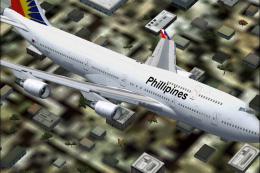
Model by Project Open Sky. Screenshot of Philippines Airlines Boeing 747-400 …
 FS2004 Civil Jet Aircraft
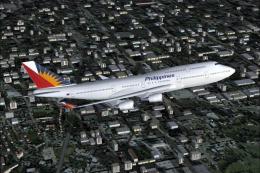
This updated freeware release brings a lively rendition of the Boeing 747-400…
 FS2004 Civil Jet Aircraft
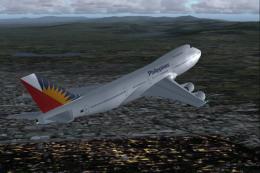
This freeware package offers a meticulously crafted Boeing 747-200 repaint fe…
 FS2004 Civil Jet Aircraft
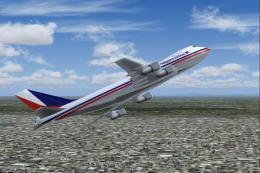
Painted in 32-bit textures. This is an AI aircraft which is also very flyable…
 FS2004 Civil Jet Aircraft
This freeware package offers a highly detailed Airbus A340-313X wearing Phili…
Be the first to leave a comment on this download.
Be the first to share your thoughts on this download.