

 FS2004 Propeller Aircraft
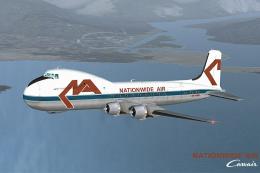
Nationwide Air Carvair ATL98 ZK-NWB
Textures only; requires JWAT98.ZIP or JWAT98K2.ZIP. Model by Jon Walton. Repa…
The ATL98 Carvair brings the rugged, four‑engined DC-4 conversion to life as a cross‑Channel car ferry, with authentic proportions, a practical virtual cockpit, and liveries for British United and Alisud. Built for FS2002, it captures the type’s heavy-haul character and worldwide service legacy in a focused classic transport package.
 Rate
Rate
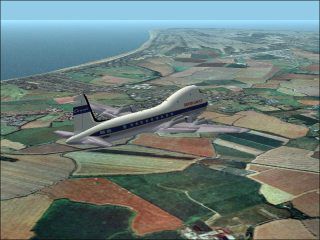
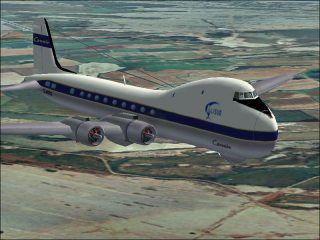
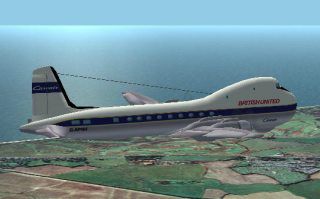
A four engined transport converted from the Douglas DC-4. Conceived as a cross-channel car ferry to and from the European continent from the U.K., hence Car-Via-Air. Carvairs saw wide spread use worldwide and a few remain in service today. Original aircraft by Rey Lopez. British United and Alisud repaints by J. Walton.
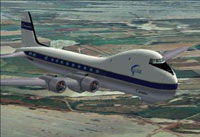
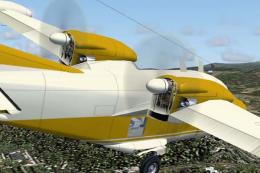
Screenshot of ATL98 Carvair in flight.
Place the unzipped RLATL98 folder in your flight sims aircraft folder.
Unzip the gauges and copy all the gauges into your flight sim's gauges folder. Take not to overwrite any newer gauges that are in there. If your not sure read up on the wealth of knowledge available regarding installing 3rd party planes into your favorite sim.
Make sure you read the included notes, you need to work at it to get this baby off the ground. Specially on a limited runway such as EGMD. If you think it flies like several tons of clapped out aluminium then you've got the hang of it.
Free for all simmers · 4.34 MB · Scanned clean Sep 2026
Download speed: Free tier is capped at 0.5 Mbps (this file takes approximately 1 min at the cap). PRO members download at full line speed.
readme.txt or README file. It tells you exactly where files go, what dependencies are needed, and any quirks specific to this add-on.The archive rlatl98b.zip has 130 files and directories contained within it.
This list displays the first 500 files in the package. If the package has more, you will need to download it to view them.
| Filename/Directory | File Date | File Size |
|---|---|---|
| RLATL98b | 03.15.06 | 0 B |
| aircraft | 03.15.06 | 0 B |
| RLATL98b | 03.15.06 | 0 B |
| Aircraft.cfg | 03.13.06 | 9.91 kB |
| ATL CARVAIR.air | 11.19.02 | 9.83 kB |
| ATL Carvair_Check.txt | 11.08.02 | 4.68 kB |
| ATL Carvair_notes.txt | 11.30.02 | 2.31 kB |
| ATL Carvair_ref.txt | 11.10.02 | 1.21 kB |
| ATL98_ALIS.jpg | 03.14.06 | 18.39 kB |
| ATL98_ALIS.png | 03.14.06 | 13.42 kB |
| ATL98_BUA.jpg | 03.14.06 | 19.38 kB |
| ATL98_BUA2.jpg | 03.14.06 | 12.18 kB |
| ATL98_BUA2.png | 03.14.06 | 18.59 kB |
| file_id.diz | 03.15.06 | 682 B |
| model | 03.13.06 | 0 B |
| atl carvair.mdl | 08.19.02 | 1.00 MB |
| ATL Carvair.mdl.mpi | 08.18.02 | 20.66 kB |
| ATL Carvair.mdl.nmp | 08.18.02 | 1.00 MB |
| Model.cfg | 08.18.02 | 30 B |
| panel | 03.13.06 | 0 B |
| main.bmp | 06.29.02 | 2.25 MB |
| panel.cfg | 11.26.02 | 4.97 kB |
| RADIO_STACK_BG.BMP | 09.06.99 | 7.30 kB |
| Thumbs.db | 03.13.06 | 5.50 kB |
| Read_this_first.txt | 03.14.06 | 3.93 kB |
| RLATL98b.gif | 03.14.06 | 13.06 kB |
| sound | 03.13.06 | 0 B |
| sound.cfg | 04.22.03 | 27 B |
| texture | 03.13.06 | 0 B |
| texture.alisud | 03.13.06 | 0 B |
| AIR_INTAKE.bmp | 03.12.06 | 32.07 kB |
| CENTER_CONSOLE.bmp | 08.16.02 | 15.90 kB |
| COPILOT.bmp | 08.16.02 | 65.05 kB |
| COWLING.bmp | 03.12.06 | 32.07 kB |
| ENGINE_FACE.bmp | 08.16.02 | 65.05 kB |
| ENGINE_OUTTER.bmp | 03.12.06 | 32.07 kB |
| FIN_L.bmp | 03.06.06 | 128.07 kB |
| FIN_R.bmp | 03.06.06 | 128.07 kB |
| FUSE1_L.bmp | 03.13.06 | 32.07 kB |
| FUSE1_R.bmp | 03.13.06 | 32.07 kB |
| FUSE2_L.bmp | 03.13.06 | 32.07 kB |
| FUSE2_R.bmp | 03.13.06 | 32.07 kB |
| FUSE3_L.bmp | 03.13.06 | 32.07 kB |
| FUSE3_R.bmp | 03.13.06 | 32.07 kB |
| FUSE5_L.bmp | 03.13.06 | 32.07 kB |
| FUSE5_R.bmp | 03.13.06 | 32.07 kB |
| HOR_STAB.bmp | 03.13.06 | 32.07 kB |
| PANEL.bmp | 08.16.02 | 65.05 kB |
| PILOT.bmp | 08.16.02 | 65.05 kB |
| PROP.bmp | 08.18.02 | 65.05 kB |
| PROP_HIGHSPEED.bmp | 04.08.01 | 65.00 kB |
| Thumbs.db | 03.06.06 | 77.50 kB |
| Tire.bmp | 04.19.01 | 257.05 kB |
| WING_FLAP_R.bmp | 03.12.06 | 128.07 kB |
| WING_L.bmp | 03.13.06 | 128.07 kB |
| yyMisc2.bmp | 08.18.02 | 65.05 kB |
| texture.bua | 03.14.06 | 0 B |
| AIR_INTAKE.bmp | 03.12.06 | 32.07 kB |
| CENTER_CONSOLE.bmp | 08.16.02 | 15.90 kB |
| COPILOT.bmp | 08.16.02 | 65.05 kB |
| COWLING.bmp | 03.12.06 | 32.07 kB |
| ENGINE_FACE.bmp | 08.16.02 | 65.05 kB |
| ENGINE_OUTTER.bmp | 03.12.06 | 32.07 kB |
| FIN_L.bmp | 03.06.06 | 128.07 kB |
| FIN_R.bmp | 03.06.06 | 128.07 kB |
| FUSE1_L.bmp | 03.13.06 | 32.07 kB |
| FUSE1_R.bmp | 03.13.06 | 32.07 kB |
| FUSE2_L.bmp | 03.13.06 | 32.07 kB |
| FUSE2_R.bmp | 03.13.06 | 32.07 kB |
| FUSE3_L.bmp | 03.13.06 | 32.07 kB |
| FUSE3_R.bmp | 03.13.06 | 32.07 kB |
| FUSE5_L.bmp | 03.13.06 | 32.07 kB |
| FUSE5_R.bmp | 03.13.06 | 32.07 kB |
| HOR_STAB.bmp | 03.13.06 | 32.07 kB |
| PANEL.bmp | 08.16.02 | 65.05 kB |
| PILOT.bmp | 08.16.02 | 65.05 kB |
| PROP.bmp | 08.18.02 | 65.05 kB |
| PROP_HIGHSPEED.bmp | 04.08.01 | 65.00 kB |
| Thumbs.db | 03.15.06 | 77.50 kB |
| Tire.bmp | 04.19.01 | 257.05 kB |
| WING_FLAP_R.bmp | 03.12.06 | 128.07 kB |
| WING_L.bmp | 03.13.06 | 128.07 kB |
| yyMisc2.bmp | 08.18.02 | 65.05 kB |
| AIR_INTAKE.bmp | 08.17.02 | 65.05 kB |
| CENTER_CONSOLE.bmp | 08.16.02 | 15.90 kB |
| COPILOT.bmp | 08.16.02 | 65.05 kB |
| COWLING.bmp | 08.18.02 | 65.05 kB |
| ENGINE_FACE.bmp | 08.16.02 | 65.05 kB |
| ENGINE_OUTTER.bmp | 08.17.02 | 65.05 kB |
| FIN_L.bmp | 08.17.02 | 257.05 kB |
| FIN_R.bmp | 08.17.02 | 257.05 kB |
| FUSE1_L.bmp | 08.18.02 | 65.05 kB |
| FUSE1_R.bmp | 08.18.02 | 65.05 kB |
| FUSE2_L.bmp | 08.18.02 | 65.05 kB |
| FUSE2_R.bmp | 08.18.02 | 65.05 kB |
| FUSE3_L.bmp | 08.18.02 | 65.05 kB |
| FUSE3_R.bmp | 08.18.02 | 65.05 kB |
| FUSE5_L.bmp | 08.18.02 | 65.05 kB |
| FUSE5_R.bmp | 08.18.02 | 65.05 kB |
| HOR_STAB.bmp | 08.17.02 | 65.05 kB |
| PANEL.bmp | 08.16.02 | 65.05 kB |
| PILOT.bmp | 08.16.02 | 65.05 kB |
| PROP.bmp | 08.18.02 | 65.05 kB |
| PROP_HIGHSPEED.bmp | 04.08.01 | 65.00 kB |
| Tire.bmp | 04.19.01 | 257.05 kB |
| WING_FLAP_R.bmp | 08.17.02 | 65.05 kB |
| WING_L.bmp | 08.17.02 | 65.05 kB |
| file_id.diz | 03.15.06 | 682 B |
| gauges | 03.15.06 | 0 B |
| b29.manifold1.gau | 06.15.98 | 138.00 kB |
| b29.manifold2.gau | 06.15.98 | 138.00 kB |
| b29.manifold3.gau | 06.15.98 | 138.00 kB |
| b29.manifold4.gau | 06.15.98 | 138.00 kB |
| b29.RPM.1.gau | 06.06.98 | 100.00 kB |
| b29.RPM.2.gau | 10.26.98 | 100.00 kB |
| b29.RPM.3.gau | 10.26.98 | 100.00 kB |
| b29.RPM.4.gau | 10.26.98 | 100.00 kB |
| Classic.Airspeed.gau | 11.22.97 | 100.00 kB |
| CONCORDE.gau | 03.20.03 | 3.60 MB |
| fsd_rf4.rpm.1.gau | 06.26.99 | 119.00 kB |
| fsd_rf4.rpm.2.gau | 06.26.99 | 119.00 kB |
| HW_SBK.gau | 10.15.98 | 41.00 kB |
| rstart1.gau | 11.18.00 | 58.00 kB |
| RSTART2.gau | 11.18.00 | 58.00 kB |
| RSTART3.gau | 11.18.00 | 58.00 kB |
| RSTART4.gau | 11.18.00 | 58.00 kB |
| RwyInfo.gau | 12.01.00 | 240.00 kB |
| Read_this_first.txt | 03.15.06 | 4.00 kB |
| flyawaysimulation.txt | 10.29.13 | 959 B |
| Go to Fly Away Simulation.url | 01.22.16 | 52 B |
Only PRO members can place votes.
More FS2004 add-ons hand-picked based on this download.
FS2004 Propeller Aircraft
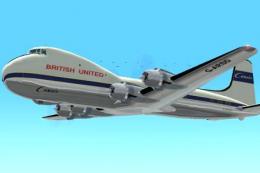
Textures only; requires JWAT98.ZIP or JWAT98K2.ZIP. Model by Jon Walton. Repa…
 FS2004 Propeller Aircraft
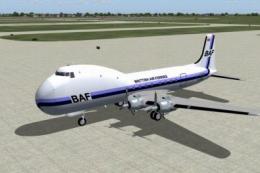
A Gmax built version of the classic Douglas DC-4 conversion: the Aviation Tra…
 FS2004 Propeller Aircraft
Includes self-installer. By Mike Stone. Screenshot of Aviation Traders Carvai…
 FS2004 Propeller Aircraft
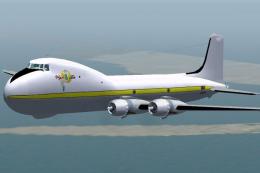
Textures for a ATL-98 Carvair, registration N89FA, based in Georgia. Textures…
 FS2004 Propeller Aircraft
A direct replacement of the original aircraft.cfg file included in ATL-98 Car…
 FS2004 Propeller Aircraft
Animted gears, dampers, propellers, doors, and control surfaces, Dynamic Clic…
 FS2004 Propeller Aircraft
registration EC-HEI. Includes aircraft, sound and panel package. Original by …
 FS2004 Propeller Aircraft
FS2002 files that work in FS2004 as well. Easy install. Group of 5 racing mus…
Be the first to leave a comment on this download.
Be the first to share your thoughts on this download.