

 FS2004 Propeller Aircraft
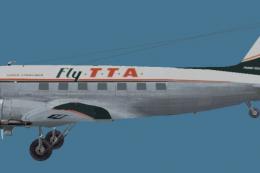
Trans Texas Airways Douglas DC-3A
This repaint for Microsoft Flight Simulator 2004 showcases the classic Dougla…
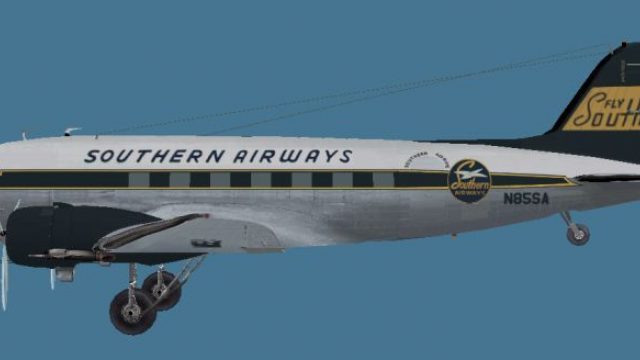
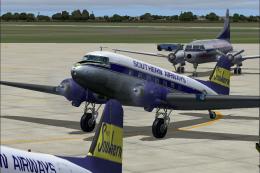
Southern Airways Douglas DC-3A repaint brings a period-correct regional airliner look to the MAAM-Sim passenger classic, with authentic markings that evoke mid-century short-haul routes across the American South in Microsoft Flight Simulator 2004. Crisp exterior texture mapping preserves the DC-3’s distinctive nose and wing lines, and requires the MAAM-Sim DC-3 package.
 Rate
Rate

This freeware repaint offers a Southern Airways livery for the Douglas DC-3A, meticulously crafted for use within Microsoft Flight Simulator 2004. It has been created by Dave McQueen for the payware MAAM-Sim package, which is not included and must be obtained separately. This variant showcases an airline once recognized for operating short-haul routes across the American South with a classic fleet of piston-engine aircraft.
The Southern Airways DC-3A repaint adorns the airframe with authentic markings that echo mid-20th-century commercial aviation. Southern Airways served several regional cities, and its DC-3s were integral to bridging smaller airports with larger hubs. In particular, this taildragger design highlights the distinctive nose and wing architecture that made the Douglas DC-3 a truly iconic passenger plane during the early transition to widespread air travel.
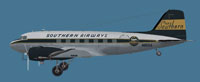
Side profile view of Southern Airways Douglas DC-3A.
Installing this repaint involves transferring the texture files from the downloaded folder into a working MAAM-Sim DC-3 texture directory that contains all the vital supporting files. Once you have merged these textures, the aircraft.cfg file requires careful attention to integrate this Southern Airways entry. Pay particular notice to the line model=maam as your own MAAM-Sim DC-3 model name might differ. This parameter must match the name of the actual .mdl file in your setup.
[fltsim.XX]
title=Douglas DC-3A Southern
sim=MaamSim_DC3
model=maam
panel=
sound=
texture=sou
kb_checklists=checkloader
kb_reference=DC-3_ref
atc_id=
ui_manufacturer=Douglas
ui_type=MAAM-SIM DC-3 - Passenger
ui_variation=Southern
atc_heavy=0
atc_airline=Southern
atc_flight_number=47
description= To operate this aircraft, refer to the User's Manual with instructional videos on the MAAM-SIM R4D/DC-3 CD as well as the detailed kneeboard reference pages and checklists.
All cockpit instrumentation and performance parameters remain true to the MAAM-Sim DC-3 package, ensuring proper simulator flight dynamics. The refined exterior texture mapping captures a vintage era paint scheme with authentic airline branding. By seamlessly incorporating these files into your existing payware model, you can replicate the unique look and feel that Southern Airways’ historical fleet once delivered to passengers throughout its operational timeline.
This freeware repaint is assembled by Dave McQueen, whose work on classic aircraft recolors has enriched the virtual aviation hobby. References are drawn from the well-documented legacy of the DC-3, ensuring that each detail aligns with the original real-world counterpart. Before installing, confirm you own the required MAAM-Sim DC-3 package, available through authorized distributors.
Free for all simmers · 777.62 KB · Scanned clean Oct 2026
Download speed: Free tier is capped at 0.5 Mbps. PRO members download at full line speed.
FS9\Aircraft\, FS9\Addon Scenery\, FS9\Gauges\, or FS9\Effects\.readme.txt or README file. It tells you exactly where files go, what dependencies are needed, and any quirks specific to this add-on.The archive southern-1.zip has 8 files and directories contained within it.
This list displays the first 500 files in the package. If the package has more, you will need to download it to view them.
| Filename/Directory | File Date | File Size |
|---|---|---|
| Southern.jpg | 02.23.11 | 21.71 kB |
| README.txt | 02.24.11 | 4.28 kB |
| bm_fuse_1_t.bmp | 02.16.11 | 1.00 MB |
| bm_fuse_2_t.bmp | 02.16.11 | 1.00 MB |
| glas_t.bmp | 02.18.11 | 16.07 kB |
| hsurf_t.bmp | 02.16.11 | 1.00 MB |
| flyawaysimulation.txt | 10.29.13 | 959 B |
| Go to Fly Away Simulation.url | 01.22.16 | 52 B |
Only PRO members can place votes.
More FS2004 add-ons hand-picked based on this download.
FS2004 Propeller Aircraft
This repaint for Microsoft Flight Simulator 2004 showcases the classic Dougla…
 FS2004 Propeller Aircraft
SPANTAX Douglas DC-3A-197, EC-AXS, C/N 1984, built 1937 as Douglas DST A-SCG …
 FS2004 Propeller Aircraft
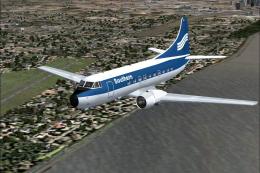
Textures only for the default DC3 in Southern Airways 1950's livery.. By Gary…
 FS2004 Propeller Aircraft
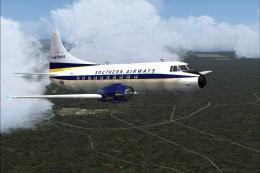
Immerse yourself in a distinct slice of airline history with this repaint for…
 FS2004 Propeller Aircraft
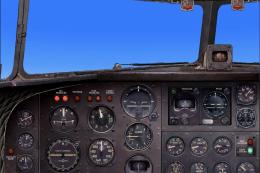
This freeware package offers a historically inspired repaint set for use in M…
 FS2004 Propeller Aircraft
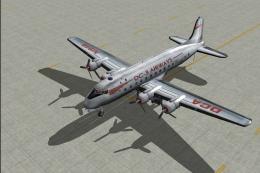
DC-3 Airways Douglas DC-3 classic and 1940's liveries. Based on the default D…
 FS2004 Propeller Aircraft
"City of Boston", in bare metal scheme. Original model by Arik Hohmeyer and F…
 FS2004 Propeller Aircraft
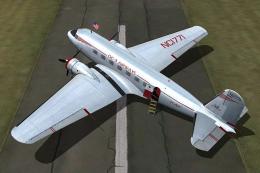
DC-3 Airways Douglas DC-2 bare metal livery. A repaint for the virtual airlin…
Be the first to leave a comment on this download.
Be the first to share your thoughts on this download.