

 FS2004 Propeller Aircraft
DC-3 Airways Douglas DC-3
DC-3 Airways Douglas DC-3 classic and 1940's liveries. Based on the default D…
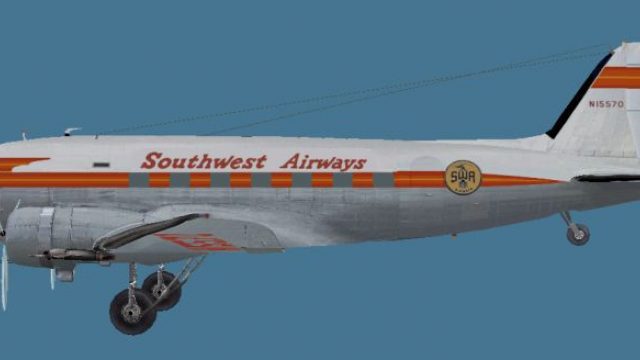
Southwest Airways colors bring a period-correct look to the MAAM-Sim Douglas DC-3, reflecting the airline’s classic regional passenger era with carefully matched markings and textures. Designed for Microsoft Flight Simulator 2004, the repaint layers cleanly over the existing model and requires the payware MAAM-Sim DC-3 base package.
 Rate
Rate
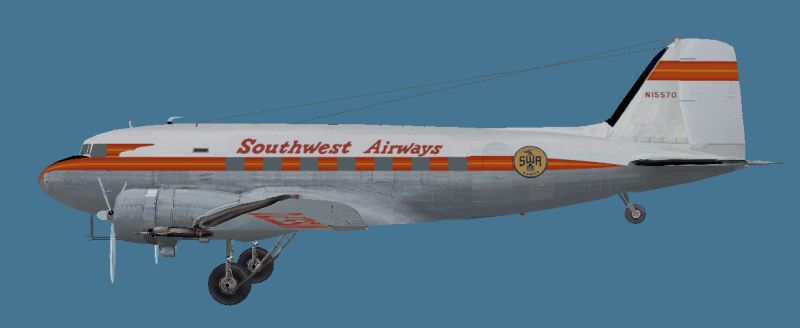
This repaint offers a distinctive Southwest Airways livery for the payware MAAM-Sim DC-3 from Mid Atlantic Air Museum Simulations, specifically adapted for Microsoft Flight Simulator 2004. Dave McQueen created this texture set to capture the historic identity of Southwest Airways, which originally operated Douglas DC-3 aircraft in regional passenger service. This free package installs easily on top of the existing purchased DC-3 base model.
Southwest Airways traces its roots to the early 1940s and became known for using the reliable Douglas DC-3 for short-haul flights. The DC-3, a twin-engine propeller-driven transport, revolutionized passenger aviation by introducing higher cruising speeds and dependable operations. This model held a strong reputation for performance, making it a mainstay across numerous airlines worldwide, including Southwest Airways. Over time, Southwest Airways evolved into a different brand but left an enduring legacy in regional service.
After unpacking the repaint files, move the texture.swa (or similarly named) items into a duplicated MAAM-SIM DC-3 texture folder. That existing folder holds the essential supporting textures needed for a complete visual setup. By consolidating both sets, you ensure uniform compatibility without missing panels or other visual details.
Next, update your aircraft.cfg by adding a new entry to represent the Southwest Airways livery. Make sure to adjust the model= parameter to match the naming convention of your installed DC-3 model if it does not match “maam.” The example below demonstrates the required lines:
[fltsim.XX]
title=Douglas DC-3A Southwest
sim=MaamSim_DC3
model=maam
panel=
sound=
texture=swa
kb_checklists=checkloader
kb_reference=DC-3_ref
atc_id=
ui_manufacturer=Douglas
ui_type=MAAM-SIM DC-3 - Passenger
ui_variation=Southwest
atc_heavy=0
atc_airline=Southwest
atc_flight_number=47
description= To operate this aircraft, refer to the User's Manual with instructional videos on the MAAM-SIM R4D/DC-3 CD as well as the detailed kneeboard reference pages and checklists.
Keep the title, ui_variation, and description fields aligned with the new repaint. For realism and proper AI or ATC usage, adjust the atc_flight_number to any preferred numeric value, and revise atc_id if needed.
Side profile view of Southwest Airways Douglas DC-3.
This release originates from Dave McQueen, who meticulously crafted the Southwest Airways scheme. To operate it, you must own the payware Douglas DC-3 from Mid Atlantic Air Museum Simulations, which is not included in this repaint download. If you are missing the base package, you can obtain it from a reputable add-on store such as SimShack. Once installed, these textures provide an authentic visual reference to the airline’s post-war regional legacy, enhancing immersion during retro-themed flights in Microsoft Flight Simulator 2004.
Free for all simmers · 833.94 KB · Scanned clean Oct 2026
Download speed: Free tier is capped at 0.5 Mbps. PRO members download at full line speed.
FS9\Aircraft\, FS9\Addon Scenery\, FS9\Gauges\, or FS9\Effects\.readme.txt or README file. It tells you exactly where files go, what dependencies are needed, and any quirks specific to this add-on.The archive swa.zip has 8 files and directories contained within it.
This list displays the first 500 files in the package. If the package has more, you will need to download it to view them.
| Filename/Directory | File Date | File Size |
|---|---|---|
| SWA.jpg | 02.23.11 | 20.78 kB |
| bm_fuse_1_t.bmp | 02.18.11 | 1.00 MB |
| bm_fuse_2_t.bmp | 02.18.11 | 1.00 MB |
| glas_t.bmp | 02.18.11 | 16.07 kB |
| hsurf_t.bmp | 02.18.11 | 1.00 MB |
| README.txt | 02.24.11 | 4.28 kB |
| flyawaysimulation.txt | 10.29.13 | 959 B |
| Go to Fly Away Simulation.url | 01.22.16 | 52 B |
Only PRO members can place votes.
More FS2004 add-ons hand-picked based on this download.
FS2004 Propeller Aircraft
DC-3 Airways Douglas DC-3 classic and 1940's liveries. Based on the default D…
 FS2004 Propeller Aircraft
"City of Boston", in bare metal scheme. Original model by Arik Hohmeyer and F…
 FS2004 Propeller Aircraft
DC-3 Airways Douglas DC-2 bare metal livery. A repaint for the virtual airlin…
 FS2004 Propeller Aircraft
DC-3 Airways Douglas DC-3 N18560, in bare metal livery. A rework of the defau…
 FS2004 Propeller Aircraft
A repaint of the default DC-3 in Buffalo Airways livery. Textures only. By Mi…
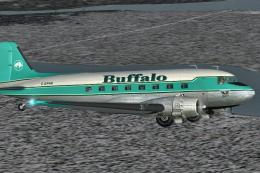 FS2004 Propeller Aircraft
A repaint of the default DC-3 in Buffalo Airways other livery. Textures only.…
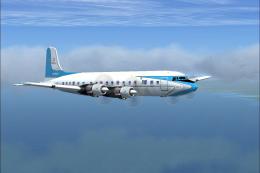 FS2004 Propeller Aircraft
Textures for the FS2002, FS2004, and FSX DC6B aircraft by Greg Pepper and Tom…
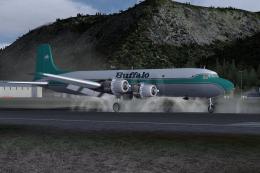 FS2004 Propeller Aircraft
Textures only for CalClassic's DC-6A base pack. Repaint by Markus Hellwig. Sc…
Be the first to leave a comment on this download.
Be the first to share your thoughts on this download.