

 FSX Propliners
Pan Am Boeing B377 C.1960
Pan Am Boeing B377 in Pan American 1960's livery. Model by California Classic…
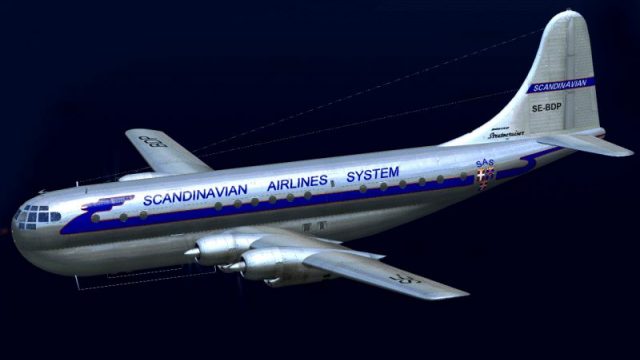
SAS Airlines concept livery brings classic Scandinavian style to the Boeing 377 Stratocruiser in FSX, inspired by period artist renderings from the airliner order that ultimately went to BOAC. The repaint matches the A2A exterior and cockpit aesthetics and requires the A2A Boeing 377 with COTS update.
 Rate
Rate
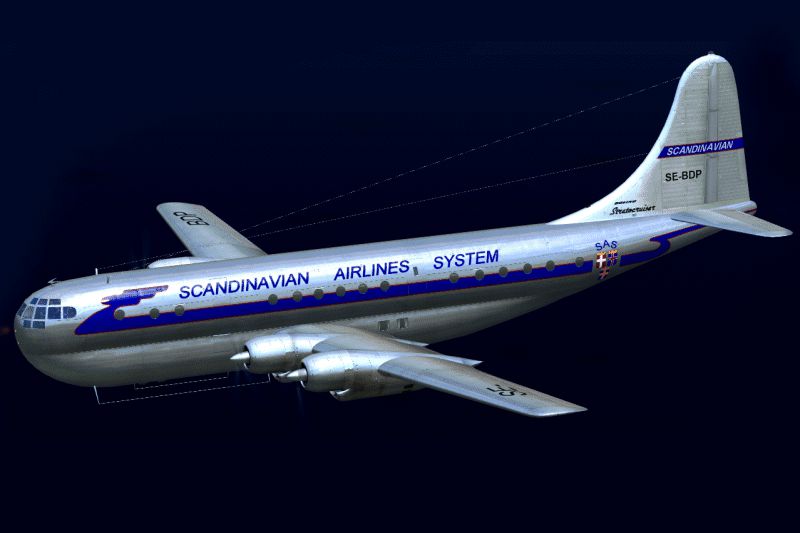
This is a repaint of the a2a Boeing 377 with COTS update. Scandinavian Airline Systems ordered four Boeing B-377's but did not take delivery, instead they went to BOAC. This paint is based on several artist concept drawings of the proposed livery. This is a repaint only and requires the a2a B-377 with COTS upgrade. By Paul Grubich.
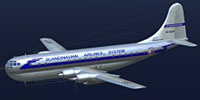
Screenshot of SAS Airlines Boeing B377 in flight.
Install: Put the folder texture.sas into your WoS_B377 folder. Then add the text below to your aircraft.cfg file (located in your WoS_B377 folder) under the last [fltsim.XX] section and change XX to the next number in line.
[fltsim.xx]

title=Boeing Stratocruiser, SAS

sim=b377

model=curtis

panel=

sound=

texture=sas

kb_checklists=b377_check

reference=

description=Scandinavian Airlines System

ui_manufacturer=Boeing

ui_type=377 "Stratocruiser"

ui_variation=Scandinavian Airlines System

ui_typerole="Four Engine Prop"

ui_createdby="A2A Simulations Inc."

atc_parking_code=BAW

atc_heavy=1

atc_id_enable=1

atc_id=G-

atc_airline=

atc_flight_number=

prop_anim_ratio=0.9

atc_id_color=0x00000000

visual_damage=0
Free for all simmers · 12.67 MB · Scanned clean Oct 2026
Download speed: Free tier is capped at 0.5 Mbps (this file takes approximately 4 mins at the cap). PRO members download at full line speed.
texture.{airline}) inside FSX\SimObjects\Airplanes\{base-aircraft}\.aircraft.cfg in Notepad. Add a new [fltsim.X] section per the readme.readme.txt or README file. It tells you exactly where files go, what dependencies are needed, and any quirks specific to this add-on.The archive b377_sas.zip has 35 files and directories contained within it.
This list displays the first 500 files in the package. If the package has more, you will need to download it to view them.
| Filename/Directory | File Date | File Size |
|---|---|---|
| B377 SAS | 07.04.12 | 0 B |
| B377 SAS.gif | 07.04.12 | 97.88 kB |
| FILE_ID.DIZ | 07.04.12 | 360 B |
| Read First.txt | 07.04.12 | 1.05 kB |
| texture.sas | 07.04.12 | 0 B |
| b377_1_lm.dds | 09.10.08 | 1.00 MB |
| b377_1_t.dds | 07.04.12 | 4.00 MB |
| b377_1_t_bump.dds | 08.17.08 | 4.00 MB |
| b377_1_t_spec.dds | 07.04.12 | 1.00 MB |
| b377_2_lm.dds | 09.10.08 | 1.00 MB |
| b377_2_t.dds | 07.04.12 | 4.00 MB |
| b377_2_t_bump.dds | 07.04.12 | 4.00 MB |
| b377_2_t_spec.dds | 07.04.12 | 1.00 MB |
| b377_3_t.dds | 07.04.12 | 1.00 MB |
| b377_3_t_spec.dds | 07.04.12 | 1.00 MB |
| b377_4_t.dds | 07.04.12 | 1.00 MB |
| b377_4_t_spec.dds | 07.04.12 | 1.00 MB |
| b377_5_t.dds | 07.04.12 | 1.00 MB |
| b377_5_t_spec.dds | 07.04.12 | 1.00 MB |
| b377_6_t.dds | 07.04.12 | 1.00 MB |
| b377_6_t_spec.dds | 07.04.12 | 1.00 MB |
| b377_7_t.dds | 07.04.12 | 1.00 MB |
| b377_7_t_bump.dds | 08.17.08 | 4.00 MB |
| b377_7_t_spec.dds | 07.01.12 | 1.00 MB |
| b377_8_t.dds | 07.04.12 | 1.00 MB |
| b377_8_t_spec.dds | 07.04.12 | 1.00 MB |
| b377_9_t.dds | 07.04.12 | 1.00 MB |
| b377_9_t_bump.dds | 08.17.08 | 4.00 MB |
| b377_9_t_spec.dds | 07.01.12 | 1.00 MB |
| prop.dds | 08.17.08 | 64.12 kB |
| prop_s.dds | 08.17.08 | 64.12 kB |
| texture.cfg | 08.17.08 | 137 B |
| Thumbnail.jpg | 07.04.12 | 6.30 kB |
| flyawaysimulation.txt | 10.29.13 | 959 B |
| Go to Fly Away Simulation.url | 01.22.16 | 52 B |
Only PRO members can place votes.
More FSX & P3D add-ons hand-picked based on this download.
FSX Propliners
Pan Am Boeing B377 in Pan American 1960's livery. Model by California Classic…
 FSX Propliners
Linea Internacional Aerea de Ecuador operated one Boeing Model 377-10 Stratoc…
 FSX Propliners
This enhanced repaint showcases a vintage United Airlines Boeing 377 Stratocr…
 FSX Propliners
Delta Airlines did not have a B377 in their fleet but they do now only in FSX…
 FSX Propliners
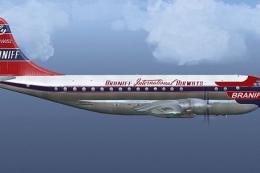
There were no B377 aircraft in Braniff's fleet but there could have been. Tex…
 FSX Propliners
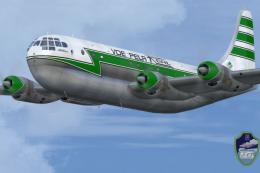
Real Airlines did not have a B377 in their fleet but they do now only in FSX.…
 FSX Propliners
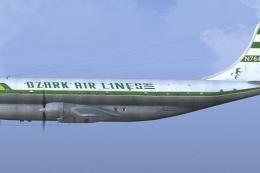
There were no B377 aircraft in Ozark's line-up but there are now. This versio…
 FSX Propliners
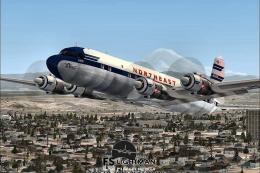
The flight model was created by Classic Airliners. All other updates were add…
Be the first to leave a comment on this download.
Be the first to share your thoughts on this download.