

 FSX Civil Aircraft
Virgin Atlantic Boeing 747 Virgin Jersey Girl
Virgin Atlantic Boeing 747 Virgin Jersey Girl and Pretty Woman. This is a Vir…
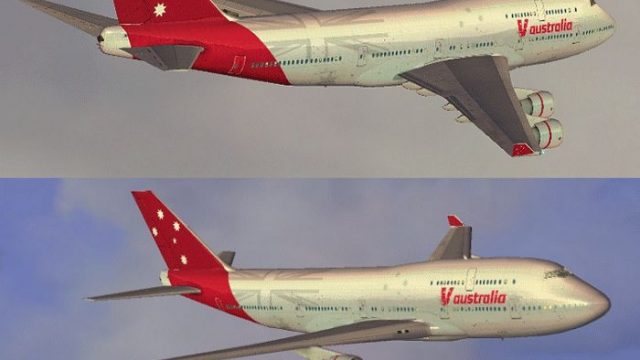
Virgin Australia livery textures bring the default Boeing 747-400 to life in Microsoft Flight Simulator X with a crisp red-and-white palette, accurately placed logos, and smooth panel-to-panel transitions for believable lighting and shading. Designed for clean integration, it preserves original aircraft files and requires the base freeware 747-400 model.
 Rate
Rate


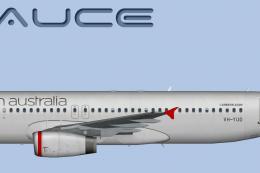
This update provides a meticulously crafted Virgin Australia repaint for the default Boeing 747-400 in Microsoft Flight Simulator X, offering an authentic visual transformation into the airline’s distinctive red-and-white scheme. Created by Jon Murchison, this add-on delivers detailed markings that replicate the real-world carrier’s livery without disturbing the default files. The base model is not included, so you will need to download the freeware 747-400 from the Fly Away Simulation mod library before installing these textures.
Virgin Australia's recognizable branding is represented here with sharp accents and accurately proportioned logos. The fuselage integrates the airline’s modern design elements, ensuring precise alignment of titles across the main cabin section and tail. In addition, the fine details around doors, engine pylons, and the nose cone capture the look of the real aircraft.
To enhance immersion, this repaint incorporates smooth texture transitions between fuselage segments, minimizing any mismatched lines. Subtle shading and custom layers help create a realistic metallic effect during various lighting conditions within the sim, amplifying the sense of depth around rivet lines and panel boundaries.
All relevant airline-specific decals, including Virgin Australia’s signature stylized script, are positioned to match official references. Additionally, care is taken to reflect the correct winglet markings and engine logo placement featured on the airline’s iconic fleet. Every angle reveals accurate geometry, ensuring high fidelity for external viewing or AI traffic scenarios.
Texture-Only Package: This release contains only the external repaint; the default Boeing 747-400 model from Microsoft Flight Simulator X is required to use this livery.
Copy and Paste Configuration: After acquiring the base 747-400 package from Fly Away Simulation, simply place these texture files into your aircraft folder. Append the provided entries to your aircraft configuration file to enable Virgin Australia as a selectable livery.
Always back up your files before altering them, ensuring you can revert in case you make a mistake.
Although Boeing 747-400s are not a primary part of Virgin Australia’s current fleet, this repaint captures the airline’s familiar brand style as if it were adapted to the “Queen of the Skies.” The 747-400 variant is celebrated for its iconic upper-deck hump, extended range capability, and robust design that shaped long-haul operations for decades. This repaint presents an interesting hybrid, letting enthusiasts combine a classic class-leading airframe with a modern airline scheme.
This paint set is the work of Jon Murchison, who carefully adjusted coloring, logos, and intricate fuselage details to ensure a close match to the Virgin Australia theme. His technique showcases devotion to realism, offering a crisp and detailed upgrade for those seeking fresh variety in their FSX hangars.

Free for all simmers · 1.62 MB · Scanned clean Oct 2026
Download speed: Free tier is capped at 0.5 Mbps. PRO members download at full line speed.
texture.{airline}) inside FSX\SimObjects\Airplanes\{base-aircraft}\.aircraft.cfg in Notepad. Add a new [fltsim.X] section per the readme.readme.txt or README file. It tells you exactly where files go, what dependencies are needed, and any quirks specific to this add-on.The archive vaust744.zip has 12 files and directories contained within it.
This list displays the first 500 files in the package. If the package has more, you will need to download it to view them.
| Filename/Directory | File Date | File Size |
|---|---|---|
| B747_1_T.dds | 09.10.07 | 1.00 MB |
| B747_1_T_Specular.dds | 09.04.06 | 1.33 MB |
| Fresnel_Ramp.dds | 09.04.06 | 640 B |
| fresnel_ramp_1.dds | 09.04.06 | 640 B |
| texture.cfg | 08.14.06 | 137 B |
| thumbnail.jpg | 09.10.07 | 21.12 kB |
| Thumbs.db | 02.08.07 | 7.50 kB |
| Texture.VAUST | 09.13.07 | 0 B |
| README _INSTALL.txt | 09.13.07 | 1.69 kB |
| VAUST_744.gif | 09.13.07 | 195.68 kB |
| flyawaysimulation.txt | 10.29.13 | 959 B |
| Go to Fly Away Simulation.url | 01.22.16 | 52 B |
Only PRO members can place votes.
More FSX & P3D add-ons hand-picked based on this download.
FSX Civil Aircraft
Virgin Atlantic Boeing 747 Virgin Jersey Girl and Pretty Woman. This is a Vir…
 FSX Civil Aircraft
Expand your Microsoft Flight Simulator X collection with this free Virgin Aus…
 FSX Civil Aircraft
A Virgin Australia B777-200 LR fictional repaint for the payware PMDG 777-200…
 FSX Civil Aircraft
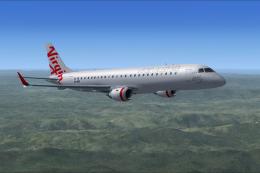
Flyable AI Aardvark Embraer E-Jet. Painted in the new Virgin Australia livery…
 FSX Civil Aircraft
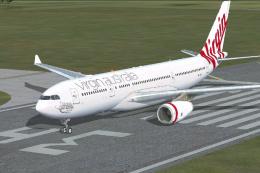
Virgin Australia Airbus A330-200. Repaint of Tom Ruth's A330-200 in Virgin Au…
 FSX Civil Aircraft
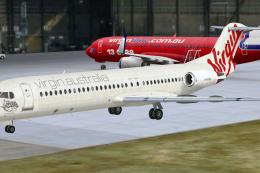
Virgin Australia Fokker 100, registration VH-XWN, "Bundeena Beach". This repa…
 FSX Civil Aircraft
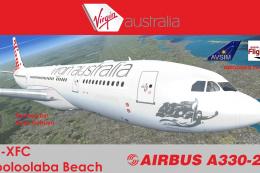
Texture only package for use with the Thomas Ruth A330-200 model (TOMA332B.ZI…
 FSX Civil Aircraft
This specialized repaint reflects the iconic branding of Virgin Australia’s R…
Be the first to leave a comment on this download.
Be the first to share your thoughts on this download.