

 FSX Civil Aircraft
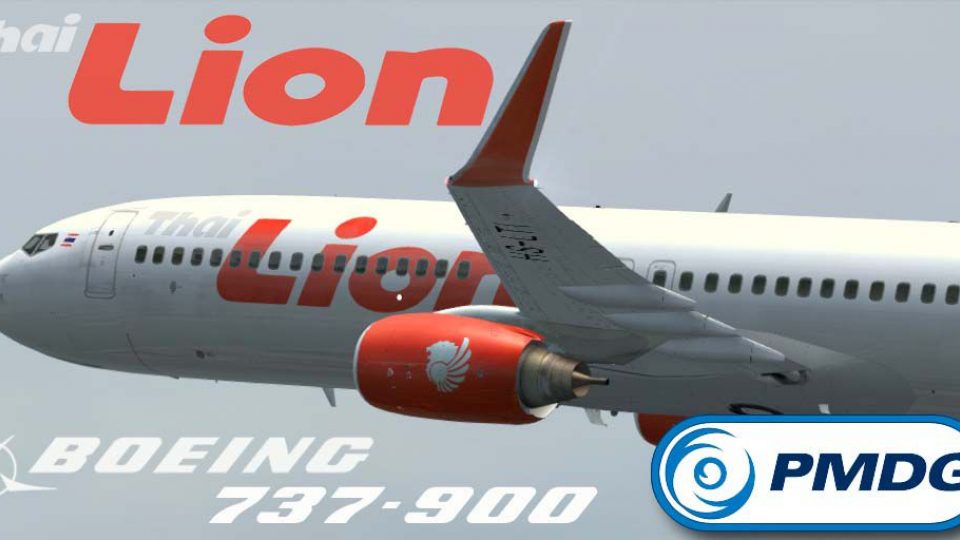
Thai Lion Air Boeing 737-900ER HS-LTQ
Thai Lion Air current livery for the payware PMDG B737-900 NGX WL, registrati…
Thai Lion Air Boeing 737-900ER HS-LTI brings the carrier’s bold red accents, tail lion emblem, winglet markings, and accurate registration to the PMDG 737-900NGX WL for Microsoft Flight Simulator X. Crisp exterior textures match real-world branding and logo placement for convincing airline operations, and it requires the PMDG 737 NGX base pack.
 Rate
Rate


This repaint showcases a detailed Thai Lion Air Boeing 737-900ER (registration HS-LTI) specifically crafted for the payware PMDG 737-900NGX WL in Microsoft Flight Simulator X. Users will appreciate the precise color scheme and markings reflecting a typical Thai Lion Air jet. The download package excludes the base aircraft but provides the complete paint scheme. Created by Febriant Leocesio, this texture set re-creates the airline’s real-world branding with authentic details.
Thai Lion Air, a low-cost carrier based in Thailand, operates Boeing 737 variants across its domestic and regional network. Its livery stands out for the stylized lion symbol on the tail and the bold red accents on the fuselage. This repaint references those features accurately, ensuring simmers experience a realistic representation of the airline’s unique visual identity.
The texture includes winglet markings (denoted WL) and places emphasis on correct placement of logos and registration details. The real Honda Safety (HS) registration prefix has been preserved, mirroring the look of the actual Thai Lion Air fleet. Each fuselage section and fin corner has been modeled with crisp texturing for an immersive virtual cockpit-to-exterior experience.
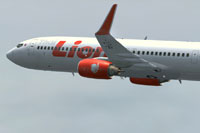
Visual preview of the Thai Lion Air Boeing 737-900ER livery in flight.
Please note that this repaint exclusively supplies the Thai Lion Air textures. An ownership of the PMDG 737 800/900 NGX base pack is essential to load this package successfully. The original aircraft model is commercial software not included in this download. Before installing, confirm that your simulator is fully updated to accommodate the PMDG add-on’s requirements.
Once the repaint is installed, select HS-LTI from your aircraft list in Microsoft Flight Simulator X. The Boeing 737-900ER, as operated by Thai Lion Air, is ideal for simulating short-to-medium-haul flights within Southeast Asia. Thanks to the meticulously applied color scheme, simmers can appreciate each fuselage curve and engine nacelle detail as they replicate the airline’s typical routes.
This freeware add-on exists thanks to the effort of the creator, Febriant Leocesio, who aimed to provide a realistic representation of Thai Lion Air’s 737-900ER. Fly safely and enjoy the new textures in your next virtual journey.
Free for all simmers · 15.59 MB · Scanned clean Sep 2026
Download speed: Free tier is capped at 0.5 Mbps (this file takes approximately 4 mins at the cap). PRO members download at full line speed.
texture.{airline}) inside FSX\SimObjects\Airplanes\{base-aircraft}\.aircraft.cfg in Notepad. Add a new [fltsim.X] section per the readme.readme.txt or README file. It tells you exactly where files go, what dependencies are needed, and any quirks specific to this add-on.The archive hs_lti.zip has 8 files and directories contained within it.
This list displays the first 500 files in the package. If the package has more, you will need to download it to view them.
| Filename/Directory | File Date | File Size |
|---|---|---|
| HS-LTI | 11.21.13 | 0 B |
| 1.jpg | 11.21.13 | 118.12 kB |
| 2.jpg | 11.21.13 | 51.55 kB |
| HS-LTI.ptp | 11.21.13 | 15.40 MB |
| readme.txt | 11.21.13 | 608 B |
| thumbnail.jpg | 11.21.13 | 68.08 kB |
| flyawaysimulation.txt | 10.29.13 | 959 B |
| Go to Fly Away Simulation.url | 01.22.16 | 52 B |
Only PRO members can place votes.
More FSX & P3D add-ons hand-picked based on this download.
FSX Civil Aircraft
Thai Lion Air current livery for the payware PMDG B737-900 NGX WL, registrati…
 FSX Civil Aircraft
This high-precision repaint showcases Thai Airways’ updated color scheme on t…
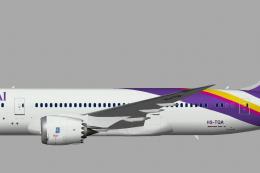 FSX Civil Aircraft
A repaint of the United Traffic Team (UTT) B787-8 in Thai Airways color schem…
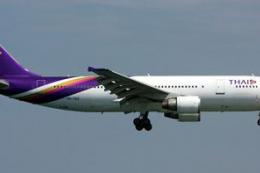 FSX Civil Aircraft
Accurate livery of the Thai A300 HS-TAZ in DDS DXT3 high definition format. T…
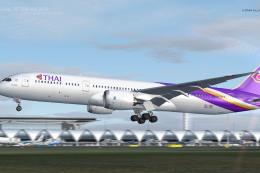 FSX Civil Aircraft
Registration HS-TQG. Livery painted on the Tenkuu Developers Studio (TDS) B78…
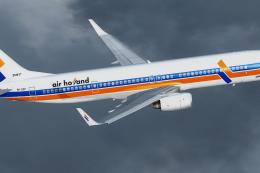 FSX Civil Aircraft
A fictional repaint of the now defunct Air Holland for the TDS Boeing 737-900…
 FSX Civil Aircraft
FS2004/FSX/P3D Delta Airlines Boeing 737-900ER, registration N852DN. New mode…
 FSX Civil Aircraft
This is the Boeing 737-900ER, Extended Range, in Avianca Colombia livery, pai…
Be the first to leave a comment on this download.
Be the first to share your thoughts on this download.