

 FSX Military Aircraft
SHRS General Dynamics F-111 Aardvark Aircraft Package
If you ever wanted to fly the F-111 skimming the tree tops at high speeds and…
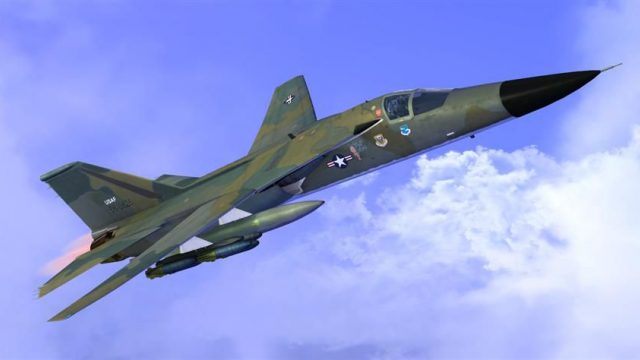
USAF General Dynamics F-111 Aardvark livery recreates FB-111A 68-0265 “Angle in de Skies” with period-correct markings from the 380th Bomb Wing at Plattsburgh AFB, later flying as F-111G A8-265 in Australia. Designed for FSX, it requires the payware Golden Key Simulation GKS-F-111 model.
 Rate
Rate
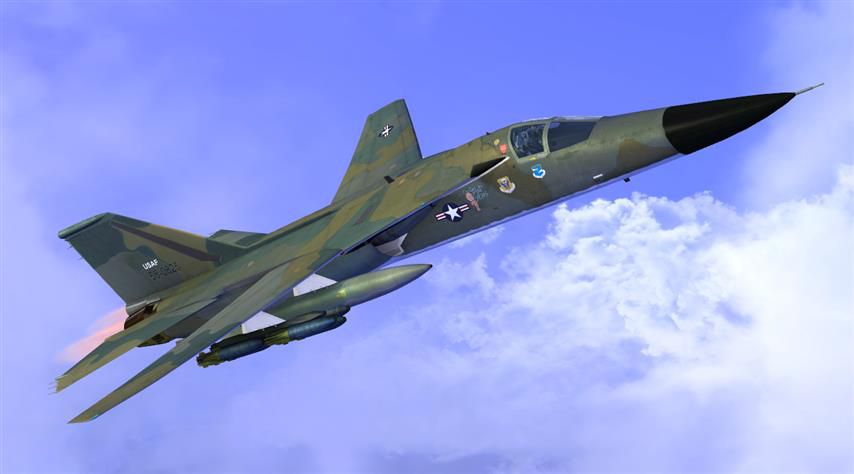
General Dynamics F111 68-0265 (C/N B1-37) built as an FB-111A one off 76 aircraft and this unit being the third batch of 54 (C/N 0239 through 0292) was delivered to the US Air Force on October 28, 1970. While assigned to the 380th Bomb Wing at Plattsburgh AFB, 68-0265 carried the nickname "Angle in de Skies" but also known as "Net Results". The aircraft was converted to an F-111G and sold to Australia as A8-265 arrived at RAAF Amberley September 28 1993 and withdrawn from use to be scapped in July 2002. This is for the payware Golden Key Simulation GKS-F-111. Paint by Ian Warren.
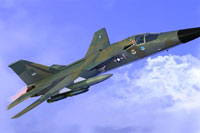
Screenshot of USAF F-111 Aardvark in flight.
Add to your aircraft notepad.
Currently only paint for this model so keeping with the list the paint is listed as [fltsim.20], if you have other install the next title would be [fltsim.21].
[fltsim.20]

title=Aardvark F-111E 380TH

sim=F111E

model=NHS

panel=

sound=

texture=angle in de skies

kb_checklists=F111E_Check

kb_reference=F111E_Ref

atc_id=68-0625

atc_airline=Military

atc_flight_number=625

ui_manufacturer="General Dynamics"

ui_type="Aardvark F-111E gc"

ui_variation="Angle in de Skies"

ui_typerole="Interceptor"

ui_createdby="GKS"

description="F111_for_FSX_2012"

visual_damage=0

atc_heavy=0

atc_parking_types=cargo

atc_id_color=0x7fff0000

atc_id_font=EuropeDemi Normal,140,1,600,0

atc_model=//F111-E Aardvark for FSX
Free for all simmers · 2.23 MB · Scanned clean Sep 2026
Download speed: Free tier is capped at 0.5 Mbps. PRO members download at full line speed.
texture.{airline}) inside FSX\SimObjects\Airplanes\{base-aircraft}\.aircraft.cfg in Notepad. Add a new [fltsim.X] section per the readme.readme.txt or README file. It tells you exactly where files go, what dependencies are needed, and any quirks specific to this add-on.The archive gks_f111_68-0265.zip has 12 files and directories contained within it.
This list displays the first 500 files in the package. If the package has more, you will need to download it to view them.
| Filename/Directory | File Date | File Size |
|---|---|---|
| aircraft.cfg and install.txt | 03.18.13 | 1.05 kB |
| Angle in de Skies.txt | 03.18.13 | 576 B |
| Flightsim F111.jpg | 03.18.13 | 36.79 kB |
| texture.angle in de skies | 03.18.13 | 0 B |
| F111_Hull_T.dds | 03.08.13 | 4.00 MB |
| F111_LWing_T.dds | 03.18.13 | 1.00 MB |
| F111_RWing_T.dds | 02.22.13 | 1.00 MB |
| F111_Tail_T.dds | 03.08.13 | 1.00 MB |
| texture.cfg | 09.18.12 | 77 B |
| thumbnail.jpg | 03.08.13 | 46.71 kB |
| flyawaysimulation.txt | 10.29.13 | 959 B |
| Go to Fly Away Simulation.url | 01.22.16 | 52 B |
Only PRO members can place votes.
More FSX & P3D add-ons hand-picked based on this download.
FSX Military Aircraft
If you ever wanted to fly the F-111 skimming the tree tops at high speeds and…
 FSX Military Aircraft
Aardvark v2 for AI. "E", "F" and "Raven" models from v1, plus FB-111A and F-1…
 FSX Military Aircraft
FSX F-111 Aardvark, tail #63-9766.A repaint of Mike Stone's F-111 Aardvark, m…
 FSX Military Aircraft
FSX F-111 Aardvark 494th Panthers A repaint of Mike Stone's General Dynamics …
 FSX Military Aircraft
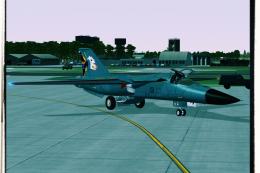
RAAF 6SQN anniversary livery. Model by Virtavia. Repaint by Zsolt Beleznay. S…
 FSX Military Aircraft
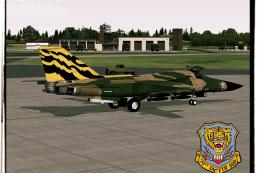
A repaint of the Virtavia General Dynamics F111 Aardvark - 79th TFS Tiger Mee…
 FSX Military Aircraft
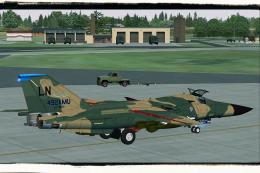
A repaint of the Virtavia General Dynamics F111 Aardvark - 492nd TFS "Bolars"…
 FSX Military Aircraft
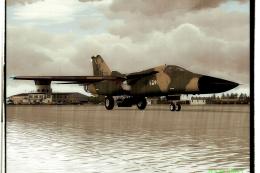
48th Tactical Fighter Wing, "Miss Liberty II" update repaint. Model by Virtav…
Be the first to leave a comment on this download.
Be the first to share your thoughts on this download.