

 FSX Civil Aircraft
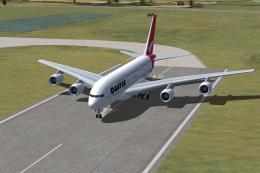
Qantas Airbus A380-800
FSX Qantas Airbus A380-800. High quality Gmax model of the Airbus A380-800, …
Qantas Airways colors wrap the Project Airbus A380-800 with sharp, high-fidelity textures and a convincing superjumbo presence, backed by realistic flight dynamics, advanced animations, and custom XML systems. Built for Microsoft Flight Simulator 2004 and compatible with Microsoft Flight Simulator X, it adds wing flex, drooping surfaces, detailed gear, and authentic lighting and fan behavior.
 Rate
Rate
This freeware package features the iconic Airbus A380 in a Qantas livery, meticulously designed for enthusiasts of the “superjumbo” experience. Created by Project Airbus, it integrates advanced animations, authentic flight dynamics, and numerous custom XML elements. Repaint textures come courtesy of John Tavendale, ensuring a high-fidelity finish. Although originally developed with Microsoft Flight Simulator 2004 in mind, this version is also compatible with Microsoft Flight Simulator X. Below, you will find additional insights into installation, special capabilities, and credit acknowledgments.
Project Airbus A380-800 includes exquisitely modeled visuals, ranging from parallel landing gear bogies to elaborate control surface droop. The engineering team has included sophisticated flight dynamics that mirror real-world operational parameters, complemented by independently coded animations for cockpit systems and external lighting.
Showcasing the Qantas Airbus A380-800 in flight.
Qantas Airways is recognized as one of Australia’s leading carriers, having embraced the A380 to expand its long-haul fleet. The combination of Australian heritage and the Airbus A380’s ample capacity gives Qantas an edge in intercontinental travel. Enthusiasts can replicate the airline’s long-range operations using this virtual model.
Note: The model was primarily constructed for FS9, yet it operates reliably under FSX in most circumstances.
The core design comes from the Project Airbus team. Key contributors include Demetris Themistocleous, Derek Mayer, Sheldon Fernandes, Tom Collins, and Alexis Vletsas. Support and texture elements were provided by John Tavendale, Andy Warden, Steve McBee, Shane Olguin, Panagiotis Delizisis, Thanasis Delizisis, Ken Mitchell, Talal Alhaj, and Fraser Turner. Conversion efforts were managed by Thomas Ruth.
For community-based support, you can view discussions on related forums, although direct assistance may not always be readily available. Users may employ this creation in both Microsoft Flight Simulator 2004 and Microsoft Flight Simulator X for a truly immersive Qantas A380 journey.
Free for all simmers · 8.8 MB · Scanned clean Oct 2026
Download speed: Free tier is capped at 0.5 Mbps (this file takes approximately 2 mins at the cap). PRO members download at full line speed.
FSX\SimObjects\Airplanes\. The folder must contain an aircraft.cfg file. Effects go into FSX\Effects\; gauges go into FSX\Gauges\.readme.txt or README file. It tells you exactly where files go, what dependencies are needed, and any quirks specific to this add-on.The archive pa380_qf_fsx.zip has 44 files and directories contained within it.
This list displays the first 500 files in the package. If the package has more, you will need to download it to view them.
| Filename/Directory | File Date | File Size |
|---|---|---|
| Effects | 08.21.10 | 0 B |
| fx_pa380land.fx | 11.11.08 | 1.22 kB |
| fx_pa380logo.fx | 11.11.08 | 1.21 kB |
| SimObjects | 08.21.10 | 0 B |
| Airplanes | 08.21.10 | 0 B |
| Project Airbus A380-800 Qantas | 09.11.10 | 0 B |
| aircraft.cfg | 09.21.10 | 18.95 kB |
| model | 09.10.10 | 0 B |
| A380_800_CBN_RR.mdl | 09.07.10 | 1.76 MB |
| A380_800_RR.mdl | 09.03.10 | 2.52 MB |
| model.cfg | 09.10.10 | 54 B |
| pa380.air | 05.04.10 | 7.26 kB |
| panel | 08.21.10 | 0 B |
| panel.cfg | 05.26.10 | 30 B |
| readme.txt | 09.11.10 | 4.05 kB |
| sound | 08.21.10 | 0 B |
| sound.cfg | 08.20.10 | 30 B |
| texture | 09.18.10 | 0 B |
| A380_1_l.bmp | 08.20.10 | 4.00 MB |
| A380_1_t.bmp | 06.27.10 | 4.00 MB |
| A380_2_l.bmp | 06.30.10 | 1.07 kB |
| A380_2_t.bmp | 06.29.10 | 4.00 MB |
| A380_fuse_1_l.bmp | 08.20.10 | 4.00 MB |
| A380_fuse_1_t.bmp | 06.29.10 | 4.00 MB |
| A380_fuse_2_l.bmp | 06.29.10 | 4.00 MB |
| A380_fuse_2_t.bmp | 06.29.10 | 4.00 MB |
| A380_fuse_3_l.bmp | 06.29.10 | 4.00 MB |
| A380_fuse_3_t.bmp | 06.29.10 | 4.00 MB |
| A380_misc_1.bmp | 06.28.10 | 1.00 MB |
| A380_misc_2_l.bmp | 06.27.10 | 4.00 MB |
| A380_misc_2_t.bmp | 06.27.10 | 4.00 MB |
| A380_wing_1_l.bmp | 06.27.10 | 4.00 MB |
| A380_wing_1_t.bmp | 06.27.10 | 4.00 MB |
| A380_wing_2_l.bmp | 06.27.10 | 4.00 MB |
| A380_wing_2_t.bmp | 06.27.10 | 4.00 MB |
| cabin_l.bmp | 09.18.10 | 1.00 MB |
| cabin_t.bmp | 07.02.10 | 4.00 MB |
| floor_l.bmp | 09.11.10 | 330 B |
| floor_t.bmp | 01.08.10 | 64.07 kB |
| pax_l.bmp | 09.18.10 | 1.00 MB |
| pax_t.bmp | 01.13.10 | 4.00 MB |
| thumbnail.jpg | 08.20.10 | 2.81 kB |
| flyawaysimulation.txt | 10.29.13 | 959 B |
| Go to Fly Away Simulation.url | 01.22.16 | 52 B |
Only PRO members can place votes.
More FSX & P3D add-ons hand-picked based on this download.
FSX Civil Aircraft
FSX Qantas Airbus A380-800. High quality Gmax model of the Airbus A380-800, …
 FSX Civil Aircraft
Textures only for the payware Overland A380 model. Repaint by Diinekis Econom…
 FSX Civil Aircraft
A repaint of the default B737-800 in QANTAS livery. Textures include diffuse …
 FSX Civil Aircraft
FSX Qantas Airbus A380-841, registration VH-OQA. The first Qantas A380 named …
 FSX Civil Aircraft
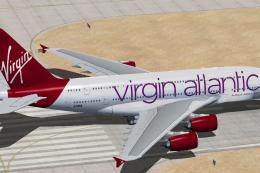
This freeware repaint places Virgin Atlantic’s 2011 livery on the Airbus A380…
 FSX Civil Aircraft
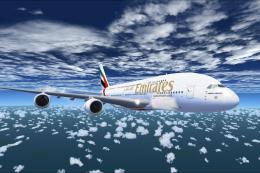
The Emirates A380-800 presented here offers a full freeware package that show…
 FSX Civil Aircraft
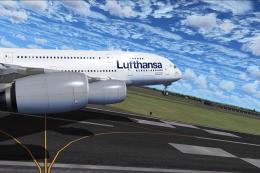
This freeware package showcases a meticulously crafted Lufthansa Airbus A380-…
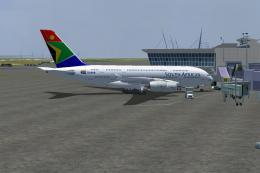 FSX Civil Aircraft
The A380-800 is shown as what it may look like in South African Airways Liver…
Read what other simmers think, or add your own.

For what A380 base model is this repaint ? Please may I have the link for downloading the base model ? Thank You in advance :)