

 FSX Civil Aircraft
Air New Zealand Boeing 737-800
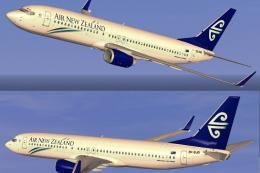
FSX Air New Zealand Boeing 737-800, registration ZK-SJB. Textures only for th…
Air New Zealand’s signature look lands on the default Boeing 737-800 with crisp lettering, accurate tail artwork, and carefully aligned winglet markings, plus subtle shading and reflective-style texture layers for a convincing ramp presence in Microsoft Flight Simulator X. Requires the freeware base 737-800 model from the Fly Away Simulation library.
 Rate
Rate
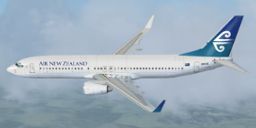
This freeware add-on offers a carefully rendered Air New Zealand repaint for the default Boeing 737-800 included in Microsoft Flight Simulator X. Created by Alex James, it provides enthusiasts with an engaging visual experience reflecting the distinct design elements that Air New Zealand is known for. The package does not include the base model; you will need to acquire the freeware aircraft model from the Fly Away Simulation mod library.
Air New Zealand, widely recognized as the national airline of New Zealand, has a long-standing history of operating short-haul routes with the Boeing 737-800 (part of Boeing’s 737 Next Generation series). The livery featured here aims to emulate the airline’s characteristic layout, incorporating subtle shading and crisp lettering. It showcases detailed fuselage textures, including the carrier’s emblematic tail design.
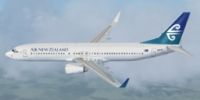
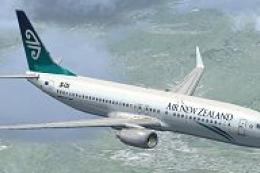
Above: A preview of the Air New Zealand repaint while cruising.
The Boeing 737-800, a popular narrow-body jetliner, is appreciated for its blend of efficiency and reliability. This repaint integrates layer-based texturing to simulate reflective surfaces, engine cowling details, and precise color transitions found on the real-world aircraft. When installed, you will notice that the tail and winglet markings have been carefully aligned to enhance authenticity.
This add-on emerged from the efforts of Alex James, a content creator focused on designing realistic textures for default aircraft found in Microsoft Flight Simulator X. His aim is to replicate the distinctive aesthetics of various airlines, and this Air New Zealand repaint aligns seamlessly with his dedication to detail.
[fltsim.X]
title=Boeing 737-800 Air New Zealand
sim=Boeing737-800
model=
panel=
sound=
texture=New-Zealand
kb_checklists=Boeing737-800_check
kb_reference=Boeing737-800_ref
atc_id=ZK-NCI
atc_airline=NEW ZEALAND
atc_flight_number=ANZ
ui_manufacturer="Boeing"
ui_type="737-800"
ui_variation="Air New Zealand"
ui_typerole="Commercial Airliner"
ui_createdby="Boeing’s groundbreaking design for the 737 has led to widespread adoption across commercial fleets globally."
This repaint strictly focuses on external textures. The baseline model is essential for correct functionality and is available in the Fly Away Simulation library. If you are looking to immerse yourself in the short-haul routes often associated with Air New Zealand, this skin will bring a new level of realism to your flights.
Free for all simmers · 3.12 MB · Scanned clean Oct 2026
Download speed: Free tier is capped at 0.5 Mbps. PRO members download at full line speed.
texture.{airline}) inside FSX\SimObjects\Airplanes\{base-aircraft}\.aircraft.cfg in Notepad. Add a new [fltsim.X] section per the readme.readme.txt or README file. It tells you exactly where files go, what dependencies are needed, and any quirks specific to this add-on.The archive default737-800newzealand.zip has 9 files and directories contained within it.
This list displays the first 500 files in the package. If the package has more, you will need to download it to view them.
| Filename/Directory | File Date | File Size |
|---|---|---|
| README _INSTALL.txt | 01.22.11 | 1.96 kB |
| b737_800_1_T.dds | 01.21.11 | 4.00 MB |
| b737_800_2_T.dds | 01.21.11 | 4.00 MB |
| Fresnel_Ramp.dds | 09.04.06 | 640 B |
| texture.cfg | 08.14.06 | 137 B |
| thumbnail.jpg | 01.22.11 | 18.88 kB |
| New Zealand.jpg | 01.22.11 | 18.88 kB |
| flyawaysimulation.txt | 10.29.13 | 959 B |
| Go to Fly Away Simulation.url | 01.22.16 | 52 B |
Only PRO members can place votes.
More FSX & P3D add-ons hand-picked based on this download.
FSX Civil Aircraft
FSX Air New Zealand Boeing 737-800, registration ZK-SJB. Textures only for th…
 FSX Civil Aircraft
Immerse yourself in a carefully designed Boeing 737-800 repaint that showcase…
 FSX Civil Aircraft
Textures only for the default B737-800. By Jon Murchison. Screenshot of Air N…
 FSX Civil Aircraft
This enhanced repaint showcases a striking black-themed Air New Zealand Rugby…
 FSX Civil Aircraft
Air New Zealand Boeing 737-800 (no wave), registration 9H-ADH and 9H-ADI. Two…
 FSX Civil Aircraft
FSX Air New Zealand Boeing 737-300. Model by Erick Cantu. Repaint by Michael …
 FSX Civil Aircraft
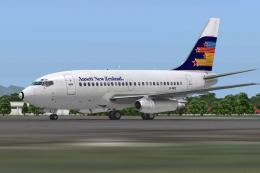
A repaint of the payware Captain Sim B737-100 model in Ansett New Zealand liv…
 FSX Civil Aircraft
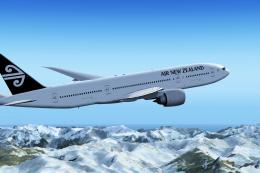
Air New Zealand Boeing 777-200LR (new livery). B777-200 model by SkySpirit201…
Be the first to leave a comment on this download.
Be the first to share your thoughts on this download.