

 FSX Missions
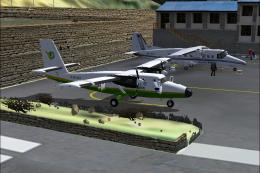
The Most Dangerous Airports: Lukla Mission
The Most Dangerous Airports: Lukla. The next in The Most Dangerous Airport Mi…
Alpe d’Huez turns the French Alps into a high-stakes landing challenge with steep terrain, short runway margins, abrupt elevation changes, and shifting valley winds, pushing precise speed control and terrain awareness. Built for Microsoft Flight Simulator X, the mission requires TheAlps1.zip scenery and includes a ready-to-load flight plan.
 Rate
Rate
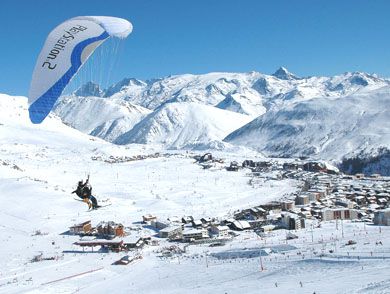
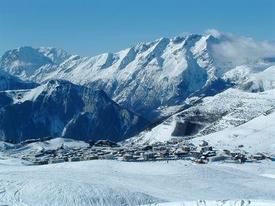

This fourth entry in the ongoing series of high-risk airfield assignments showcases a dramatic landing environment at Alpe d’Huez in the French Alps. The mission, developed by Robbie Albers using the FSX Mission Editor, immerses simulator enthusiasts in steep terrain, short runways, and sudden elevation changes specifically designed for Microsoft Flight Simulator X.

The Most Dangerous Airports: The Alps 4 Mission.
Alpe d’Huez sits at a high altitude, which forces pilots to plan carefully for reduced engine performance and potential abrupt wind shifts near the surrounding valleys. The mission offers both visual and navigational challenges, ensuring every approach demands heightened alertness. Steep ascents and quickly changing weather patterns provide an authentic Alpine flying experience that veteran simmers will appreciate.
One of the most notable factors in this mission is the shortened runway length. The strip’s elevated position can disrupt glide paths and prompt advanced maneuvering, particularly during descent. This level of complexity is intended to replicate a real-world environment, testing each pilot’s command of speed control, rate of descent, and terrain awareness.
The official TheAlps1.zip package is necessary for the core scenery elements demanded by the mission. It encompasses essential airport data, terrain adjustments, and additional assets that align the simulator’s appearance with the real-life characteristics of the area. Properly merged scenery files ensure that all elevation contours and runway details appear accurately.
After downloading the published zip archive for this adventure, extract its contents into your FSX Missions directory. Confirm that your mission caption settings are enabled, so in-simulator instructions display clearly. Additionally, place The Alps 4.PLN within the Flight Simulator X Files folder, where you typically keep your flight plans.
Confirm that you have already installed the TheAlps1.zip scenery files. With these prerequisites in place, the environment will load seamlessly, offering the correct runway textures and nearby mountainous landscapes for maximum authenticity.
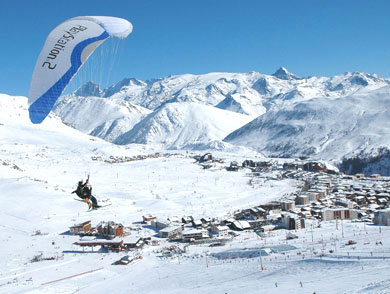
The Most Dangerous Airports: The Alps 4 Mission.
Robbie Albers notes that crafting this scenario was an enjoyable endeavor, and there are plans to experiment with additional high-risk approaches in the future. Potentially featuring supersonic flights involving the Concorde, these upcoming designs will continue expanding the envelope of advanced mission building.
This freeware release stands on its own but fits neatly into the larger collection of extreme-airfield challenges. Simulation pilots looking to refine short-runway handling and high-altitude operations will discover this mission offers precisely that blend of realism and excitement, especially when combined with meticulously installed scenery assets.
Free for all simmers · 824.08 KB · Scanned clean Oct 2026
Download speed: Free tier is capped at 0.5 Mbps. PRO members download at full line speed.
FSX\Missions\ as a sub-folder. The folder must contain an XML file describing the mission.readme.txt or README file. It tells you exactly where files go, what dependencies are needed, and any quirks specific to this add-on.The archive theapls4.zip has 27 files and directories contained within it.
This list displays the first 500 files in the package. If the package has more, you will need to download it to view them.
| Filename/Directory | File Date | File Size |
|---|---|---|
| The Alps 4.PLN | 06.11.09 | 3.20 kB |
| Briefing_files | 07.23.09 | 0 B |
| filelist.xml | 07.23.09 | 166 B |
| image001.jpg | 07.22.09 | 65.73 kB |
| Images | 06.17.09 | 0 B |
| Overview.jpg | 06.10.09 | 7.46 kB |
| RewardDetail.jpg | 06.10.09 | 27.41 kB |
| RewardSmall.jpg | 06.10.09 | 14.55 kB |
| Sound | 07.22.09 | 0 B |
| Intro1.wav | 06.17.09 | 71.58 kB |
| Intro2.wav | 06.17.09 | 45.58 kB |
| LandedOK.wav | 06.17.09 | 20.08 kB |
| WizFinalHdg.wav | 06.17.09 | 126.58 kB |
| Alpe-D-Huez 1.jpg | 03.18.09 | 65.73 kB |
| Alpe-d-Huez.jpg | 03.18.09 | 24.74 kB |
| Aosta.xml | 07.22.09 | 37.93 kB |
| Aosta.xml.layout | 07.22.09 | 1.22 kB |
| Briefing.htm | 07.23.09 | 13.97 kB |
| FILE_ID.txt | 07.23.09 | 251 B |
| img_complete.bmp | 07.22.09 | 255.62 kB |
| img_incomplete.bmp | 07.22.09 | 257.43 kB |
| Kneeboard.htm | 06.10.09 | 1.26 kB |
| Mission.FLT | 07.22.09 | 9.68 kB |
| Mission.WX | 06.10.09 | 165.55 kB |
| Readme.txt | 07.23.09 | 718 B |
| flyawaysimulation.txt | 10.29.13 | 959 B |
| Go to Fly Away Simulation.url | 01.22.16 | 52 B |
Only PRO members can place votes.
More FSX & P3D add-ons hand-picked based on this download.
FSX Missions
The Most Dangerous Airports: Lukla. The next in The Most Dangerous Airport Mi…
 FSX Missions
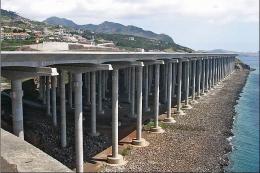
The Most Dangerous Airports: Madeira. The airport runway has a unique feature…
 FSX Missions
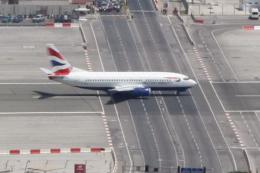
The Most Dangerous Airports: Gibraltar. Gibraltar is situated on a peninsula …
 FSX Missions
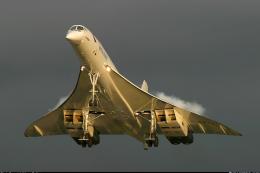
The Most Dangerous Airports: Kai Tak. The missions in this seres are of a his…
 FSX Missions
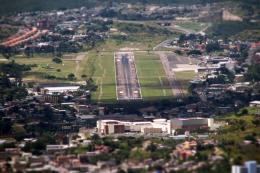
The Most Dangerous Airports: Toncontin. These missions are real and hectic, b…
 FSX Missions
Most Dangerous Airports: Ronald Reagan. The next in The Most Dangerous Airpor…
 FSX Missions
The Most Dangerous Airports: Lukla V2. Approach to Lukla v2 (totally new miss…
 FSX Missions
Venture into a demanding high-altitude challenge in Microsoft Flight Simulato…
Read what other simmers think, or add your own.

Just letting everyone know that all 4 of these missions crash my FSX if I hit the ESC button at any time during the mission. ESC during a mission usually just brings you out to a dialog that lets you either continue or end the mission. I have verified that no other missions do this but all four parts of this series does. I even disabled all non-default sceneries, going back to out of the box defaults to ensure nothing I had added was at fault and still as soon as I am in one of these missions and hit ESC, it crashes my FSX completely.