


 France
  FSX Scenery
PA Clemenceau
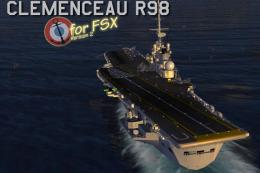
PA Clemenceau moving aircraft carrier for FSX Acceleration, circa 1990's. Fea…
The French Navy Clemenceau carrier appears as a richly detailed 1990s-era deck built for FSX Acceleration, supporting authentic catapult launches and arrested recoveries with working jet blast deflectors, wires, and an animated optical landing system. High-resolution DDS deck textures and numerous 3D deck objects enhance immersion, with optional tools required for moving-ship operations.
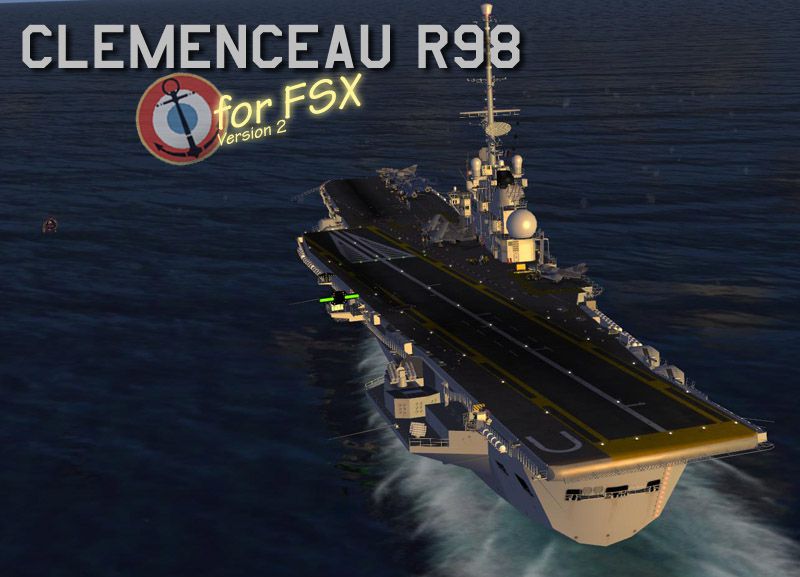
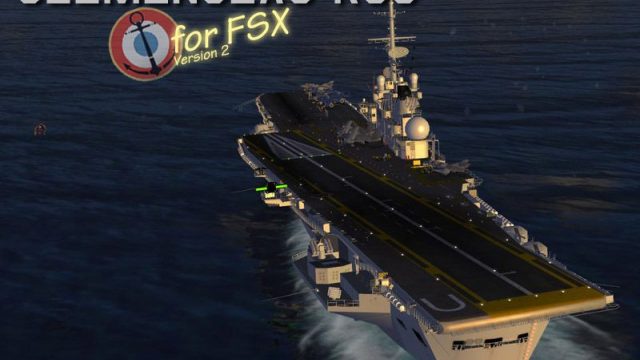
Clemenceau Carrier v2. This Clemenceau is modeled as she was circa 1990's. Her flight deck is mostly a recovery configuration which allows the use of both catapults. It's built for FSX Acceleration featuring working catapults, jet blast deflectors and arrestor wires for naval ops. This release is much more detailed than the previous v1.1; a lot of 3D objects were added. This model hasn't been tested for other versions of FSX (RTM or SP1). By Sylvain Parouty.
Clemenceau Carrier.
This Clemenceau is modeled as she was circa 1990's. Her flight deck is mostly a recovery configuration which allows the use of both catapults.
It's built for FSX Acceleration featuring working catapults, jet blast deflectors and arrestor wires for naval ops. The landing light system was built 'from scratch' thanks Joël Maillot works (thank you Joël!!)
This release is much more detailed than the previous r1.1, a lot of 3D objects were added: doors, ladders extinguishers, crewmen, etc... Nevertheless the tests made seem to show that when FSX/Acceleration is already running well, this carrier doesn’t have any fps issue. Last, this model hasn't been tested for other version of FSX(RTM or SP1) or FS9.
Animations
There are some animtions included into the model. For example, using the side catapult:
- The optical landing system moves down, the catapult command cabin and the jet blast deflector raise up.
- The shooting officer, according to French procedure, raise up a green flag ('full power' order), and then move it down on the deck asking for catapult shooting.
In order to have all the animations showing up, please check that 'enhanced animations' option is selected into your FSX settings.
Texture
Excepted crewmen faces textures, created by D.Cattaneo (thanks again Dino!), all the textures are original and the flight deck textures have been kept to the highest possible resolution (2048X2048 pixels). If texture loading is too slow, you may use the 1024X1024 pixels flight deck textures included into the 'Textures 1024' file.
All the Flight deck textures are converted into DDS format without MIPMAPs for maximum sharpness. If the flight deck is flickering too much you may try to use optional texture included into the 'Textures avec MIPMAPs' file. Unfortunately the FSX settings screen can’t allow you to use 2048px map so you have to edit manualy the FSX.cfg file (for XP user you will find it here: C:\Documents and Settings\[NOM]\Application Data\Microsoft\FSX). Then:
- Make a back up copy (you never knows)
- Look for [GRAPHICS] section
- Modify TEXTURE_MAX_LOAD value, put = 2048
Installation
- Run the auto install program using your FSX folder path or, if you prefer install it by yourself:
- Run it into a temp folder
- Locate the Boats folder in your FSX installation. A typical path (XP system) would be: C:\Program Files\Flight Simulator X\SimObjects\Boats
- Copy the 'VEH_Clemenceau V2.0' folder into Boats
- Copy the contents of the Effects folder into your FSX installation's Effects folder
Moving ship utilisation
For moving utilisation, it's highly recommanded to use lc0277 tools like AIBTC and/or AICarrier2
1) Using AICarrier2, add the folowing text to aicarrier.cfg file (usual path : C:\Program Files\AICarriers):
[formation.XXX]

	title=Porte-avions Clemenceau

	unit.0=VEH_Clemenceau, 0, 0
Don't forget to replace XXX by the ad hoc number...
2) Using Traffic AI (version 2.0)
You can add Clemenceau and his escort (1 destroyer and 1 cruiser from FSX) directly in scenery, having a permanent navigation:
- Off Brest : take off from Brest-Guipavas (LFRB) and fly west- south west, the ships are on a racetrack pattern in Iroise sea.
- Off Lorient : take off from Lorient (LFRH) and fly south-south west, the ships are on a racetrack pattern between Groix island and the archipelago of the Glénan Islands.
Installation:
- Copy the files from AI Traffic folder
- Past them into \Scenery\World\Scenery directory
Attention, if you the boats to appear, you have to set Traffic Boats level to 10% or more (see Settings>Customize>Traffic)
Users can create custom nav tracks from Google Earth path files by using the AI boat tool.
This software is hereby declared FREEWARE. This software should should and will not create any damage to your system, still the author is not responsible for any damage caused (or supposed to be caused) by this software.
ACKNOWLEDGMENTS
Many thanks for all the people who helped me, the Gmax Academy ans Sim-OutHouse forum, and especially:
- Sonny, beta tester, retired navy pilot and captain of the "Royal French Navy" web site.
- Michel Panattoni, retired navy pilot and beta tester, my Clem special advisor.
- Joël Maillot, Charles DeGaulle and Arromanches carriers author
- Andre Chancel, at the origin of my project with his great model, the Fouga Zephyr.
- Bill MacKay, retired from US Navy my special advisor and who help me to improve my English
- Dino Cattaneo, who did the beautiful T-45C and the face texture of all my crewmen
- All the carrier creators who post at the Sim-OutHouse forum, thanks to our discussions, a lot of FSX SDK mysteries collasped...
Special thanks for my wife and children: so much patience is amazing :)
Enjoy and have nice flights/traps,
Sylvain Parouty
Free for all simmers · 10.29 MB · Scanned clean Oct 2026
Download speed: Free tier is capped at 0.5 Mbps (this file takes approximately 3 mins at the cap). PRO members download at full line speed.
SimObjects\Airplanes\, Addon Scenery\, Effects\, or Gauges\.readme.txt or README file. It tells you exactly where files go, what dependencies are needed, and any quirks specific to this add-on.Use these coordinates to fly directly to this location once the mod is installed.
48.39000000,-4.49000000
Launch FSX or Prepar3D and use Flights → Load to open the downloaded .pln file. Your aircraft will be positioned at this location.
The archive vehclemenceauv2.zip has 7 files and directories contained within it.
This list displays the first 500 files in the package. If the package has more, you will need to download it to view them.
| Filename/Directory | File Date | File Size |
|---|---|---|
| Clemenceau V2.gif | 08.30.09 | 13.29 kB |
| Clemenceau V2.jpg | 07.31.09 | 132.70 kB |
| FSX Clemenceau v2 Readme.txt | 08.30.09 | 9.40 kB |
| FSX Clemenceau_V2 Lisez-moi.txt | 08.30.09 | 9.89 kB |
| VEH_Clemenceau_FSX_EN.exe | 08.30.09 | 10.36 MB |
| flyawaysimulation.txt | 10.29.13 | 959 B |
| Go to Fly Away Simulation.url | 01.22.16 | 52 B |
Only PRO members can place votes.
More FSX & P3D add-ons hand-picked based on this download.
FSX Scenery
PA Clemenceau moving aircraft carrier for FSX Acceleration, circa 1990's. Fea…
 FSX Scenery
Optional Textures For Clemenceau v2 (VEHCLEMENCEAUV2.ZIP). This package conta…
 FSX Scenery
This is just a demo, right, so no complaints if there are any shortcomings. T…
 FSX Scenery
AI Carrier Battle Groups, pack 1. Adds moving naval ships as AI traffic at a …
 FSX Scenery
Carrier Tracks Volumes 1 And 2. Volume 1 places Nimitz-class carrier models a…
 FSX Scenery
A carrier group in the Pacific going around in a square to better find it. Ki…
 FSX Scenery
Four Carrier Scenery v5.0. Includes Miramar, Oceana, Pensacola U.S., and Yoko…
 FSX Scenery
FSX Midway Carrier Patch. A patch for Yanco San's WWII Midway Carrier Battle …
Be the first to leave a comment on this download.
Be the first to share your thoughts on this download.