


 United States of America
  FSX Scenery
Naples Municipal Airport
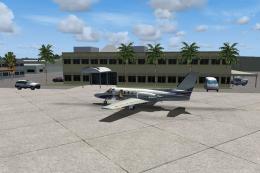
Immerse yourself in a carefully overhauled representation of Naples Municipal…
Flying Cloud Municipal Airport (KFCM) in Minnesota brings an updated reliever-field experience near Minneapolis with a 5,000-foot runway extension for general aviation operations. The scenery refreshes taxiways, adds a new area south of runway 10R/28L, corrects hangar placement, and scales buildings to realistic dimensions for FSX.
Flying Cloud Municipal Airport (KFCM), Minnesota. Flying Cloud, now with an extended runway at 5000 feet, is one of the reliever airports in the Minneapolis MN metro area. It was once one of the busiest airports in the world, number nine actually, in 1968 with 446,198 takeoffs and landings. Flying Cloud now mosly hosts GA. Scenery includes extended runway. By Gene Harvey.
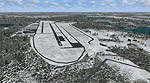
Screenshot of Flying Cloud Municipal Airport Scenery.
Update/Tweak/Fix includes:
Updated runway.
Updated taxiways.
New section south of runway 10r/28l.
Fixed hanger placements.
Real building sizes.
Installation: Simply place the BGL files in Microsoft Flight Simulator X/Addon Scenery/scenery.
Only move the contents of the 'Flying Cloud' folder not the folder it's self.
Credit: Gene Harvey.
Thank You.
Tested on FSX with sp2/acceleration on Win7 64bit.
Free for all simmers · 7.28 MB · Scanned clean Oct 2026
Download speed: Free tier is capped at 0.5 Mbps (this file takes approximately 2 mins at the cap). PRO members download at full line speed.
FSX\Addon Scenery\ containing scenery and texture sub-folders.readme.txt or README file. It tells you exactly where files go, what dependencies are needed, and any quirks specific to this add-on.Use these coordinates to fly directly to this location once the mod is installed.
44.82722200,-93.45722200
Launch FSX or Prepar3D and use Flights → Load to open the downloaded .pln file. Your aircraft will be positioned at this location.
The archive kfcm.zip has 7 files and directories contained within it.
This list displays the first 500 files in the package. If the package has more, you will need to download it to view them.
| Filename/Directory | File Date | File Size |
|---|---|---|
| Readme.txt | 01.20.11 | 591 B |
| fsx 2011-01-20 00-50-05-58.bmp | 01.20.11 | 5.05 MB |
| fsx 2011-01-20 00-48-54-67.bmp | 01.20.11 | 5.05 MB |
| KFCM_ADEX_GCH.BGL | 01.20.11 | 42.61 kB |
| KFCM_ADEX_GCH_CVX.bgl | 01.20.11 | 612 B |
| flyawaysimulation.txt | 10.29.13 | 959 B |
| Go to Fly Away Simulation.url | 01.22.16 | 52 B |
Only PRO members can place votes.
More FSX & P3D add-ons hand-picked based on this download.
FSX Scenery
Immerse yourself in a carefully overhauled representation of Naples Municipal…
 FSX Scenery
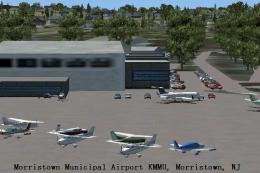
Morristown Municipal Airport serves Morristown and Morris County and is owned…
 FSX Scenery
Pueblo Municipal Airport. Pueblo Memorial is the airport located in Pueblo, C…
 FSX Scenery
Orofino Municipal Airport (S68), Orofino, Idaho (ID). Includes photoreal terr…
 FSX Scenery
Chilliwack Municipal Airport (CYCW), British Columbia, Canada. Enhances the a…
 FSX Scenery
La Crosse Municipal Airport (KLSE), La Crosse, Wisconsin (WI). This scenery i…
 FSX Scenery
Lebanon Municipal Airport (KLEB), Lebanon, New Hampshire (NH). An improved ve…
 FSX Scenery
Craig Municipal Airport (KCRG), Jacksonville, Florida (FL). This update to th…
Read what other simmers think, or add your own.

This is where I fly out of in the Real world in the 172. N969GT. Unbelievable how accurate this is now with the Scenery Add On!