Editorial Newsdesk

Flight Simulator News & Editorial Coverage

Daily reporting, in-depth reviews, and freeware add-on coverage across Microsoft Flight Simulator, FSX, X-Plane 12, and Prepar3D — curated and edited by industry veteran Ian Stephens.

Updated 19 May 2026 Covering 4 Sim Platforms
Coverage Hubs

Browse by Simulator

Dedicated newsdesks for each platform we cover. Click any title for the full topic archive, or dive straight into a recent article.

Editor’s Curation

Hand-Picked by Ian

Evergreen guides, definitive reviews, and the must-read deep-dives that have stood the test of time. Updated daily.

About the Editor
#1
Editorial

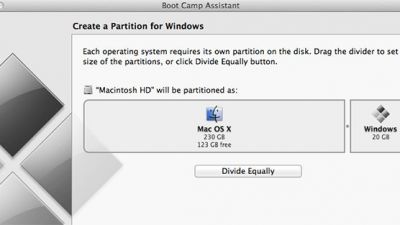
Running Microsoft Flight Simulator X on a Mac

Running Microsoft Flight Simulator X on a Mac is entirely possible through Boot Camp, Parallels, or VMware Fusion, each offering…

#2
Microsoft Flight Simulator X

Best Freeware Boeing 747 Add-Ons for FSX/FSX:SE/P3D

Immerse yourself in a refined selection of freeware Boeing 747 expansions tailored for FSX, FSX:SE, and P3D, designed to boost…

Newest Coverage

Latest Articles

The freshest reporting from our newsdesk — sorted by publish date, across every platform we cover.

BAe 146 Announced for X-Plane 12 by Just Flight

Just Flight’s BAe 146 for X-Plane 12 features a refined flight envelope, high-fidelity cockpit systems, and eight diversified variants—covering…

Never miss a story

Get the latest flight simulator news, freeware add-on releases, and editorial features delivered to your inbox. Join 145,000+ simmers already subscribed.

No spam · Unsubscribe anytime

Full Index

Browse All Topics

Every news category we cover, with article counts. Find exactly what you’re looking for.

Quick Answers

Common Questions

Quick answers to the questions our readers ask most about flight simulators and add-ons.

What is the best flight simulator in 2026?

There’s no single “best” flight simulator — the right choice depends on your priorities. Microsoft Flight Simulator (MSFS 2024) offers stunning photorealistic visuals, global Bing satellite coverage, and live weather. X-Plane 12 is widely regarded as having the most realistic flight model. Prepar3D is favoured by professional training applications. FSX remains popular thanks to its massive freeware library.

For most home simmers in 2026, MSFS is the recommended starting point. Browse our MSFS coverage for reviews and add-on guides.

Are flight simulator add-ons free?

Many are. Fly Away Simulation hosts tens of thousands of free add-ons covering aircraft, scenery, missions, utilities, and liveries for MSFS, FSX, X-Plane, and Prepar3D. The freeware community has been the heart of flight simulation for over 30 years.

Premium payware add-ons exist too — typically offering higher fidelity systems, exclusive aircraft, and detailed scenery. Visit our downloads library to browse the full freeware catalog.

Can I run Microsoft Flight Simulator on my laptop?

MSFS will run on most modern laptops that meet the minimum spec: 16 GB RAM, a dedicated GPU (GTX 1660 or better), and ideally an SSD for asset streaming. For high or ultra settings you’ll want a current-generation gaming laptop with an RTX 4060+ and 32 GB RAM.

Lower-spec systems can still play with reduced render distance, lower texture quality, and offline regions. Our MSFS news covers performance optimization regularly.

What’s the difference between FSX and MSFS?

FSX (Flight Simulator X) launched in 2006 and remains hugely popular for its unmatched library of freeware and payware add-ons. It uses a 32-bit engine, runs on modest hardware, and is supported by the dedicated FSX:SE (Steam Edition) community.

MSFS (Microsoft Flight Simulator 2020 / 2024) is the modern successor — a complete rebuild featuring photoreal Bing satellite scenery, live real-world weather, AI-generated airports, and continuous evergreen updates. Both platforms remain actively played in 2026 for different reasons.

How do I install flight simulator add-ons?

Installation varies by simulator. MSFS uses an in-game Content Manager plus a Community folder for manual add-ons. FSX / Prepar3D typically use either an installer or a manual drop into the Aircraft or Scenery folders. X-Plane uses the Custom Aircraft and Custom Scenery folders.

Every download on Fly Away Simulation includes installation instructions specific to that file. New to add-ons? Start with our downloads library.

Is FSX still worth playing in 2026?

Yes — for many users, FSX remains an excellent choice in 2026. The platform has an unmatched library of free and payware add-ons, runs comfortably on older hardware, and the Steam Edition (FSX:SE) is still actively maintained by its community.

If you value the legacy add-on ecosystem, photo scenery packages, or want flight sim on a lower-spec PC, FSX is still a strong pick. See our FSX news archive.

Archive

Older & Archived Topics

Categories below cover older or obsolete simulators that we no longer actively update, but remain searchable for reference.