


 United States of America
  FSX Scenery
Dover AFB
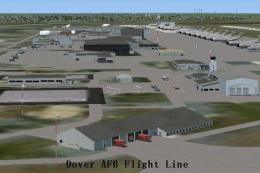
Dover Air Force Base or Dover AFB (IATA: DOV, ICAO: KDOV, FAA LID: DOV) is a …
Elmendorf Air Force Base (PAED) in Anchorage gets a convincing FSX makeover with corrected taxiways and aprons, improved parking assignments for cargo and combat operations, and refreshed base buildings including a more accurate control tower. Added vehicles, lighting, fuel trucks, and a fire station bring the ramp to life, with no external libraries required.
This freeware add-on extensively refines Elmendorf Air Force Base (PAED) in Anchorage, Alaska, and introduces a range of meticulously placed enhancements for FSX. The scenery includes realistic parking assignments, upgraded base structures, and updated ground layouts that better capture the essence of this important US Air Force installation. All of these adjustments have been crafted by Jim Cook.
Elmendorf AFB is situated near Anchorage’s Cook Inlet and has historically supported both Military_Cargo and Military_Combat operations. In this updated scenery, the developer integrated new cargo and combat parking positions to more accurately reflect actual mission capacities. A newly placed fire station, complete with fire trucks, enriches immersion by showcasing daily life on an active airfield. Additionally, numerous default structures have been removed or swapped with more appropriate models, including the control tower, which has been replaced with a version that closely matches real-world references.
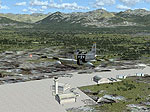
Elmendorf AFB Scenery.
Static fuel trucks have been strategically positioned throughout the base, and multiple parking areas now include vehicle models and light poles to reflect the infrastructure found on real Air Force installations. Taxiways and aprons have been carefully realigned using official AirNav diagrams and Google Earth overlay data, ensuring that surface layouts meet actual operational standards. These refinements create a more genuine experience when taxiing larger aircraft in and around the airfield environment.
While this modification has been tested in conjunction with Just Flight's Military Plus Packs, it remains compatible with a completely stock FSX setup. No external object libraries are needed because all structural elements derive from the built-in FSX resources. For simmers using higher-fidelity ground environments, such as Ultimate Terrain and FSGenesis landclass, the scenery merges seamlessly without requiring extra configuration. Each element has been edited and placed with Flight 1’s AFX program and Instant Scenery for consistency and faithful reproduction of the base layout.
AFX_PAED_JC.bgl and PAED_JC.bgl).With these modifications in place, Elmendorf AFB transforms into a far more dynamic environment. Jim Cook has expressed interest in updating additional military facilities as time allows, so this release may pave the way for more robust coverage of airbases.
Jim Cook
Free for all simmers · 27.87 KB · Scanned clean
Download speed: Free tier is capped at 0.5 Mbps. PRO members download at full line speed.
FSX\Addon Scenery\ containing scenery and texture sub-folders.readme.txt or README file. It tells you exactly where files go, what dependencies are needed, and any quirks specific to this add-on.Use these coordinates to fly directly to this location once the mod is installed.
61.25000000,-149.80000000
Launch FSX or Prepar3D and use Flights → Load to open the downloaded .pln file. Your aircraft will be positioned at this location.
The archive elmdorf.zip has 6 files and directories contained within it.
This list displays the first 500 files in the package. If the package has more, you will need to download it to view them.
| Filename/Directory | File Date | File Size |
|---|---|---|
| elmendorf_read_me.txt | 07.21.08 | 1.09 kB |
| AFX_PAED_JC.bgl | 07.21.08 | 56.47 kB |
| PAED_JC.bgl | 07.21.08 | 4.17 kB |
| FILE_ID.DIZ | 07.27.08 | 215 B |
| flyawaysimulation.txt | 10.29.13 | 959 B |
| Go to Fly Away Simulation.url | 01.22.16 | 52 B |
More FSX & P3D add-ons hand-picked based on this download.
FSX Scenery
Dover Air Force Base or Dover AFB (IATA: DOV, ICAO: KDOV, FAA LID: DOV) is a …
 FSX Scenery
Custom built hangars and buildings for Altus AFB, Oklahoma (OK), USA. AFCAD f…
 FSX Scenery
Scenery Edwards AFB Additions (KEDW), California (CA). Adds two refuel statio…
 FSX Scenery
Charleston AFB / International Airport (KCHS), South Carolina (SC). A complet…
 FSX Scenery
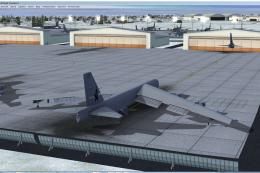
Scenery Griffiss AFB New York (NY) as it was back in the late 1980's before i…
 FSX Scenery
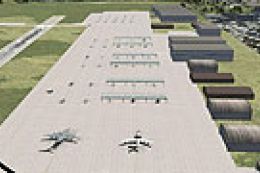
This freeware package refines the stock representation of Nellis Air Force Ba…
 FSX Scenery
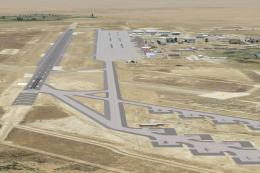
Mountain Home AFB (KMUO), Idaho (ID). The Air Force has been consolidating ai…
 FSX Scenery
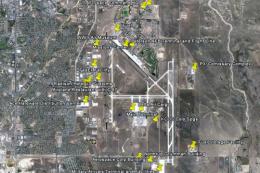
(KCOS), CO. Custom built detailed terminal, hangars, nearby buildings, hotels…
Be the first to leave a comment on this download.
Be the first to share your thoughts on this download.